I asked for I think four of these yesterday (%, comma, font, 5 languages). Impressive response. Thanks.
I like today’s stats easily available - like the web version
At the top of a lesson, clicking gives me lessons stats. Stats for today are far far more important. Same with the all stats. Please show today’s stats first, and “words read” is the most important apart from maybe the x/50 coincs earned and streak.
Why not rearrange the stats you have to make another quick improvement?
The know world bubble now blocks the subject of the video every time I change the status of a word.
Can there please just be a way to disable it all together.
Also there is some funky visual stuff going on at the bottom of the screen on every video, like it changes shade?
I know this might be too much to ask, but a way the video to automatically pause after each sentence would be a really great addition, kind of like in sentence mode but available for full screen also. Perhaps there could be two small buttons either side of the screen that could let you jump between sentences, repeat them etc.
I find videos run for a sentence and won’t move on unless I swipe and then press play - poor user experience.
Video, bilingual text and sentence by sentence with shortcuts is what I’d want. And obiviously no “known” bubbles.
Thanks for the update on the settings. Is there a way to edit the lesson in this release? I can only find a way to edit individual sentences, but no way to edit entire content. I did in fact find an “edit lesson” page but it only allows to pick individual sentences. No way to look at entire content so I can add, remove entire paragraphs like the usual way. Thanks
1 More note
I changed the setting so the pop up shows Ignore / Known / Definition
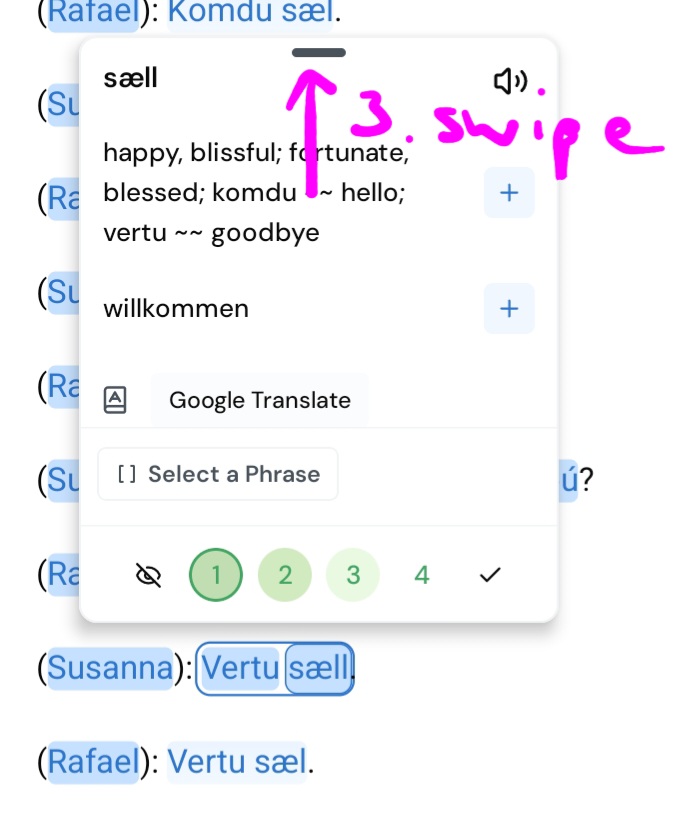
However for blue words see additional meanings submenu, it took me a long time to figure out that you have to swipe up on the pop up to open it and that doesn’t work for me everytime. To get to the submeny with yellow words/LingQs is easy so sometimes I have to make it a LingQ first before I can see the additional meanings.
Hello, a question on the new Android app:
If I am listening to a lesson audio via the Course Audio view, how do I then open up the karaoke mode transcript of the lesson as I am listening along?
My use case is that I have the Course Audio open as I want to go through all of the mini stories in random order to practice my listening. However I have now just heard a few words that are new to me so I would like to understand how they are spelled and what they mean. Previously this was very simple as I could simply click on the two arrows which were pointing one to the top right and one to the bottom left to expand this view, but this seems to have disappeared. Thanks
This is good (and in general, the refresh is very nice!). Could you add to the Word Popup settings the ability to view meanings on the word popup? We used to have that, but now I have to hunt through a few menus to find it.
There is a bug on course playlist that is not opening the lesson correctly. Audio scrolling mode replaces karaoke so you can tap on words while the audio is playing and the text scrolling like karaoke.
Sorry, which meanings do you mean? We show the two first meanings available on the medium long press popup that you can make the default popup you see on single tap on the Word Popup settings. You can then expand either the small or medium popup to see all the meanings, sentence details etc
For 99% of words, I only see one meaning in the long press popup (which I have enabled to appear on tap, like the older app). Sometimes, I need to see another meaning. At that point, as you say, I have to expand the popup AND then press “Meanings” to see all the meanings. I would like an option for a single tap of a word to bring up multiple meanings instead of having to expand it and press “meanings.” If I go through 500-1000 coins worth of reading a day, all the extra taps add up and slow down my reading too much.
Hello @sraevsky You can disable ‘Auto-create LingQs’ in the settings. Then you will see two meanings in the popup, but you will have to tap on the meaning each time to select the one you want to save. Could you please give it a try? Does it fit your learning style better?
Hi @bbbblinq in the Lesson settings there is a Sentence view section. And setting ‘Auto Text-to-Speech’ there will start audio/video in the Sentence mode when you swipe. Could you please give it a try?
You used to be able to access a vocab list of only unknown (not yet LingQ) words from within a lesson. This was useful because you could quickly clear out words that were known/irrelevant before listening/watching. I would also use the LingQ list for reference while listening. I can’t find a way to access a full lesson list anymore.
For imported Youtube videos, the option to do any review activities is missing (whether vocab list of flash cards). I think in previous versions, a youtube import lesson would first display the transcript in a similar way to audio lessons, with all the review options. Then you could hit play to go into the video viewer with the scrolling transcript.
I don’t see a shuffle option anymore when playing from a playlist. This was a useful feature.
Thank you LingQ team for all the improvements. I especially love the scrolling transcript view for videos and I’m excited to see how the Lynx integration develops. Would love to see some examples of how people are using Lynx.
Yes, this is better, thank you. If possible, I would still like to see more meanings when I expand the popup, instead of having to (1) expand the popup and then (2) select “meanings.” Thanks!
One lesson added 139 unknown words to my word count today. Please stop low value app changes and fix the basic. Word count, today’s stats and shortcuts. Because it seems to move blue wrods to known incorrectly, I seem to have to manually turn blue words to a number to try to stop it. 350 extra keypresses per chapter. FFS
And I needed 5 taps and a swipe to find the meaning, that I wanted to use, in the collected meanings. That’s a lot. [Actually I still changed the meaning in my created lingq after. So, another step.]
For people like me, who don’t just take the first shown meaning - in this case the first shown meaning wasn’t even in my chosen language - as soon as we tap the “Meanings” header, all meanings should be visible.
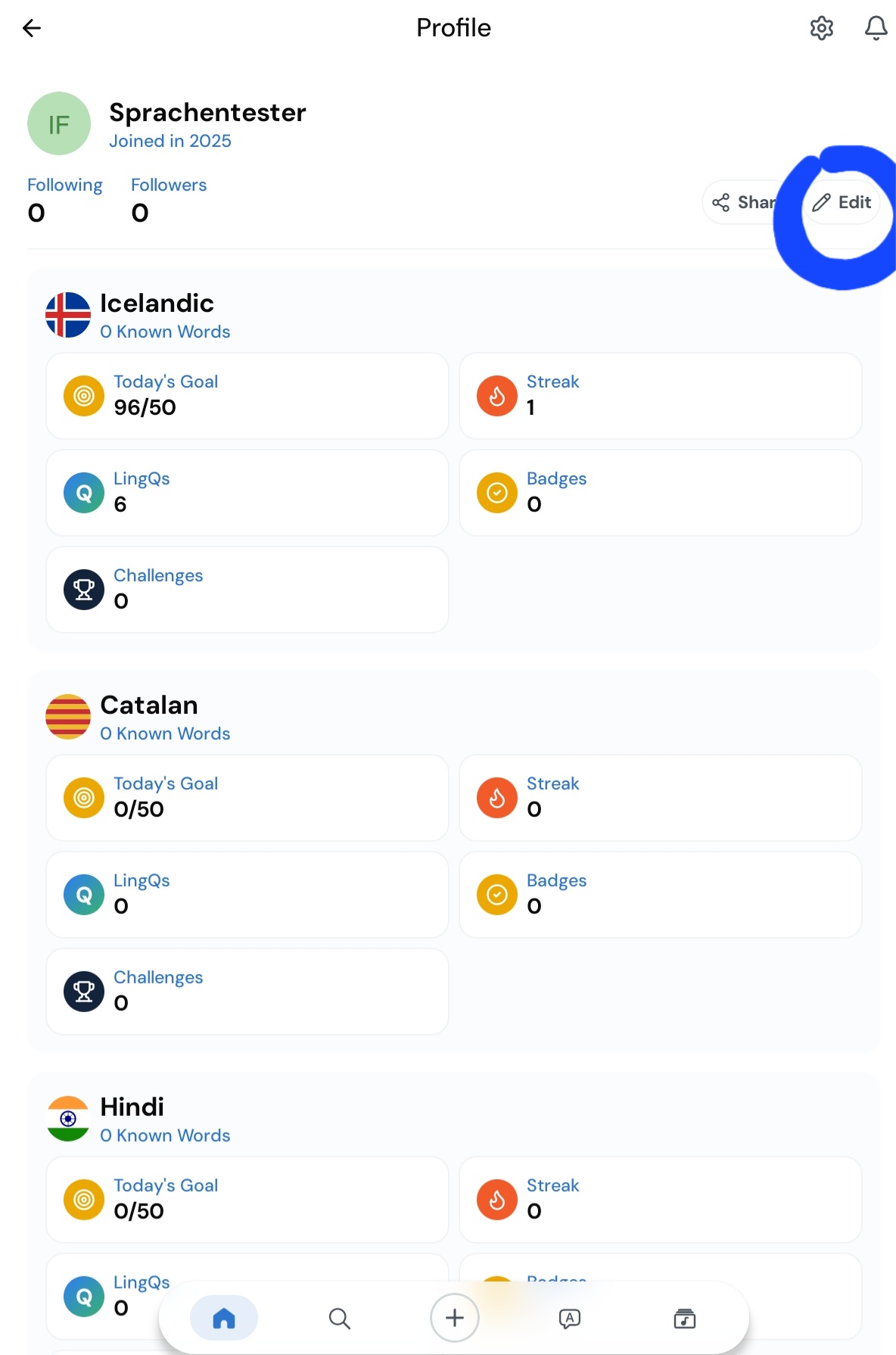
● I deleted two of four languages in the settings. After an hour, both deleted languages were back in the profile again.
After just playing around for an hour on a tablet, I already know, I like the new version. But I still need to check out all the hidden settings.
● Also visible on the picture above: On a tablet the language profile page has very few elements on the screen. When I have four active languages, only three of them are visible at once. without scrolling I just see two of them completely.
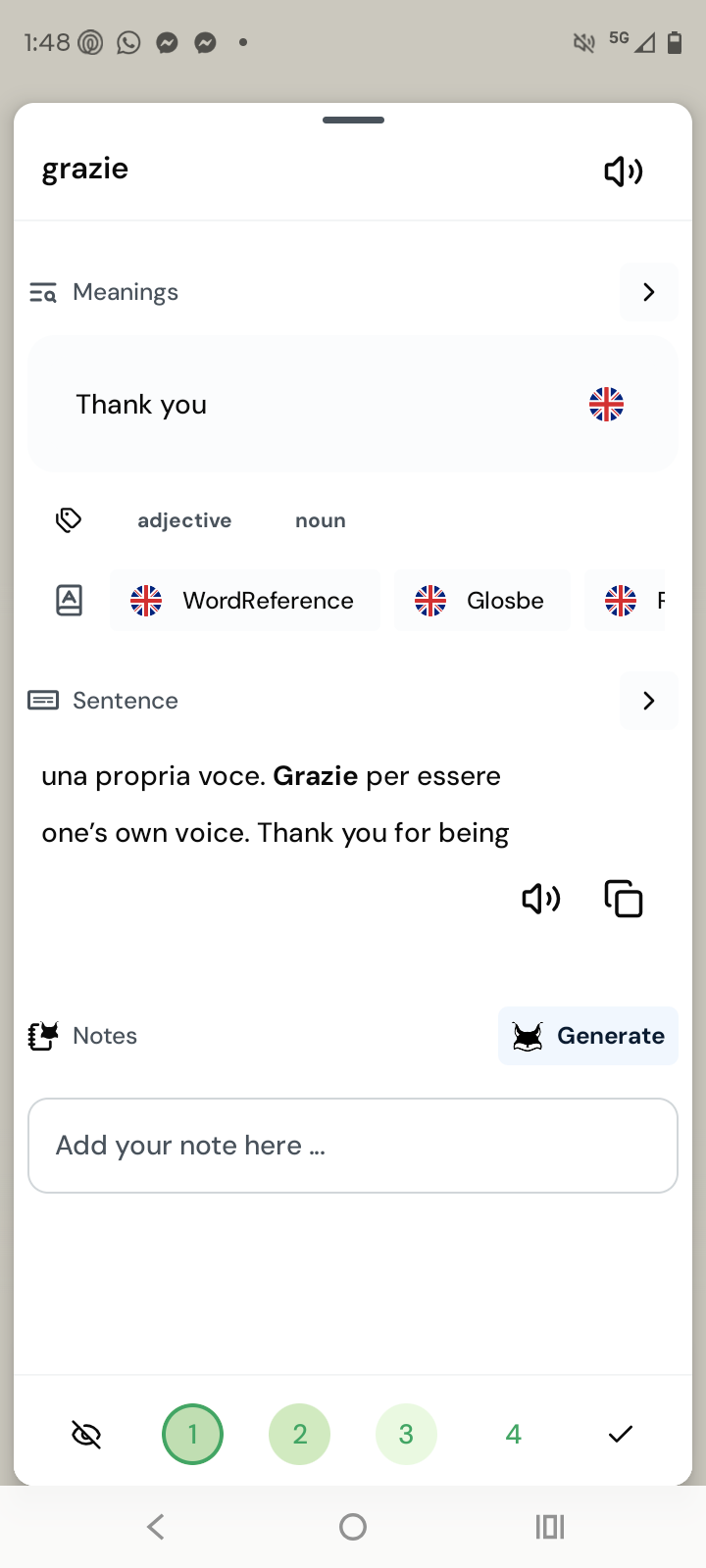
● In the two pictures below it is almost impossible so recognize, which of the two meanings belongs to a lingq and which one to a blue word [I guess the Lingq symbol stands for a created lingq?]
Here I kind of miss the language flags, which we have in the web version. For a minute I forgot, that I chose German as the dictionary language and I thought “what? That word is not a conjugation of ‘to die’!”. Sometimes I have meanings in two different dictionary languages saved…
I want to help and push updates as quickly as possible but for this feedback I don’t really know what the issue is. Can you please be more specific? Do you have Move blue words to Known when paging enabled and you were not aware? Did you complete a lesson where you tapped through the list of blue words on the lesson finish screen and they all moved to known?
I really love the added sentence for context when you click on the word and the ability to copy those sentences to your clip board (I study vocab outside of lingQ)
This only seems to be functioning within the lessons though, when I go to my vocabulary section and click on a word it says “this is the first encounter of this word”
Also the “random” button for audio playing via the Play Course Audio portion of the app is no longer available.
The karaoke view and the random button are the two most used features that I use when listening to audio on the app, and you have taken them both away in this new version …
Hi, sorry, another issue. I’m now reading on the new app and I always have to click multiple times to do anything with new (Blue) words. If I know the word, I have to click an extra time in order to get to the ignore button. If I want to save the word, clicking on the default word doesn’t even seem to save that as the LingQ, I still have to click a second time to save the word. So overall I now need to click double the amount of times I would have had to click in the past. This is a terrible user experience - the world is moving to fewer clicks to achieve the desired result, not more.
I’ve literally tried to do the three things that I do most on the app and they are all missing or worse in this new update…