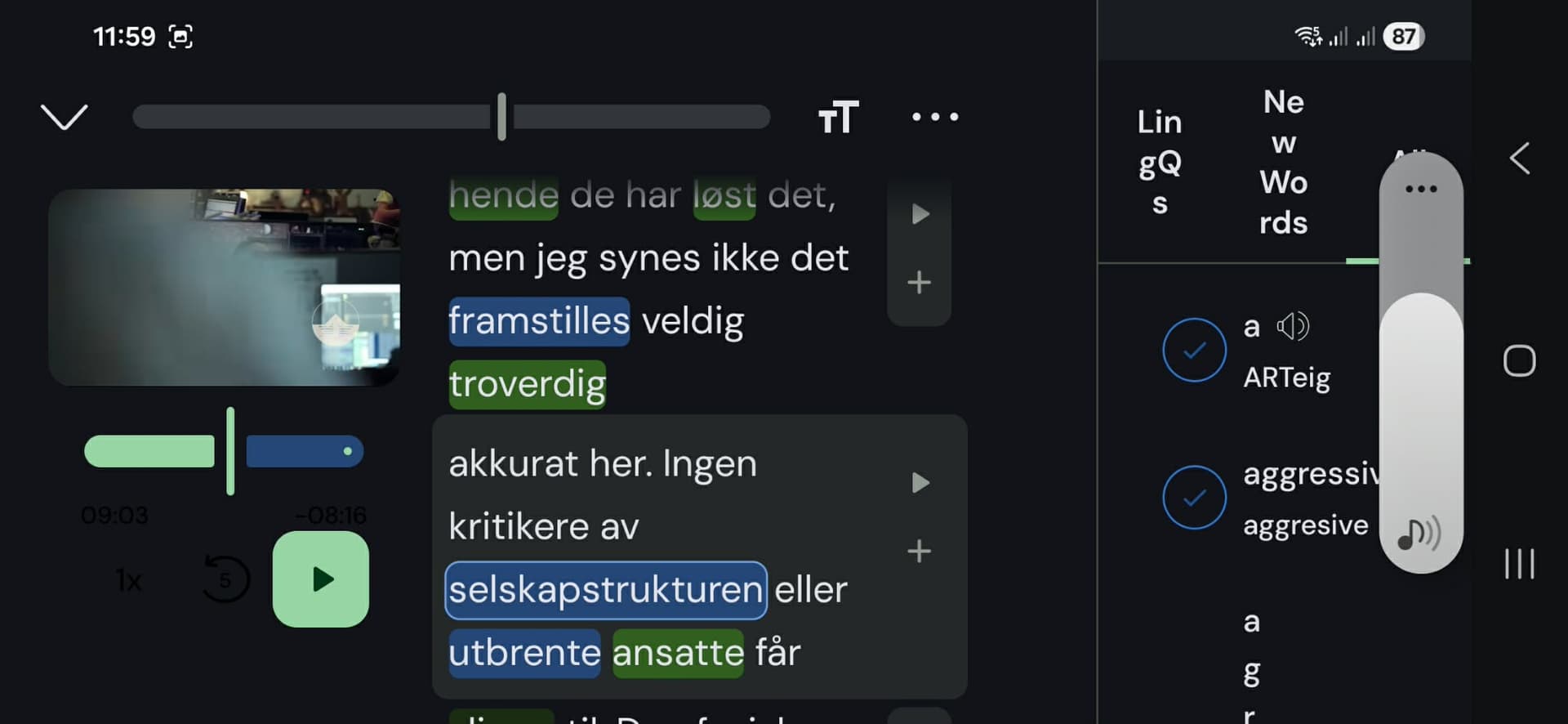
fantastic update, i disagree with people wanting to add the regular controls to the bottom of the screen as a i prefer to just have more of the transcript in front of me and i think it would become cluttered. If you were to add that as a feature please make it optional like you can show and hide the translations. I LOVE fullscreen mode. also the lessons do seem to load much faster on Galaxy S22.
I had completely stopped using the Youtube import function but being able to check my LingQs without coming out of the whole video is a game changer and I will definitely be using this more. Looking forward to seeing improvements on the other platforms as i regularly use iOS desktop and android.
One small thing, if you are in a Youtube video in fullscreen and come back out the formatting is landscape im not sure this is intentional as this is the only way to get into landscape mode as far as i can tell and the formatting looks pretty wonky.
If you haven’t yet, you can join the beta by following Tiago’s instructions above:
You can join the beta via Google Play open track, by accessing our app Google Play page, or through Firebase Apptester programme, which some of you might be in already. Otherwise, here is the link for access:
Fixed that orientation issue in phones in the new version available now. I have added the controls other requested, it was just a matter of moving the black bar at the top of videos to the bottom of the video. I think it looks nice and neat, they are relatively small buttons. Let me know what you think.
Here is the changelog for 6.1.9:
New Features
Video playback controls — Added compact playback controls (speed, back 5s, play/pause, forward 5s, fullscreen) below the video in portrait and sentence mode, replacing the previous top bar
Separate playback speed preferences — Playback speed is now stored independently for normal audio, sentence TTS (default 0.75x), and video (default 1x); persisted across sessions and mode switches
Sentence editor — Improvements to sentence editor with multi-language notes support (sentence editing for video lessons will be fixed in next version)
Auto grammar tag setting — New setting to enable/disable automatic grammar tagging
Bug Fixes
Reader pagination with images — Fixed text overlapping images when sentence translations are off; fixed crash on Korean lessons when changing font size; fixed duplicate/empty last page with trailing images
Pager reset on repagination — Fixed sentence mode pager resetting to first page when going back to page view
Video reader orientation — Fixed orientation lock not working correctly on phones
Karaoke mode — Fixed next track not playing after video finishes
Video controls dark mode — Fixed tablet landscape video controls not tinted correctly in dark mode
That visible video compact playback control is useful. I don’t have to finger-chase those pesky moving play buttons on the right of each sentence.
Or maybe if there a way to keep the current scrolling-sentence position locked so the sentence play button are always locked in same position, wherever I last positioned the sentence.
With the new update, the playlist problem hasn’t been resolved yet. I need my course playlists with YouTube videos to play one video after another without interruption. If you pay attention to the video, you’ll notice that when you switch from one video to another, the video doesn’t play automatically, and this is a problem because the autoplay feature is something I use extensively in my day.