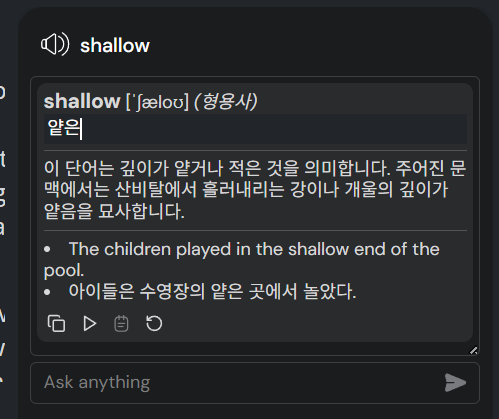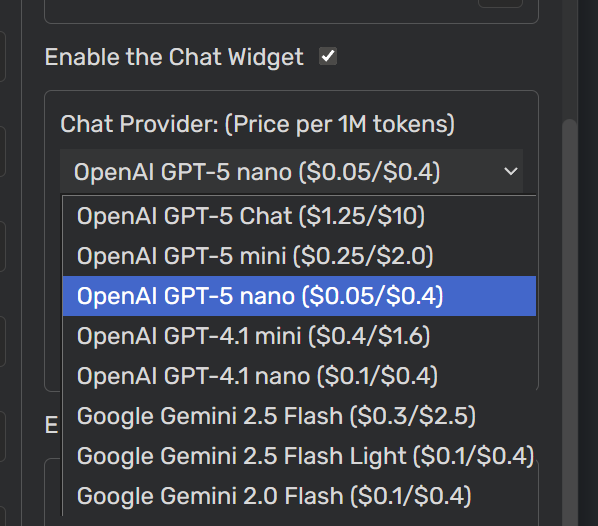
v 8.1.3 Added new models (GPT-5 series) to the option.
Hello,
I installed the extensions in Microsoft Edge following the instructions. However, I cannot see the new buttons for settings.
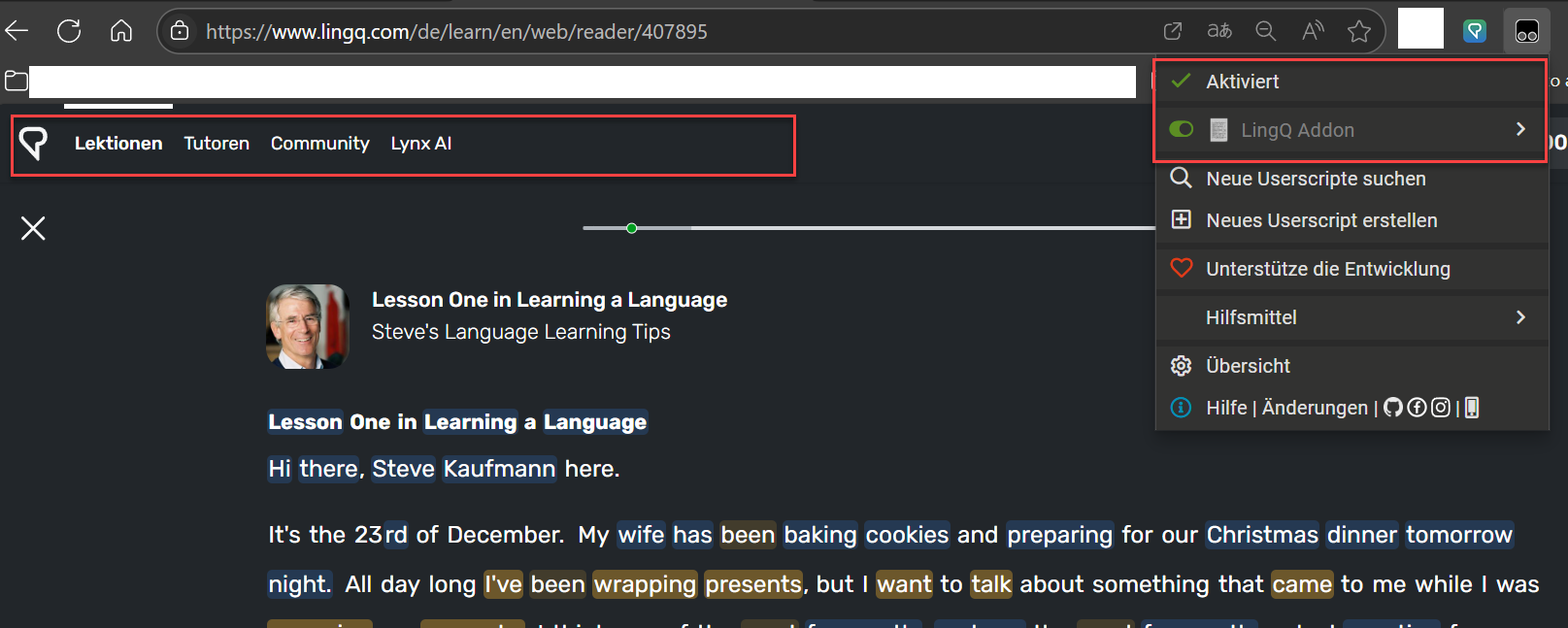
Turn on the dev mode
Hi, first of all thank you for this great addon and continued support. I’ve discovered lingq like 3 hours ago and the addon about 2, so I didn’t have an opportunity to explore its full potential. However, I was incredibly bothered by the fact that youtube controls are disabled. That is because at least to change quality of the video and select the right audio track you have to have access to “settings” button, and it’s hidden. I saw in the code that you did that on purpose (via src = src + "&controls=0"; on line 3223 currently), but personally I don’t see the reason for that - controls become hidden once you move mouse away.
So, for anyone who also considers this a downside, checkout this function on line 3217 (currently)
async function changeVideoPlayerSettings() {
    const iframe = await waitForElement('.modal-container iframe', 1000);
    let src = iframe.getAttribute("src");
    src = src.replace("disablekb=1", "disablekb=0");
    src = src.replace("autoplay=0", "autoplay=1");
    src = src + "&cc_load_policy=1";
    src = src + "&controls=0";
    iframe.setAttribute("src", src);
}
I believe you can technically just delete the line src = src + "&controls=0";, but chatgpt suggested more “robust” way - to replace this function with the following:
async function changeVideoPlayerSettings() {
    const iframe = await waitForElement('.modal-container iframe', 1000);
    if (!iframe) return;

    let src = iframe.getAttribute('src') || '';

    // Prefer robust param editing
    try {
        const u = new URL(src, location.href);
        // keep your tweaks
        if (u.searchParams.get('disablekb') === '1') u.searchParams.set('disablekb', '0');
        u.searchParams.set('autoplay', '1');
        u.searchParams.set('cc_load_policy', '1');
        // bring the YouTube UI back
        u.searchParams.set('controls', '1');
        src = u.toString();
    } catch {
        // Fallback if URL parsing ever fails
        src = src
            .replace(/disablekb=1/, 'disablekb=0')
            .replace(/autoplay=0/, 'autoplay=1')
            .replace(/controls=0/, 'controls=1');

        if (!/[?&]cc_load_policy=/.test(src)) {
            const sep = src.includes('?') ? '&' : '?';
            src += `${sep}cc_load_policy=1`;
        }
        if (!/[?&]controls=/.test(src)) {
            const sep = src.includes('?') ? '&' : '?';
            src += `${sep}controls=1`;
        }
    }

    iframe.setAttribute('src', src);
}
Yes, chatgpt, I’m not a frontend dev, so YMMV. Worked for me, hopefully works for whoever needs this.
Again, thank you for the addon, vet8t6z79pc4, hopefully I’d stick with it once I will explore it more.
I’ve spent the last half an hour trying to get this to work on Android Firefox. It’s enabled but doesn’t do anything…
For most cases, it was the cause of the problem.
If you want to solve your problem, you need to provide a sufficient amount of information regarding the problem.
Hi! I’m still fascinated by your extension. It really helps to make life easier. But is it possible to add another function? When playing to the page view, you can switch to the same sentence in the sentence view?
1 Like
v 8.1.4 Fixed a bug that summarization is not generated when using some openai models.
Download Script
1 Like
v 8.1.6 Fixed a bug where summary section can not scrollable.
v 8.1.7 Fixed an issue related to toast position.
1 Like
Hi! Today addon stop working. He no longer modifies the page or adds an ai panel. Maybe lingq changed own frontend?
While I was sleeping, LingQ changed its page structure, and it seems to require quite a few changes. I’m currently working on the code, and it might take one or two days (or maybe more), since I’m not sure how many changes have been made.
v 8.2.0 Fixed issues caused by the LingQ website’s layout change.
If there’re some issue I didn’t notice, let me know.
Download Script
1 Like
1 Like
v 9.0.0 Implemented a flashcard-making feature.
LingQ offers its own flashcard export feature, but it has some inconveniences.
- Different word forms are stored separately (e.g. write, written).
- If a word has multiple meanings, all meanings have to be stored in a single flashcard.
- Although you can store example sentences, meanings, or pronunciations in the memo section, it’s saved as plain text and must be entered manually.
- If a word has a typo (if the content is generated from auto-subtitle), we need to skip the word to avoid making an incorrect flashcard.
To address these issues, a flashcard-making feature has been added to the Addon.
- By clicking the ‘add to flashcard’ button below a word’s description, the following data are recorded in the database: original word, context, word(base form), pronunciation (IPA), meaning, explanation, example sentence, and translated example sentence.
- By clicking a word title, you can view or remove the flashcards that have been created for it (to prevent duplicates).
- You can view, edit, or export flashcard data (to be developed in the future); but for now, this can be done manually via the DB page.
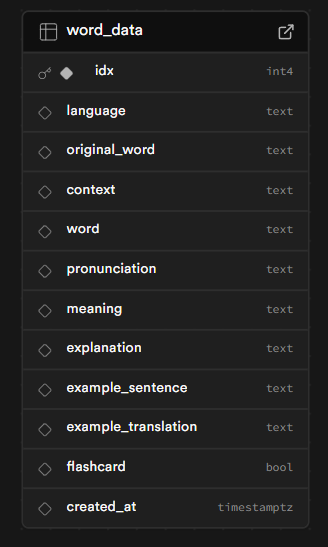
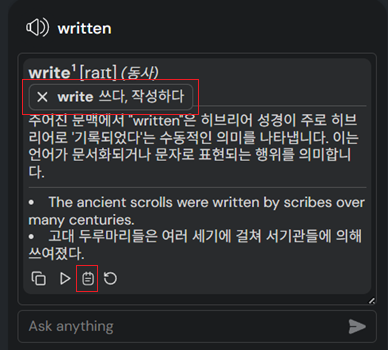
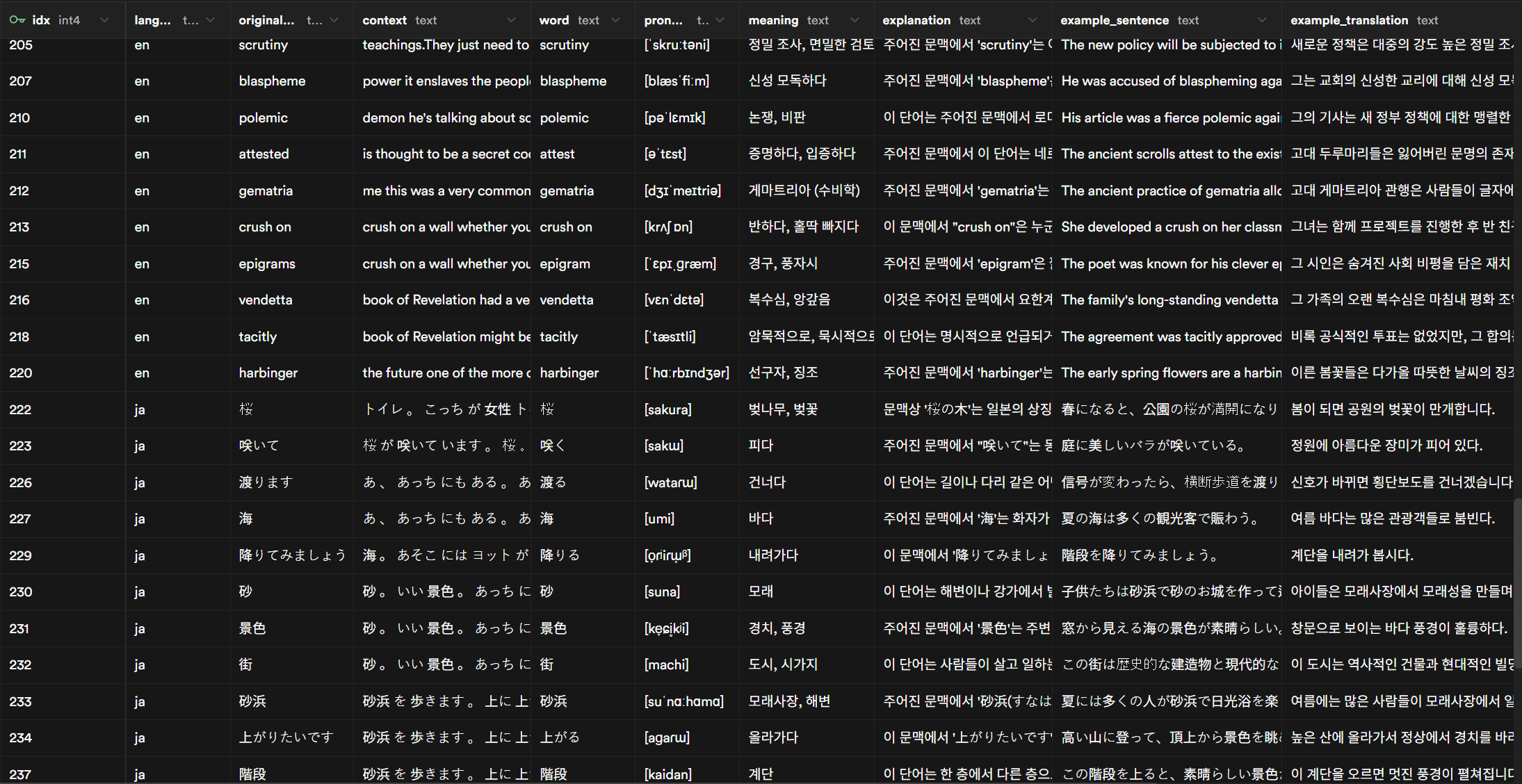
Since it uses an external database, the flashcard list you create is synchronized across multiple devices (PCs). It does NOT use a centralized database but rather the user’s own DB, for privacy protection. Instructions on how to set up the database are included in the guide, and it can be done in just a few clicks.
DB Setup Guide
Download Script
If it was helpful to you, you can

1 Like
Hi! In the latest version. The AI field is not displayed. Everything is fine in version 8.
v 9.0.4 Adds an exception handling logic to the supabase object initialization.
Fixed the issue.
1 Like
If you are making flashcards with whatever is available in the v3 cards endpoint, something that I explored in the past was using Yomitan and with Anki Connect. You make a Yomitan dictionary with GitHub - daxida/lingq: Lingq scripts for automated editing and then it’s a matter of clicking a button on hover.
It doesn’t require to setup a database. Instead, you need Anki, which you probably already have. Yomitan, which if you don’t have, you most likely should. And running the above script, which is probably equally unenticing as setting up a database for the average Joe.
The huge plus being that now, not only you can make flashcards, but you can use your Lingqs everywhere. And, with a much better popup, imho.
Apparently I can’t send a webm video as a demo. Unfortunate.
1 Like
Thanks. I knew that way. But I think using DB is better for scalability, sync, usability.
I love to listen to users’ feedback. So, if you find a bug or have something to improve, let me know!
v9.1: Exclude sentence translation response from DB, preserve class on regeneration, improve Japanese AI dictionary quality.
v9.2:
-
Make the meaning field of word-messages editable (Ctrl + click).
-
Word-message features (click events, flash card making) are now applied to all corresponding messages, not only the first one.
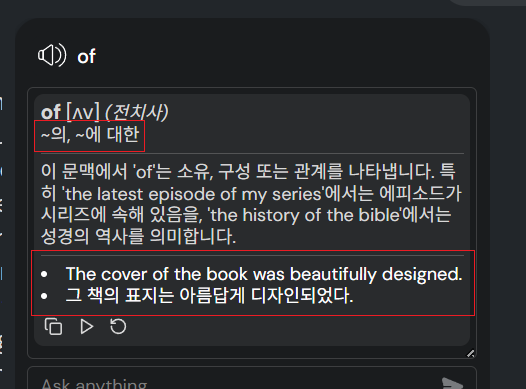
It means, if the meaning presented is incorrect, you can request the meaning again with guidance. (e.g., If the word-message for “cold” is generated as “illness” even though the context is about temperature, you can type a message like “Answer again in the previous format with the meaning ‘low temperature’” to get the correct word-message.)