I imported an MP3 to make a new lesson, and the timestamps are way off. In the past, I have edited lessons to fix timestamps, but I don’t see how to do that with the new editor. (I did see the option to regenerate the timestamps, but that didn’t help – the regenerated timestamps seem just as bad.) Is there a way to edit timestamps, or has that function been removed? Thanks!
At least after the lesson has been imported, you can go to Edit Lesson, and from there click on ‘Lesson text.’ You can click on a sentence and then edit the timestamp.
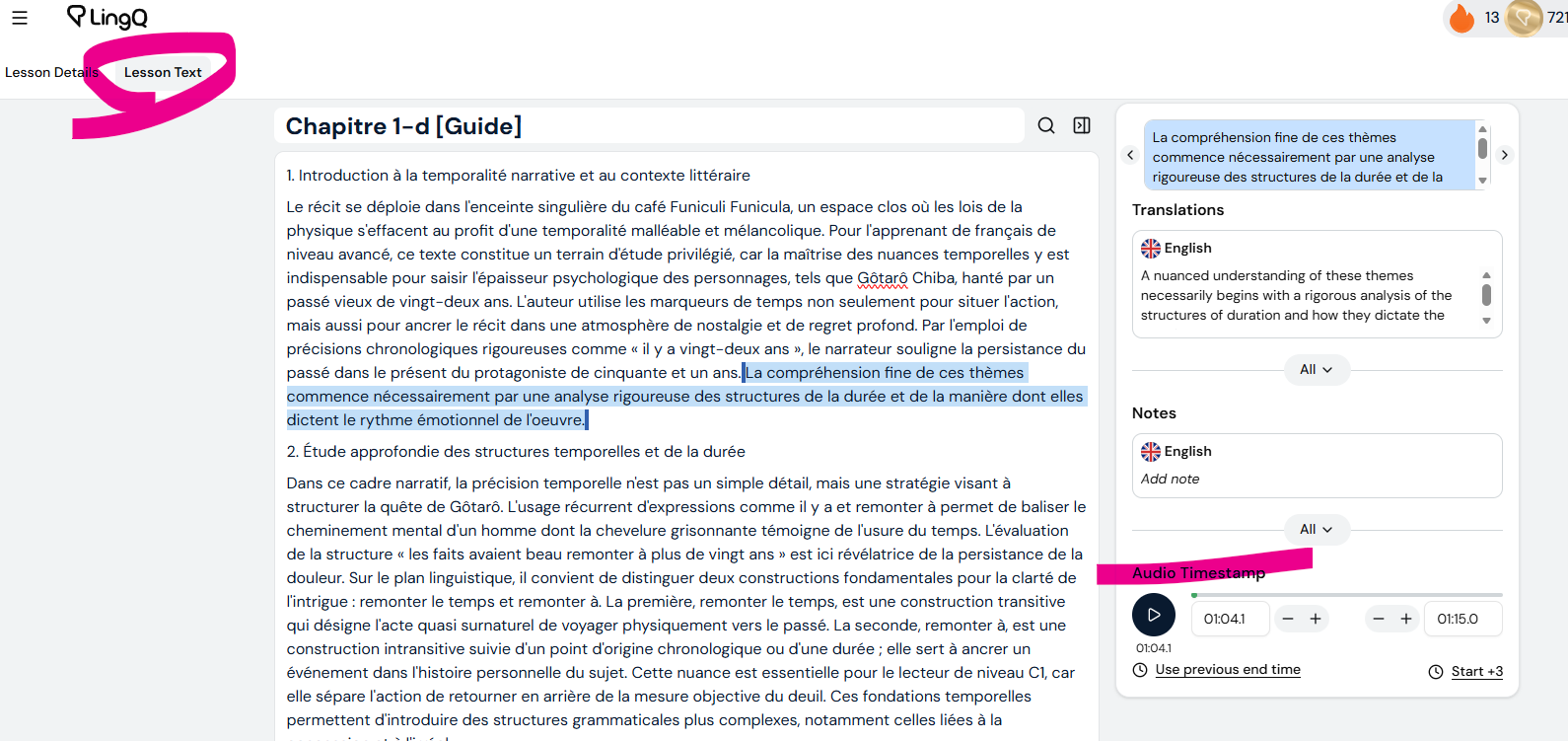
@somethinglemon88a As Devin mentioned in his reply, you need to switch to Lesson Text tab at the top, and there you can edit timestamps.
Has all the content be transcribed?
If not, see Bug: audio transcription omits a full minute of text
Thanks! When I had clicked on “Lesson Text,” I didn’t see a way to edit the timestamps. I didn’t realize you need to click on a sentence to see the timestamp editing options on the right. Thanks again!
2 Likes
@somethinglemon88a All good, glad we sorted that out! 