I just noticed this today, and a minute or two later I had a new course with four new lessons. This is fantastic. Thank you LIngq developers.
I’m looking forward to trying this out tomorrow, since my audio transcription limit resets then. I gave it a shot yesterday, but got a notice saying I’d already hit my limit for April. I tried uploading a short audiobook from my computer.
It worked great. I import most of my lessons from Youtube using Turboscribe. Turboscribe encodes the title of the Youtube in the name of the .SRT file and when downloaded, the name of the MP3 file. So Lingq created the lessons with those titles as well. All I did at the end was edit each new lesson to add the proper thumbnail and URL to the Youtube source.
It was truly refreshing that Lingq was making my life more efficient, leaving more time to learn and consuming less time in lesson creation.
@vernmartin You’re welcome. Glad to hear you’re enjoying it.
We were listening to user feedback and implemented that feature.
The bulk import even for just one lesson is far more efficient than just creating a single lesson as I previously did. It’s great.
I’d like to import various Easy Language collections or entire YouTube playlists. I’m not sure if that’s even possible, because I’m apparently too clueless to figure it out on my own. So I’d really appreciate it if someone could give me step-by-step instructions for a PC (Windows 11).
I’m open to new ideas, but I will explain what I do. All of it takes place in a browser, so the computer you’re using should not matter. Also: I’m of the opinion that (a) you get what you pay for and (b) I want to support the development of the platforms I like to use. So: yes, I pay for Turboscribe, and I haveI never bumped into a limit as to the number of audio I transcribe.
- Go to Turboscribe.
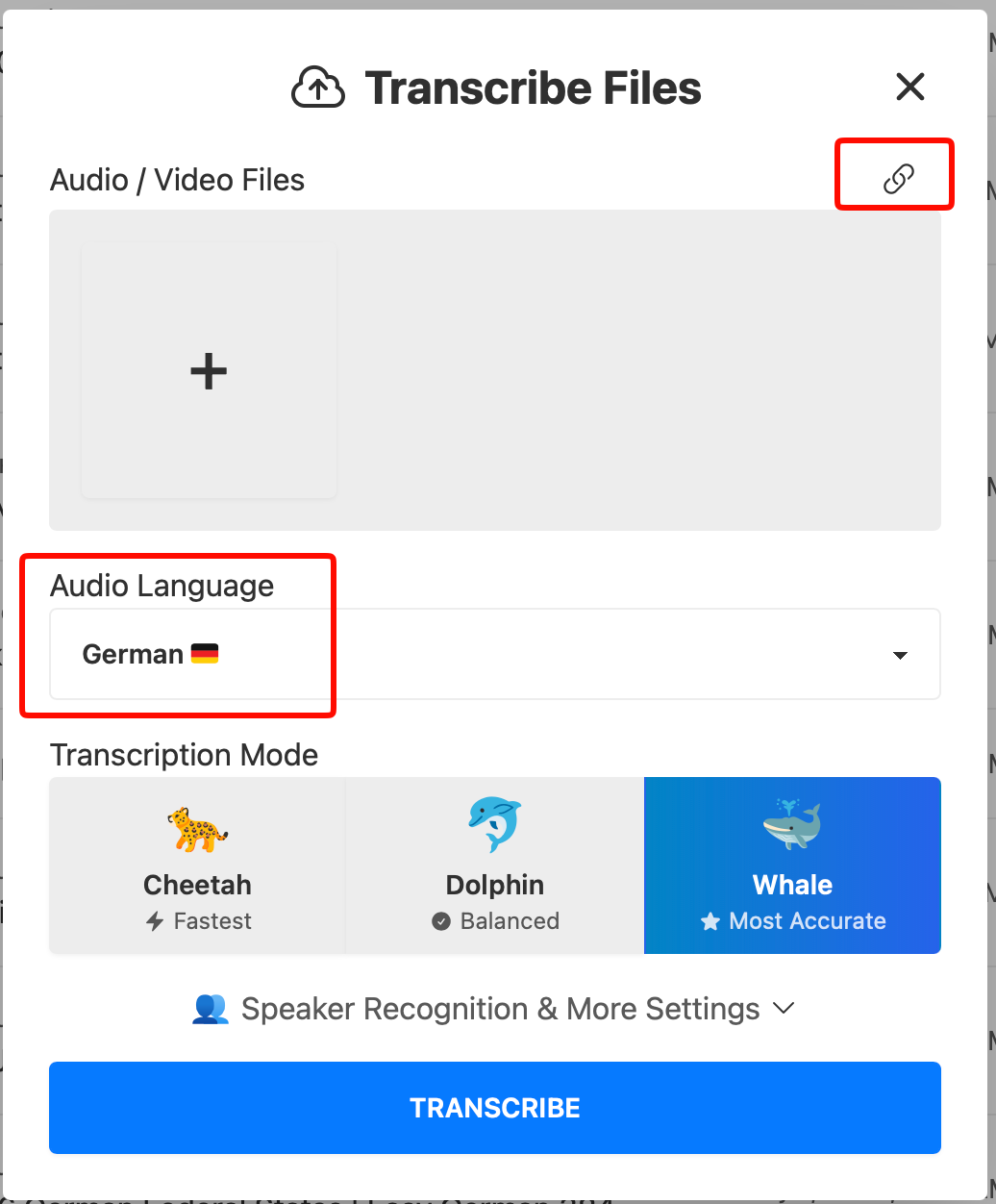
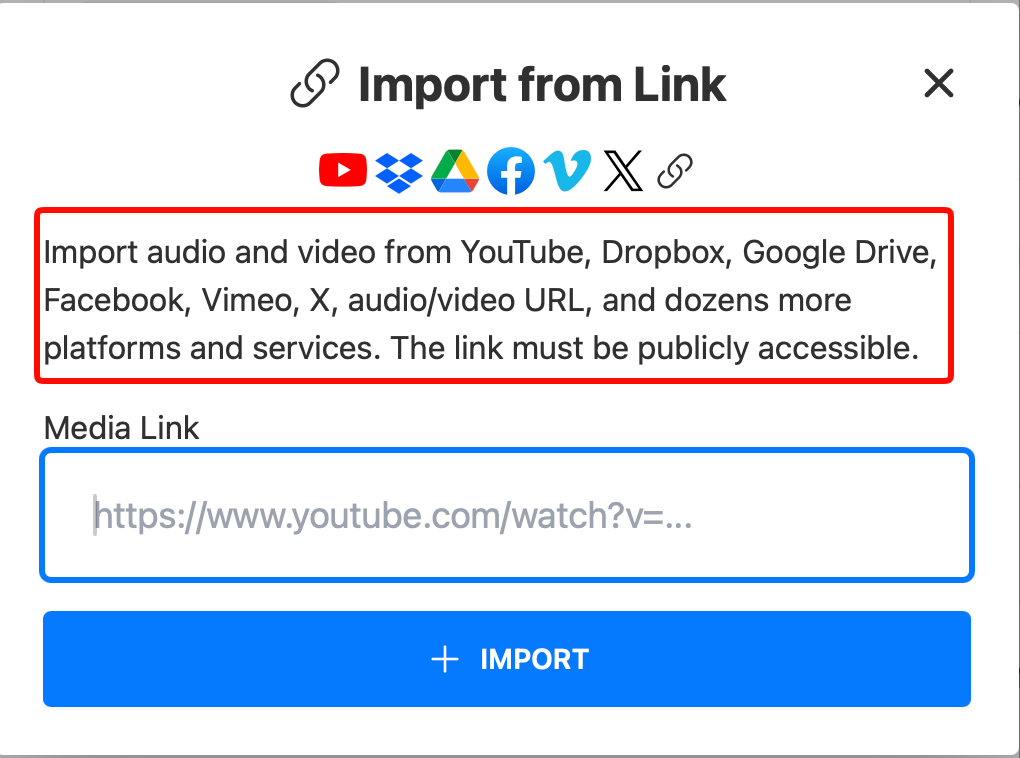
- When you use Turboscribe you have the option to paste a link to various other services including Google Drive, etc. I paste a link to each Youtube video I want to transcribe. I choose the language to transcribe to, and let Turboscribe do the work.
- Once transcribed, I download the audio (MP#) and the SRT file (provides timestamps to sync the audio with the text).
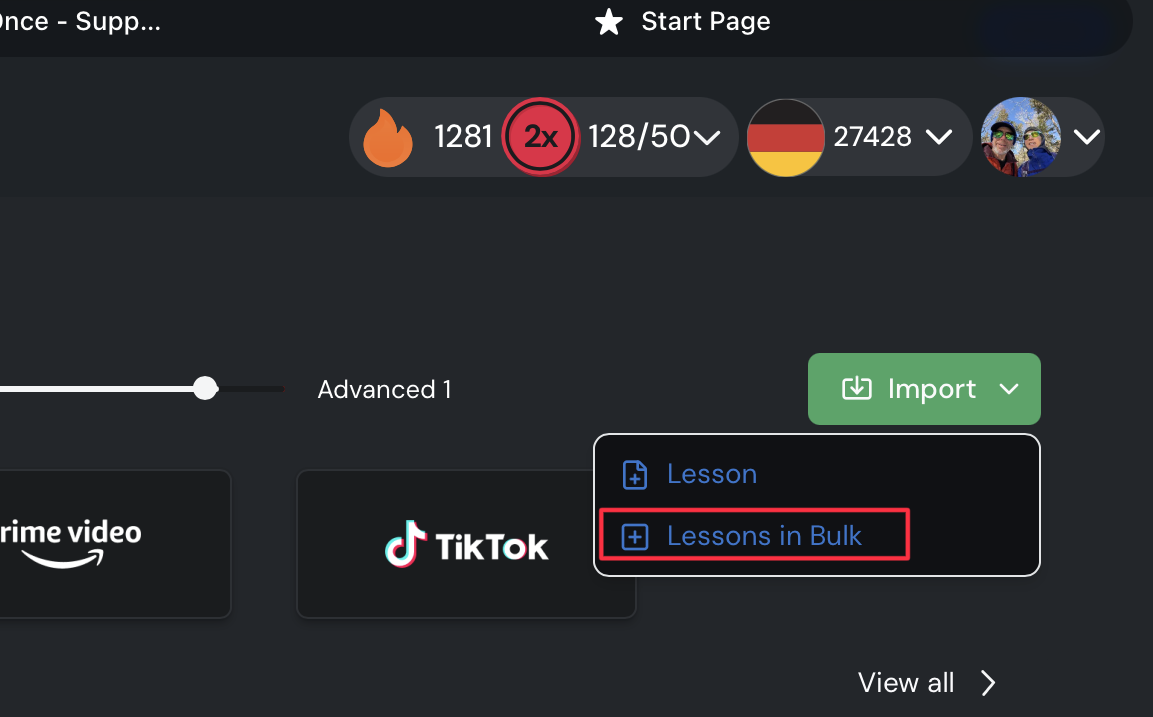
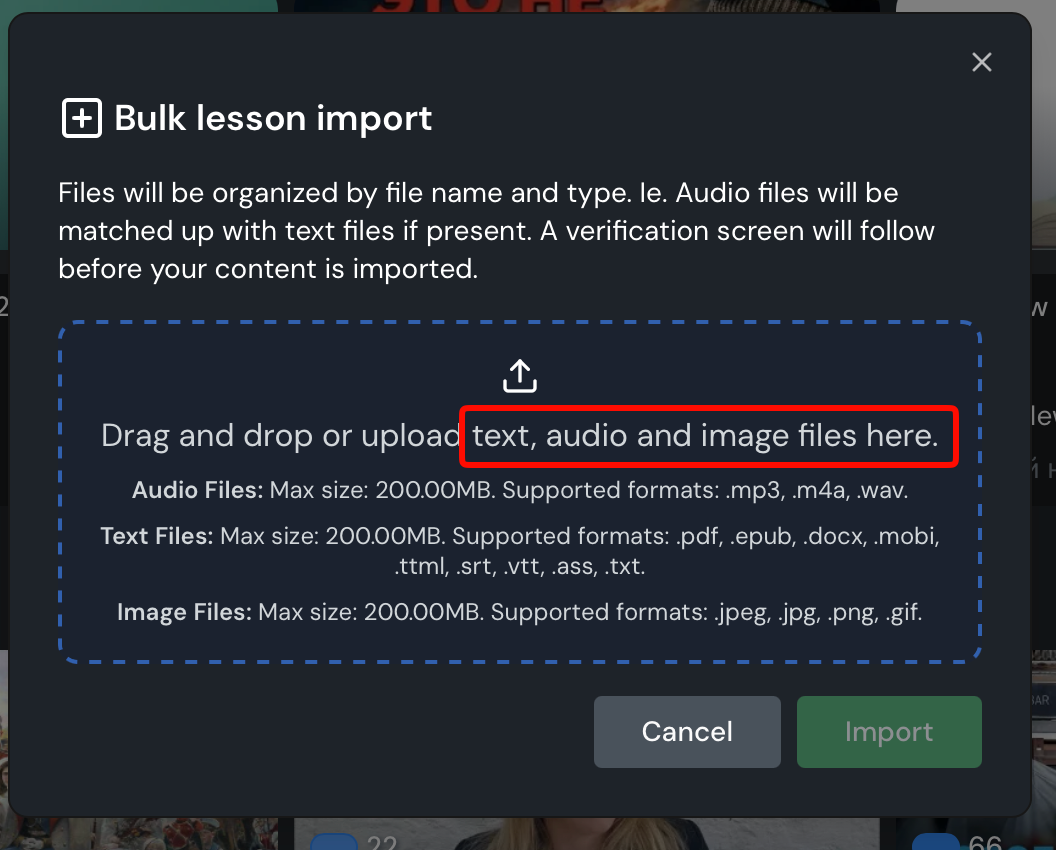
- In Lingq at the home screen, I click on the Import button, and then I choose “Lessons in Bulk”, and I drag the MP3 and SRT files into the Lingq Import.
- Then I double check that Lingq has matched the correct audio (MP3) with the correct transcript (SRT) file. Lingq does a great job of matching these two files so long as they are named exactly the same (not including the extension). You have to keep an eye on the files you’ve downloaded from Turbscribe as they can be slightly different sometimes (usually it is the “|” character that is either present or not present in one half of the pair).
- If there is a mismatch it’s easy to delete a file from one spot in the import and then drag it over again into the proper place. (Nice interface design!! Kudos to Lingq development team.)
- Choose the proper course name or create a new one. Lingq will create a new course by default. Often I’m adding to an existing course.
- Start the import. The affected course will appear when the process is done.
Optionally, after the import, I edit each lesson to add the original URL and sometimes a thumbnail graphic captures from a screenshot when viewing my Youtube history. I realize I could bulk load images as well, so far I’m not doing that.
Pasting a URL into Turboscribe
Importing files into Lingq
@vernmartin
Many thanks for the answer. So it is not possible to import the lessons directly from YouTube?
Someone besides me will have to answer that question. I do it this way, because it works well. In particular, I want to play my audio while the screen on my iPhone is locked. That’s very important. I want to just listen. I see other Youtube content in Lingq – some of it was imported by me long ago – that plays the Youtube video itself, but it stops playing as soon as I lock the screen. That won’t do for me. I create my own Playlists, and I can play them continuously from Lingq with my iPhone locked while I’m out running, hiking, or mowing the grass, etc.
Hopefully others will chime in. In particular @roosterburton has developed a set of utilities that may work. Quite a while ago I tried his utilities for bulk import, but it required special permission from Lingq so I didn’t bother. I still use his utilities to extract my lessons from Lingq.
PS: I don’t much care for anything that uses any transcript directly from Youtube either – especially if it’s auto generated. It’s a personal preference.
I’d love it if you could briefly explain how you use Turboscribe and what the main benefits are for you.
I’ve seen you recommend it strongly, and I know a few other serious LingQ users rely on it too. I’m curious if it’s worth investing in.
You mentioned you paste a YouTube link and choose the language to transcribe to. Just to clarify — are you usually transcribing English videos into German (or your target language), or are you doing something different?
Thanks!
Dan Burton has a utility for bulk import. I need to look into it, and you may want to as well. Details are here: https://forum.lingq.com/t/extension-rooster-playlist-import-for-lingq-youtubespotifylistennotesapple-podcastsmoviestv-showsbooks/588128/18
Now to answer your comment …
I virtually always transcribe to the language of the video (my target language). Occasionally I will choose another language, import the text, and finally let Lingq generate the speech. It’s important to realize that Turboscribe relies on you telling it the target language. It won’t automatically decide what language it’s hearing.
Using Turboscribe allows me to import as much audio as I want into Lingq. I create a lot of lessons based on personal interests. It’s handy also that Turboscribe extracts the audio from Youtube for me.
Besides that, I can extract my choice of transcribed text: srt, text, etc or all of them. thanks to Turboscribe.