So I am looking at an older lesson that I have completed fully, and now there are blue words in the lesson. It still says that the lesson has 0 new words but what has happened is that the hyphenated words that I had previously lingqed are now a single word and show up blue, for instance “BMX-sykkel“. I know in this instance I had set the word “BMX“ to “ignore” and then linqed the word “sykkel”. Now its one word in the lesson and blue… I also can now lingq that word, it shows up in my vocab but when in the lesson nothing changes, it remains a blue word, it is now permanently bugged. This is the case for all previously lingqed hyphenated words.
It also messes things up going forward because when I see something like “BMX-sykkel” in the future i would obviously want to lingq the word “sykkel“, not “BMX“, and not “BMX-sykkel” but I wont be able to now.
Thanks, we will look into this.
Thank you, that would be great! 

I am noticing this as well.
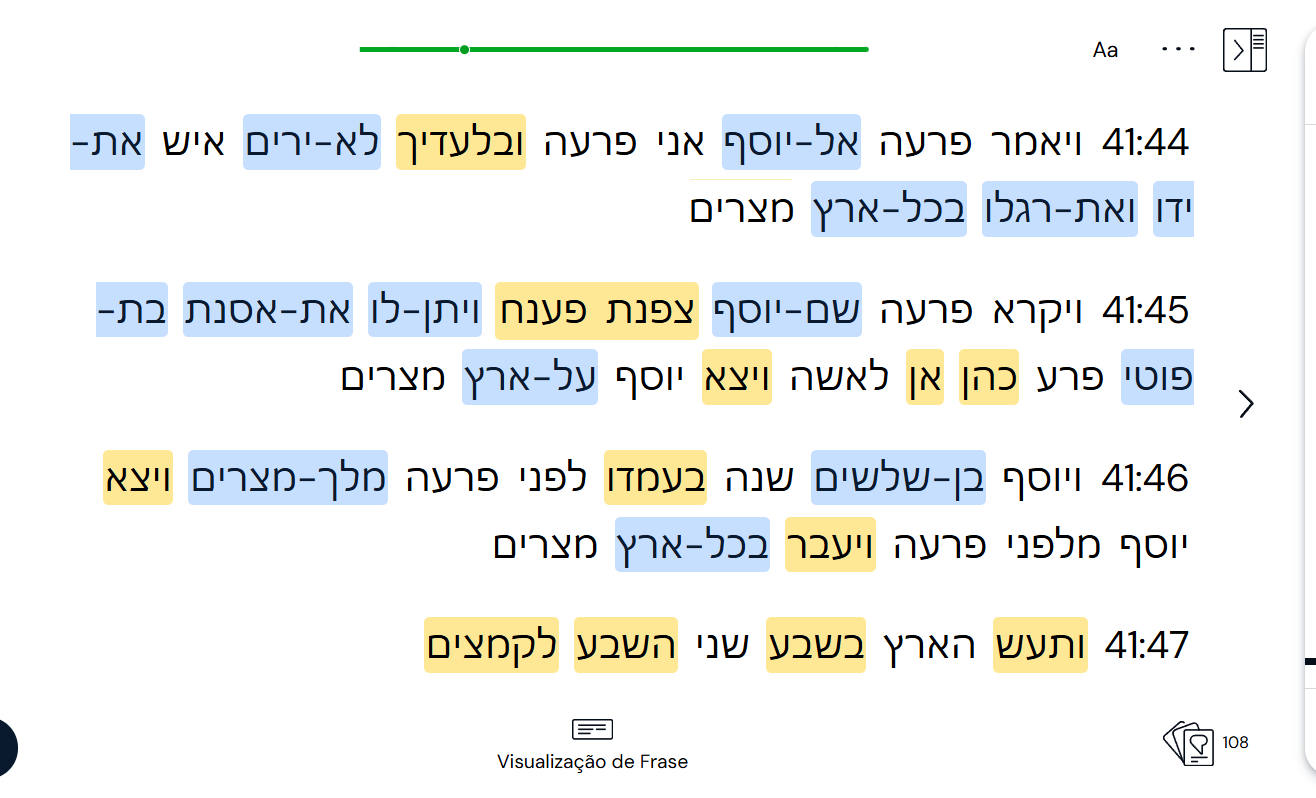
@zoran, please fix this ASAP. A lot of known words in Hebrew now show as unknown, just because they can only be selected as a combination of two words linked with a hyphen, with no means of separating them. The hyphenated words do not form a new meaning in most cases, so this new update is just annoying with no added benefit. The hyphen is mostly for pronunciation purposes, no use in considering it as a means of forming new words with new meanings. If the developers would insist with it, at least create an option in settings to deactivate it.
The hyphen bug is affecting me too on all platforms (iOS/Safari). Then when you move to the next page after a hyphen incident, the progress circle at the top is grey instead of green (see screenshot) and it seems your progress has not been registered, and basically it’s messing everything up - ie it’s not just a small hyphen issue; it’s rendering the platform unusable.

I have the same problem with my Lessons.
I don’t know if I would describe the issues as making the app ‘unusable’, but they are definitely annoying.
One issue I haven’t seen mentioned yet, is that when you select one of these ‘new’ blue words and try to mark it as known right away (without even LingQing it), the app just straight up crashes. I recorded a video of the behavior and can send it if this helps.
I just tried to a lesson in French, and it just straight-up didn’t work. Neither trying to ingnore nor Lingquing the hyphenated phrases worked, and when they seemed to have worked at first, the lesson was bugged afterwards, with text not being selectable and similar problems.
This needs to be reverted ASA (today, if at all possible!), it is breaking lessons!
I’m having similar issues. I don’t mind hyphenated words counting as one additional LingQ. But some buggs make the app almost unusable for me at the moment. I can’t save some new words, the spacebar and other keys don’t work as shortcuts anymore, sometimes neighboring words are falsely registered as a single new word and added as “known words” at the end of a lession. The list of bugs goes on. It’s worse on the mobile app than on PC but it’s very hard to work with either way.
It seems solved for me now with the new app releases for iPhone and iPad today. Thanks Zoran and team!
It’s still there on PC… Unfortunately.
At least the crashing and not tracking lesson progress have been solved here as well (iOS)
Still not solved for PC….
Yep, hyphenated word have reappeared as blue. You also cannot create linqg from then and cannot trash them. Counting in the course level does work but it does not say in which lesson they are in the vourse view. In lesson view it doesn’t list them in the vocobulary.
This is for the swedish language
apparently this app has the attendency to break funtionality that has worked previously that makes this really annoying to use. The focus is not anymore on the language learning, now it is the bug reporting.
The latest IOS update appears to have fixed the hyphenated issue on that platform.
Nope, i have latest version of ios and the app, does not work. I have apple.
What version do you have? Mine is v6.0.11 (0)
Does it mean that they separate hyphenated words again or is it just possible to interact with them now?
Just imported a new lesson to test this, and it is the latter. Which is perfectly fine by me, honestly, though I’m sure others will disagree.