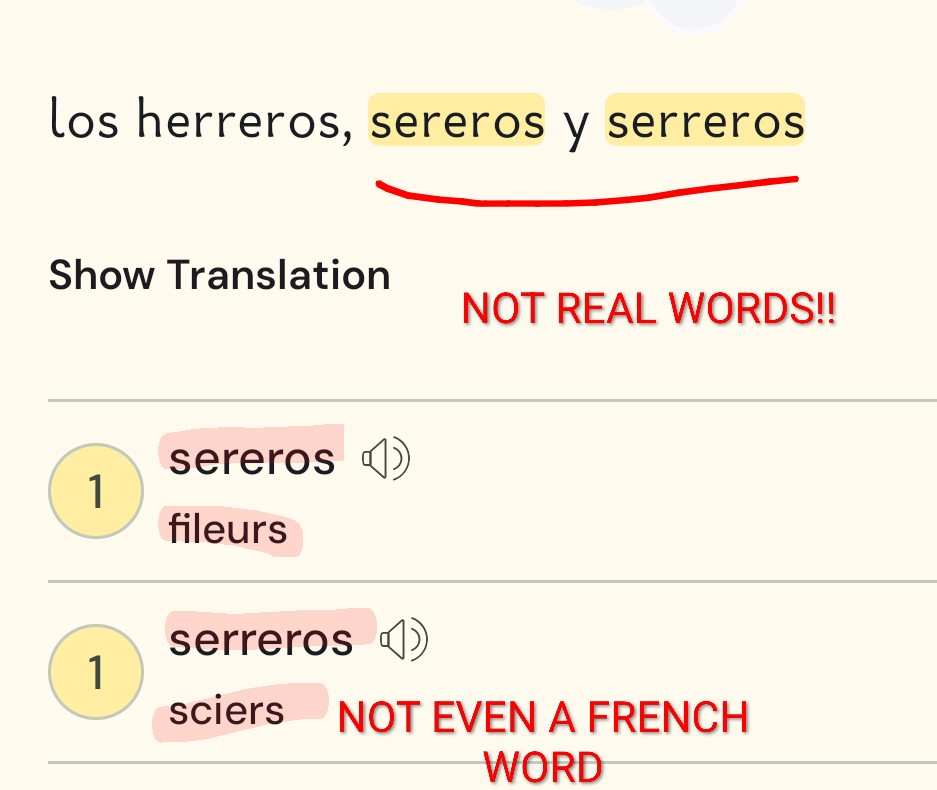
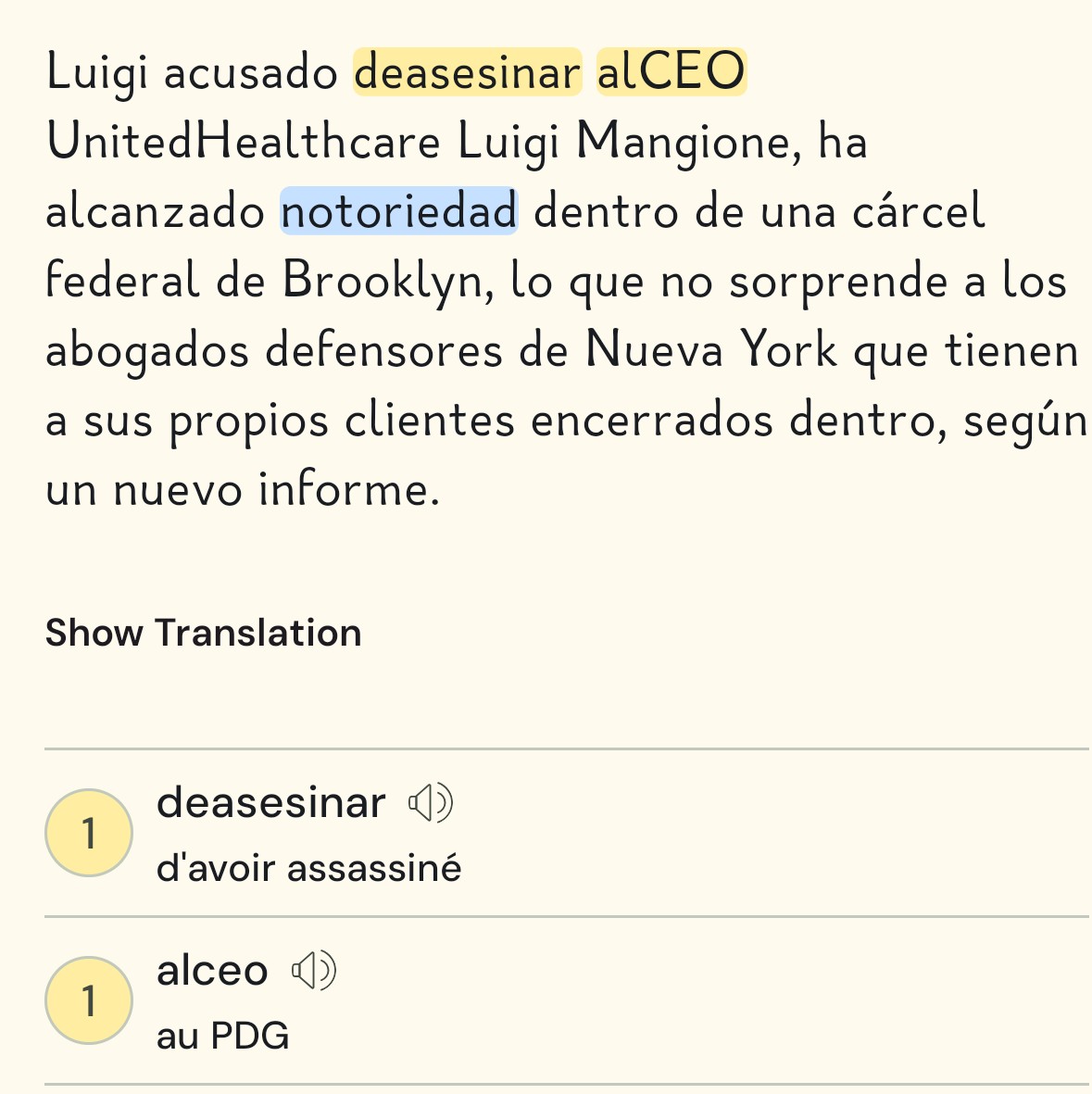
This is a MAJOR issue: the IA translation step that takes place after an import automatically attempts to correct typos in the source and often suggests translation for fake T2 words, and the suggested translations are sometimes even invented T1 words (see example below).
If you don’t pay attention, you’ll end up learning a fake word with a fake meaning. And that happens very frequently, especially with YouTube notoriously bad subtitles.
Because of this problem, I waste time every day double-checking suggested translations in the dictionary.
I hardly ever use the suggested translations without checking them first. Double-checking suggesting translations is not a waste of time. The more time you spend with a new word, the more likely it is to stick in your brain.
What was this actually imported from? Do you have a link? i.e. Was there actual text with this that was imported? Or this was the result of “whisper ai” transcribing an audio import?
I don’t know what LingQ can do in either case. LingQ is reliant on the content that is imported. If it was text someone wrote, then LingQ is reliant on the author producing valid text. If it’s an audio import, the LingQ is using “Whisper” libraries (a third party) and is reliant on what they produce. In that case, the option is to use audio imports or not. If you don’t find what it produces useful or reliable enough, don’t use it. If it’s helpful most of the time then continue to use it but be mindful. Since LingQ doesn’t own the transcription library or code they have no way of working on it.
Your attention can slip when you’ve been going through a 6000-word text with 100+ blue words for 30 minutes.
I’d rather LingQ left the translation blank, like it does sometimes in other cases.
What the AI suggests often makes a lot of sense, bas3d on the text context, and can be very convincing. Hence the risk, if you’re tired/not careful, to accept it.
I think there is a mistake here, as @ericb100 said before.
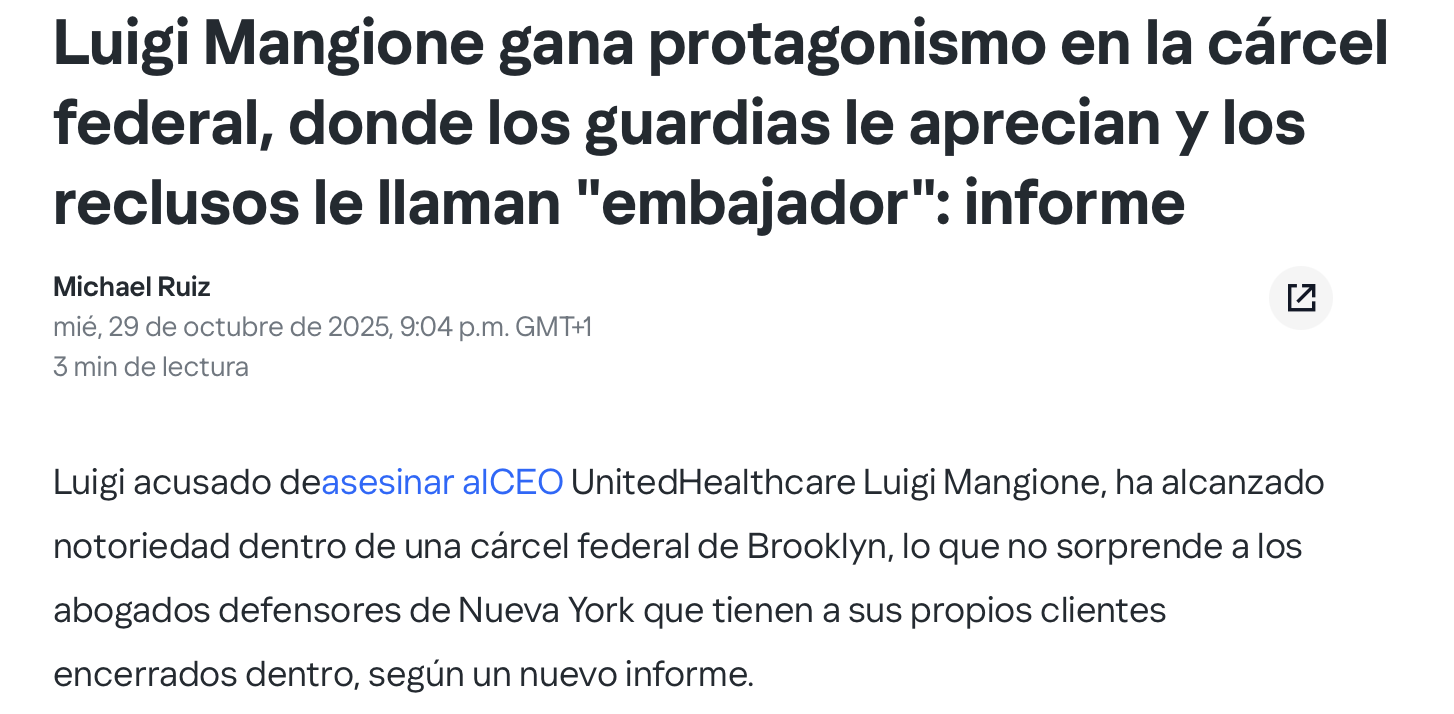
LingQ is importing from the source, I don’t think there is any change from the source to the text you have. There is no use of AI. You can see the screenshot below of the example you posted.
Regarding the video you posted, not sure what the problem is, but if the transcript is wrong, or has words attached, LingQ will import the text as it is. There is no AI changing the text, because LingQ can’t and shouldn’t understand what you want to import! Or at least, it was like that before, not sure if anything changed.
If you want the text to be correct, you should copy/paste the transcript to ChatGPT, ask ChatGPT only to correct the spelling problems and fix the punctuation, then copy the corrected text to LingQ.
I should have been clearer when I mentioned autocorrection : I didn’t mean that the imported text was changed before being displayed to us, I meant the AI - kindof - autocorrects it in the background before translating it.
So, the text shown to us is
“alCEO”
, but the translation offered is for
“al CEO”
. Kindof
There are times, at the end of a lesson, when you are shown the list of words that will be marked as “known” where the translation values are left blank.
This is the behaviour I expect for obvious typos - “alCEO” - and for invalid/invented words - “sereros”-.
It didn’t happen to me so far, but I will pay more attention to it. Maybe it’s just a temporary thing due to something they are working on. Or are you experiencing it for a long time?
Not saying you didn’t do these things but this is my advice to other users out there. It’s a classic garbage-in-garbage-out case if the source content is poor. I’m guilty of importing content that’s been scanned and fed into AI (externally) for transcription, but has a few errors where the AI couldn’t read the text properly (especially physical scans) or misheard the audio (when someone mumbles or speaks too fast). I’ve noticed these problems and what I’ve learned is to always:
Use reputable sources for content (e.g., news articles > blog posts)
Double check transcriptions for errors if using AI externally to turn audio or physical text into digital text for importing into LingQ
Ensure there are user-created definitions or check with a dictionary before accepting an AI definition
That’s true, Google could definitely improve this a lot if only those services would talk to each other. They could improve the self-generated transcripts, and also the text structure afterwards. I guess they don’t see the value on doing that!
That may depend on the language. In my case (Danish), the AI is usually correct (if you disregard the articles), while the non-AI translations are very often completely wrong. One reason for this is that there always seem to be people who upload obscure collections of words in batches. I check every word from the outset using a commercial dictionary.
The AI transcription appears to make its best guess when Russian language podcasters are mumbling. To my surprise, when a Russian podcast transcription contains words that look like nonsense, the AI will sometimes come up with a plausible meaning for what is clearly a misspelling.
Yes, I agree that when you have typos in your text, the AI will still giving you a guess for its definition. The way around this is if we, the users, ensure your texts we import are without typos in the first place (such as real books and human-created subtitles, etc.). Or if you have texts with a very low number of typos, just to plow ahead through them, then you’ll never encounter the misspellings again, so no biggie.
Or are you imagining a technical solution to the problem of misspellings on LingQ’s end, such as a spellchecker? What are your thoughts?