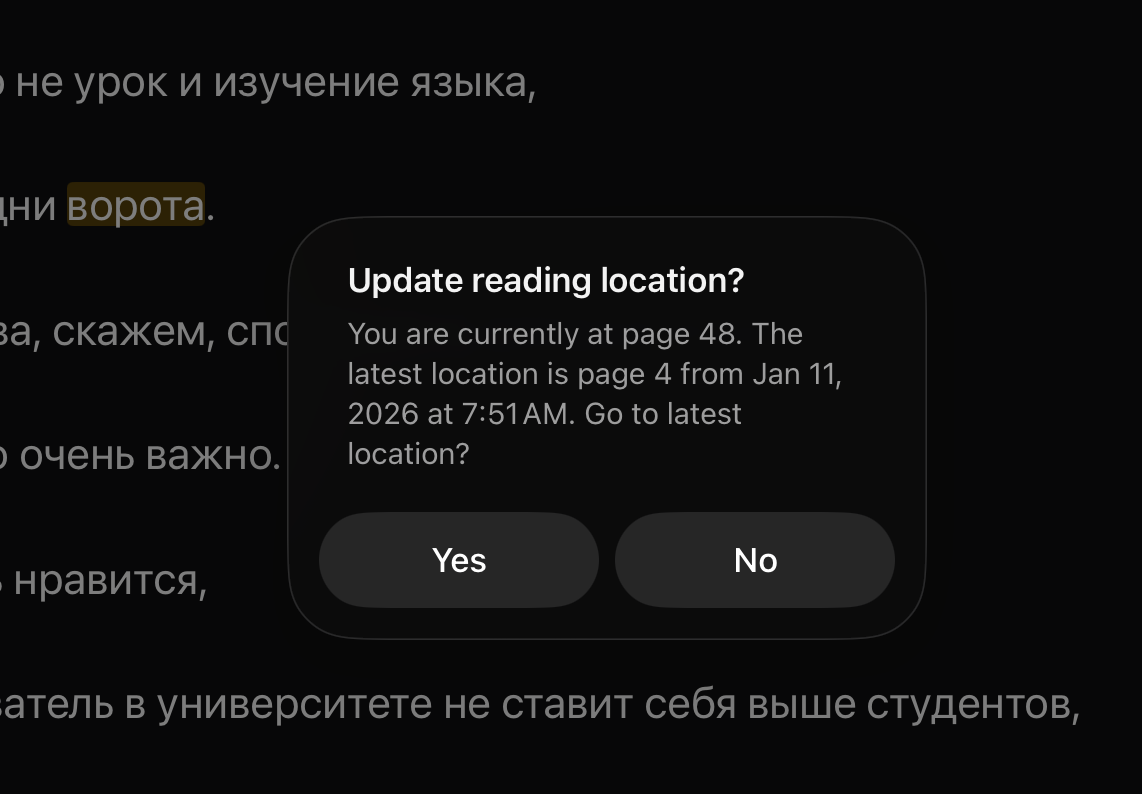
I’ve been having issues where LIngQ doesn’t save my spot in lessons and I don’t know if it’s related but it’s asking me if I want to update my position in the book constantly. And it’s very distracting. (After writing this, I just reopen the lesson it decided to close and apparently it didn’t like my answer “no”and it moved me back to the beginning of the lesson against my will.)
6 Likes
Thanks, we will look into this.
2 Likes
Well if it makes you feel any better I’m suddenly having the same problem with Google Play Books. It doesn’t make me feel better lol. My Google Play Books app determined I was done with Eye of the World in Korean about 30 minutes into starting it and whenever I open it, it goes right to the last page and if I multi task (this happens with LingQ too which is why I’m going crazy) then it goes right to the last page so it’s constant. Why am I multi tasking? I’m copying words/sentences into my flash card app. I just uploaded the story into my Kindle and I’ve got my fingers crossed. I hope the update to LingQ fixes this and it’s soon.
1 Like
Hello @kraemder is it on iOS app?
Yes it is an iOS app.
@kraemder thank you for the fast reply! I definitely noticed it yesterday, but cannot reproduce it today. How it is for you? Did you notice any pattern when does it happen? Do you open LingQ at the same time on other device or laptop?
Unfortunately I haven’t noticed any obvious pattern of when it happens except maybe when I’m just getting really focused and it drives me nuts. Last night before bed I decided to read on LingQ instead of the Kindle for the faster lookups and it was fine.
1 Like
I notified Support about this on 12/22. Hopefully they’re working on it.
It doesn’t remember my reading position either - it always goes back to page 1.
2 Likes
Same - also iOS
Happens every lesson on every language I use. Synced position in each lesson is stuck at what it was prior to last update. But green bar at the top of the screen when a lesson is open correctly reflects last read page.
Same on iOS. Every lesson, both languages, I just select no.
It happens to me as well (iOS App).
And it often jumps to the beginning, whether I click yes or no… very annoying 
I’ve started having the same problem on iOS.
Our team is looking into this and we will have it fixed. Thanks for your patience.
1 Like
This is happening to me now as well, for maybe most of December (off and on but multiple times a reading session). The question keeps popping up: “Update Reading Location?” Pressing yes doesn’t update it and pressing no doesn’t satisfy it. IOS.
1 Like
This will be fixed in the next app update. Thanks for your patience.
Thanks @zoran ! It appears to be fixed now. Woot!
1 Like
Yes, this should be back to normal now. Thanks again!
This is still broken for me on 5.8.14 (5) on iOS, which updated a couple days ago. Is there a newer version that the App Store isn’t offering me yet?
Problem is the same: Open a lesson, advance a page, switch to another app, switch back. Promoted to go to latest location which is always page 1 for new lessons or page X for lessons that were in progress as of a couple weeks ago. App doesn’t store actual latest position anymore.
It’s most annoying for long lessons of ebooks that are 50+ pages and require flipping through many pages each time to get to the actual latest location.
2 Likes
Definitely happening on the iPad with the Lingq app. Every time I switch back to the app while reading it’s asking me.
3 Likes
It’s not back to normal. It’s still broken.
2 Likes