The latest app version with a fix for the mentioned issue is 5.8.15.
Please make sure that you have the latest version installed.
The latest app version for iPad is 5.8.14 so this keeps happening.
2 Likes
I don’t understand if this is one issue or two separate issues.
I don’t receive any pop-up message to update my reading position, however, it keeps losing the position on a daily basis, which is a bit annoying, especially for longer lessons.
The audio seems to be remembered, but the text goes to zero, or goes to the previous day. The green bar on the top seems to stay in the correct position.
I think this started to happen to me a couple of weeks ago (I don’t remember correctly), at the same time, something was changed in my settings too, without me touching anything. I had the audio display style on “none”, and it was changed “by sentence”.
I don’t know if it’s related but from that moment those issues started happening.
I have the 5.8.14 (5)
@davideroccato It’s a related issue, yes. Will be fixed in 5.8.15.
1 Like
I’m getting constant reposition notifications again. Still on 5.8.14.
When are they planning to push out 5.8.15?
1 Like
Yes. I don’t see 5.8.15 available in the app store yet.
LingQ 6.0.0 has just showed up in the App store and the position memory and green bar location position issues appear to have been corrected. (Once you’ve placed it to the current position.)
@vernmartin @Mycroft Yes, we actually never released version 5.8.15 and pushed a 6.0,0 instead.
The mentioned issue should be fixed in the latest release.
1 Like
I see it. Hope this “.0” version is a lot better than many a “.0” release from other vendors.
First thing I notice is “Chinese (Simplified)” has returned which as always isn’t a language I’m learning.

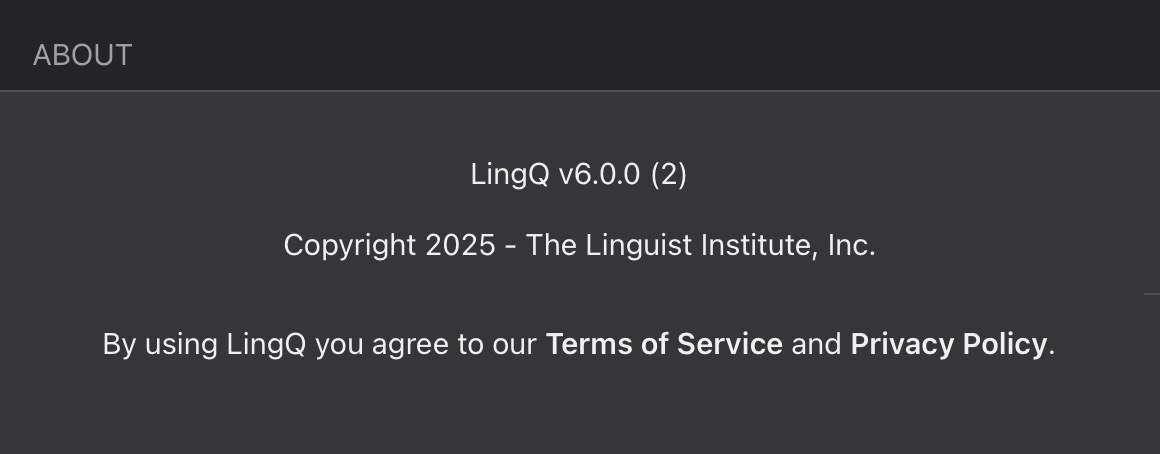
The business of asking me if I want to update my position persists. Here, I have yet to move off of the first page. Version 6.0.0 (2)

1 Like
@vernmartin Sorry to hear that. I asked our developers to look into it again.
1 Like
The latest iOS app does have significant improvements, bugs that been there for years are now fixed.
1 Like
Great news! Glad to hear it.
Sadly, the arrow keys still don’t work for the IOS physical keyboard.
1 Like
Have not seen it (“update reading location) lately  thanks
2 Likes
@vernmartin Great, thanks for the confirmation!
What bugs that have been there for years have been fixed?
The key one is that if I navigate to another app while watching a video, then switch back, the video restarts at the correct location and does not reset to the beginning. Responsiveness is better, click on a word, and non AI definitions appear much quicker. Edit a sentence, and it doesn’t shoot back to a much earlier location. These are three I noticed quickly, they were incredibly annoying. It’s not perfect, but it’s no longer playing with my sanity, so a good improvement.
1 Like