[BUG] LingGQ Importer failing

Hello guys!!

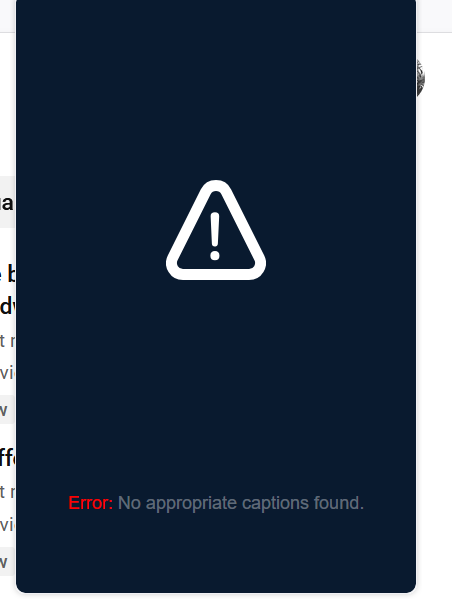
The LingQ tool of importing in YouTube is with some issue, because, despite there are subtitles, the LingQ Importer is failing. Follows the screenshot and the link of the video that I intend to import for my IT Contents collection:

Video URL:

We will push a fix for this very soon.

1 Like

Still facing the same ā€˜error with Version

2.3.35

1 Like

Unfortunately, also here. :sob: :face_with_steam_from_nose:

@LinVega Can you please provide video URL?

@zoran , are there some news? Four days and nothing!!

@DJFill We pushed a fix for the issue in your initial message on this thread. Please update the extension to the latest version and try again.

I just tried importing this video using the LingQ extension on the Brave browser, and it worked for me. I get the impression that success with importing YouTube videos relies on a lot of variables, so it may still not be working for you.

That was a fun video, and I subscribed to that YouTube channel. So thanks for that, and I hope that it starts working for you too again!

1 Like

I have the same problem with: (162) Joe Rogan Experience #2240 - Roger Avary & Quentin Tarantino - YouTube

2 Likes

The version is 2.3.35 and the issue follows @zoran

It’s never worked for me. I always had to go to the mobile version to upload any content from Youtube.

1 Like

@LinVega Strange, that video worked for me without any issues with Chrome extension.
Can you guys @LinVega @DJFill try to remove the extension completely and then reinstall it?

1 Like

Can you share the step on how to upload content from Youtube? Is it from an Android or IOS device?

1 Like

@zoran I did this. I removed the extension and reinstalled, but the issue follows.

It’s really sad and annoying how bad and slow is the support/issue fixing in LingQ. I rated the extension with 1 star, after this.

You should try the same, Import my video and really see what is the problem!

1 Like

@zoran , did you try import for me the video??

How long I need to wait this?

On iOs. There’s ā€œimport +ā€ at the bottom. Then you click ā€œurlā€. You can either go on safari and copy/paste the url in the field or you can click the ā€œyoutubeā€ link, then it will open up youtube where you can search for the video or the youtuber inside the app. And as long as it has closed captioning, you can upload it.

It would work with Netflix. But not YouTube.

@DJFill I was unable to import that latest video you sent. I forwarded to our team and they are working on it. We will have it fixed.

2 Likes

No luck importing in either chrome or edge. No captions found error

1 Like