While v7 looks really nice and polished, some small, but important (to me at least) things are suddenly gone.
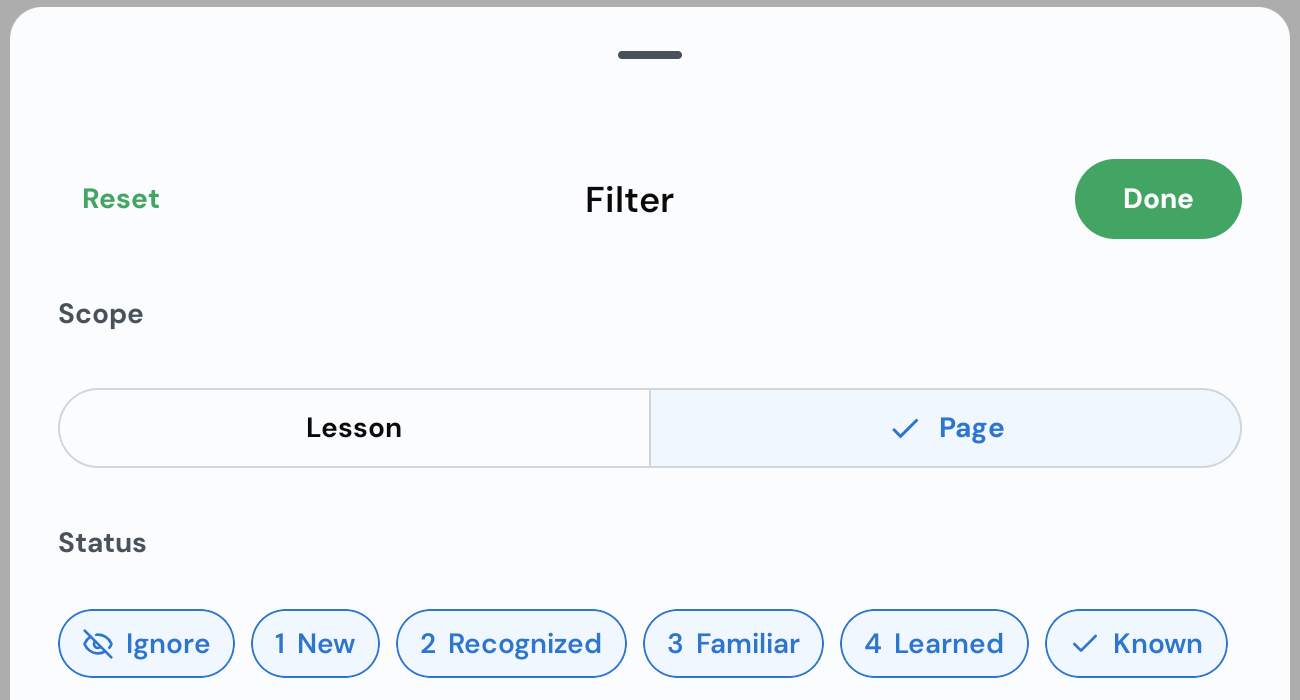
The review vocabulary per lesson is entirely broken. There is no way to review all words from the lesson, only the current page (which is on a small screen of a phone is close to absurd with 1-3 words per session). Which is even sadder, the review due is gone entirely, not even per page. I can set a filter in the vocabulary list, but this has nothing to do with what is going to be reviewed. At some point the “review” button all of a sudden decided that I want to review sentences which I never do. And there are no options, setting or even indications, what it’s going to do.
For some reason if a lesson has both video and audio, the latter is ignored. Not even downloaded. The worst part is that video unlike audio only works in foreground. Which means that the playlist function now can only work with the screen on and that playlist open on top. Any attempt to check anything else, will stop playing. Also if a lesson was played in from some playlists, it becomes the first one in “Continue studying”. This makes things confusing when I try to have active lessons as the first ones and listen to older, already finished ones.
@mark Just to clarify what you said here: If LingQs are auto-created and the word is encountered in another text where it has a different meaning, LingQ will automatically add the meaning to the LingQ with no user action needed?
That’s correct. It will check your existing meaning, and if the new meaning doesn’t already exist there, it will add it. There is a setting for this that has to be enabled called Automatically add contextual meanings.
Found it, thank you! Somehow it didn’t occur to me that the review list can be modified after the review is started and I was looking for a solution in the lesson settings. Though it would be great to also have here the “SRS Due” toggle as in the vocabulary list.
With the new update, in sentence mode, where is “Show/Hide translation”. Right now the translation seems to be always on or always off. The vocab list at the bottom now scroll from left to right. I liked the pre-update one better. Am I missing something?
At the bottom of this screen (10th Nov, a few posts above - scroll mode), I use the play/ pause button and the speed button. The speed button isn’t that hard to find but there are now two ways to get it. Press the up. down or slide it. I don’t use Lynx much at all and necer use flashcards. I rarely change model now as I’m trying out scroll more.
Could you make the speed button to be always there (slight preference for the one where you choose the number rather than cycle through things)?
The coin at the top of the scroll mode rarely updates. I think it does if you make a known word. Could it update when you click it (make x/50 stats up to date). Whereever it is (profiles?) the words read today doesn’t update (no update button, can’t drage to refresh the page). Could words read today be more / very very prominent/ easily seen?
For some reason with the release of the new version of lingQ many courses in Arabic that once had audio now no longer have playable audio. A BIG one is the Audio laby collection which where sourced from YouTube but had seperate audio field uploaded I believe. Now if I play the lesson audio it sources it directly from the video, but as the videos are no longer on YouTube there is unfortunately no usable audio.
For version 7.0.27 in page mode the audio just stops when it supposedly reaches the end on the current page. If the timing is off the audio stops too early with a couple of sentences left.
Please don’t let the audio stop automatically unless explicitly configured. When the timing is wrong you also can’t used the other mode as it will show the wrong sentences.
Another annoying issue in this update, specifically in page mode, is that the audio plays automatically whenever we switch pages. It should be optional—there ought to be a setting to choose whether or not the audio plays when moving forward or backward through the pages.
Could you add an option in Page Mode so that the audio advances when the page changes—just as an optional setting? I prefer to let the audio keep playing while I change the pages myself.
The new way that playback works is that by default when you tap on play, it plays the page you are looking at. If you have the audio playing and you change the page it seeks and plays from the beginning of the page you are on now. If you have auto advance setting on, when the audio gets to the end of the page, it pages automatically to continue playback. I understand this is a big change, our goal is to make audio more well integrated in the learning to experience. We don’t want to upset your way of learning that you are used to, and there is also the issue when timestamps are not accurate which can really make this new way completely broken and confusing. We will add a free mode setting where you listen and page however you want and as it used to be.
Thank you very much. That is exactly why I asked for it to be optional: when in page mode, the markers for the sentences aren’t positioned correctly—or the page turns either too slowly or too quickly—so being able to navigate between pages freely works much better when the markers aren’t properly aligned.
Wow, you’re really being responsive and making changes.
Yes, the stats update when you swipe down. Great on a second device.
You swipe down, it goest to the top of the screen, you lose the “words read today” and go to 7 days stats and then have to pages down to find “words read today” again.
Please put “words read today” at the top of the page.
My other request is above: please have a minimal-click way to change speeds for scroll mode. The variable height menu and lesser-used buttons seems odd.
Playing / pausing with headsets seems better. A great option. Just to note, I wonder if it now/ generally works if the other audio (say, a podcast) app is closed down. That might be part of trouble-shooting in future. But I could play and pause using my earpiece just now.
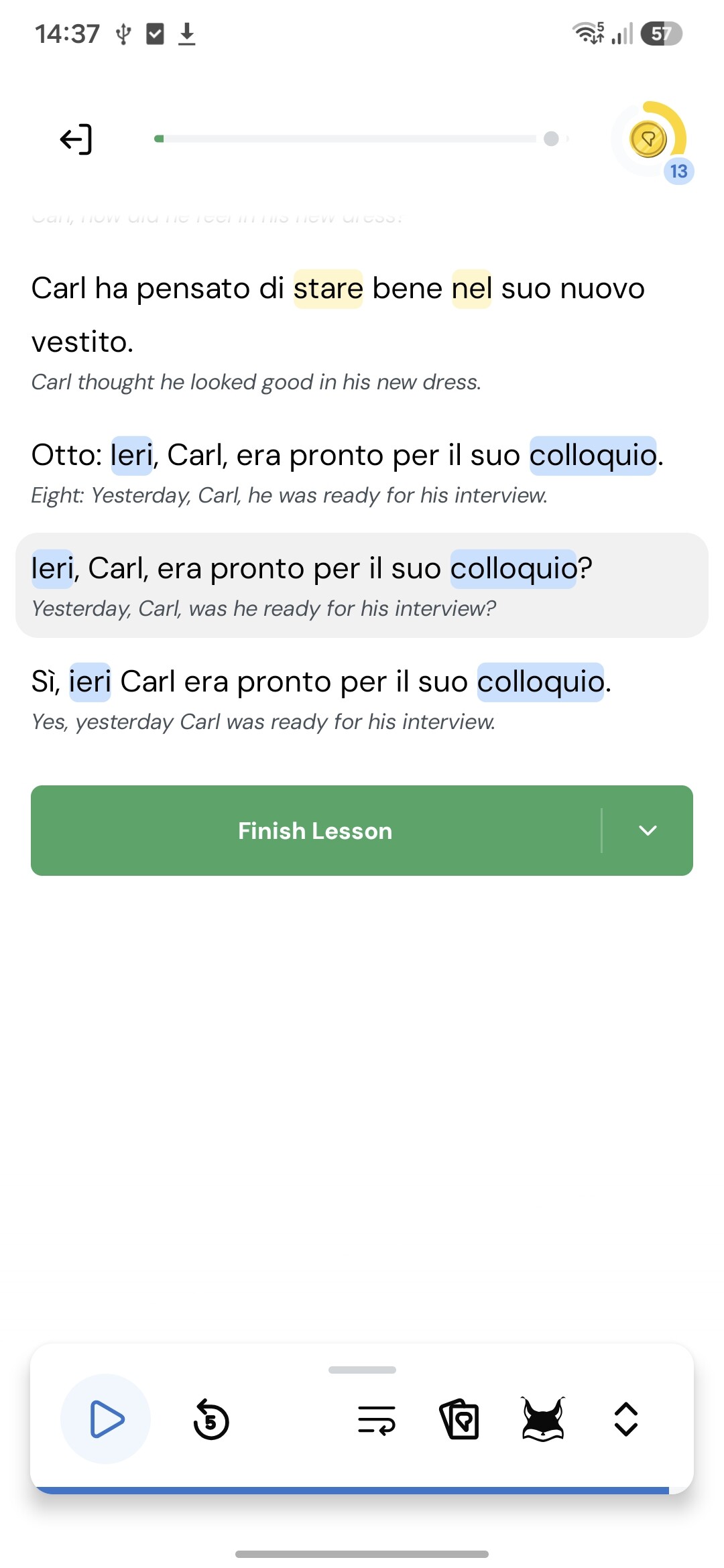
 At the bottom of this screen (10th Nov, a few posts above - scroll mode), I use the play/ pause button and the speed button. The speed button isn’t that hard to find but there are now two ways to get it. Press the up. down or slide it. I don’t use Lynx much at all and necer use flashcards. I rarely change model now as I’m trying out scroll more.
 Thanks!