Some time ago I reported an out-of-sync issue with AI transcription, but it seems to have escalated to another level, so I’m opening a new thread.
I tried the feature again today. After importing the audio, the transcription is beautiful, but when looking at it in sentence view, you play the audio and it has NOTHING to do with the text.
@zoran You said the devs were going to look into it, what is happening? AI transcription is a key feature being sold by LingQ, we are all paying for it, but it doesn’t work. What are you going to do? Refund it? Fix it? Give us AI credits for all the months it has been broken?
Here is how to replicate.
Import the file below (click Download then Import Audio in Lingq), set language to Turkish.
Okay, I don’t understand why the mp3 file should be a problem, but I converted the mp3 file to mp3 again using your tool.
I imported it again. It changes nothing at all. Nothing is synchronized. Please try it.
I verified that the original and converted mp3 are different, they have different checksums
rb - dialog.mp3 : 4c792a68593557efb0a080019276a104
rb - dialog (online-audio-converter.com).mp3 : 351158253388648e399914d5f4d26cb7
SEE MY LATER EDIT. IT’S NOT FULLY FIXED
Today (May 7 2026) I imported some audio and the problem seems to be solved. I don’t know whether LingQ moved to a different AI provider, changed the prompt or GPT or whatever underlying AI improved, but for Turkish the text and audio now seem to be in sync. So happy.
I just uploaded an audio and it too is totally out of sync. Good thing I resubscribed at the higher price. (<---- yeah, that’s sarcasm for those who weren’t certain.) Just sigh.
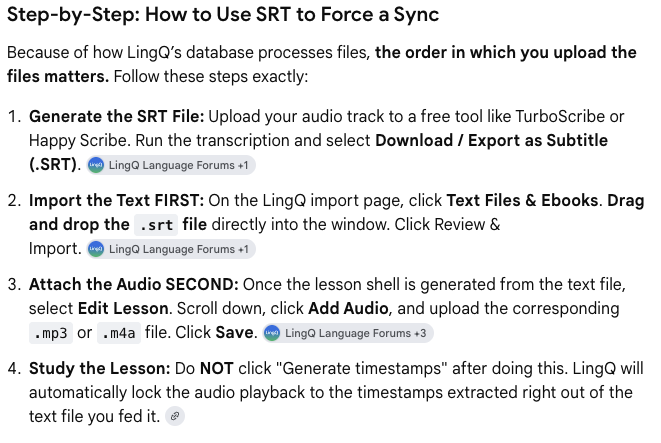
I had two days left on a Cockatoo Transcription subscription and followed google’s instructions on using an .SRT file. Now I have a separate correctly synced lesson. Do I have to have a separate .SRT transcription service? Is LingQ going to fix the problem? Something else?
One more update. The .SRT file worked better but still isn’t syncing. It sort of jumps in and out of sync. So basically, to listen and read at the same time isn’t happening. Again. Sigh.
Last update - hopefully - I’m now transcribing with an app I found called MacWhisper (I’m not affiliated with them in any way), which does a good job of time-marking the text in a way that LinQ understands. So except that I paid a bit more $$ and took a few extra steps to get what I need, I’m now getting audio to sync to my uploaded lessons again.
Really the last update - I got to the middle of one of my transcripts reading sentence by sentence, and of course when I went to listen to the sentence, it wasn’t synced. So not a solution. But… I can have MacWhisper open next to LingQ. MacWhisper for just reading and listening and then LingQ for the translation stuff it does. Not exactly what I thought I was getting with LingQ but it works for now.
@davidinla Sorry to hear you are experiencing issues. Just to confirm, you are importing a .SRT file, and then you are generating an audio for it on LingQ? I see you mentioned both uploading audio and then importings .SRT file, so just to be sure what exactly are you doing.
Zoran, answered you with some details via a return email to support before I realized the email I received was just saying you replied to me here and hadn’t emailed me directly.