This just happened to me too (again). I was actually having a different problem with the audio underline not showing in a lesson and after a few attempts regenerating timestamps, then regenerating lesson and finally re-splitting with (new?) ai, this happened.
Here is the first page of a text I had already cleared, now “re-split” and full of blue words because it has decided not to split now at て,する and even ながら.
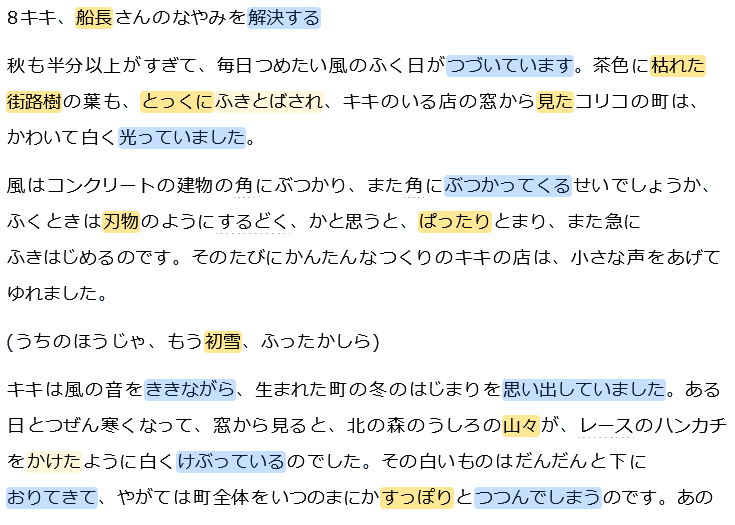
(Note: it had been re-split with ai previously, successfully. As most people know keeping the regular parsing the app quickly becomes unusable, as it has even worse parsing than this new ai and even keeps full sentences as words, something I confirmed when I attempted to re-upload the lesson and the ‘regular’ parser made that whole first sentence blue.)
Additionally, both re-split and regenerate functions are now greyed out for me, I want to think because they’re being fixed.
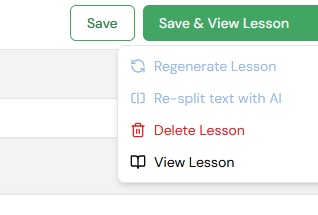
Suffice to say I can’t move forward with this lesson until it can be split correctly. Even if I reupload the features are not available. So, I must stick to anything uploaded and re-split with AI previously which thankfully I have but I fear for anyone who doesn’t.
I think at this point if it hasn’t been said it should. Japanese on LingQ only works with the re-split with AI function (and even then, it has quirks but they’re slight and forgivable) I was lucky I got LingQ when this feature was already in place. Removing it or modifying it essentially kills Japanese functionality.
I look forward to this being fixed so I can continue studying. 