Adding new definitions for a LingQ, or editing a LingQ is veryslow. It happens on every other action this past couple of hours. Browser networking shows requests POST,PATCH /api/v3/el/cards/ can take 4-6 seconds, and in the during that time the input box and the alternative definitions are disabled (greyed out).
I’m having the same problem on Mac OSX using Chrome. It’s been bad for a few days, but it’s particularly unbearable today. it’s similar to when the website became almost unusable with the major update. We’ll probably see a lot of people losing their streaks until the bugs are squashed.
The website’s slow dragging responses improved slightly yesterday, but then got worse today.
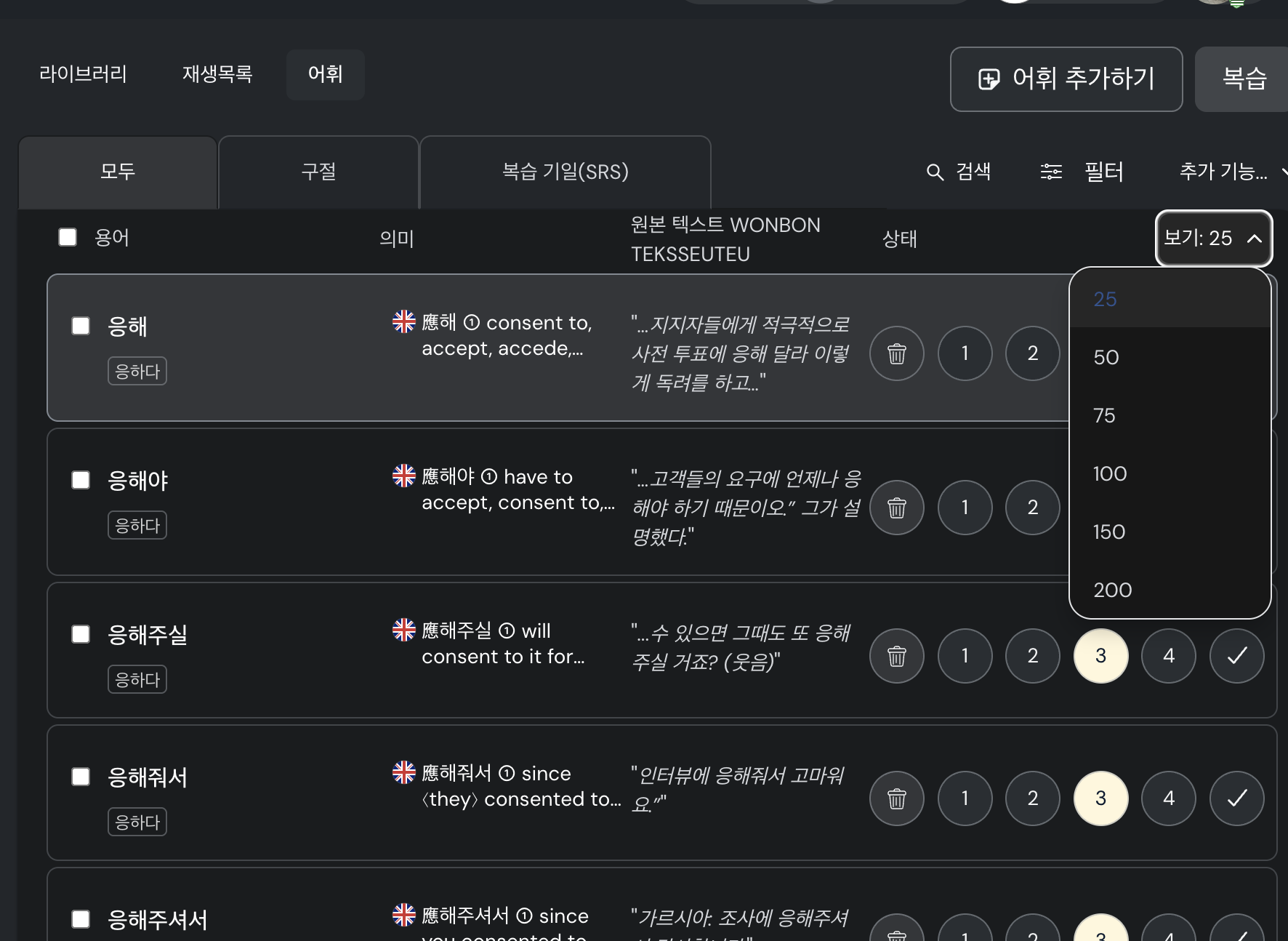
Additionally, the vocabulary section will no longer allow searches over 25.
@Tamarind Regarding the Vocabulary issue, it does always show “25” as number, that is a bug and we will have it fixed. However, if you select a different number, for example 100, even if it still says 25, it will list 100 LingQs on the page.
Regarding the slowness issue, I asked our team to investigate it.
Thank you.
There may be more going on with the vocabulary section. Every once in a while the results are not what I need/expect. Therefore I had to add a particle, or 하, 치, etc. to get what I need. That may not make much sense if you don’t know Korean. If the problems continue I’ll try to track these issues so that you have concrete examples.
It’s once again VERY slow using the website to add new definitions, edit LingQs, etc. Often a few seconds or more. Enough time for me lose interest and go start watching a YouTube video. Sometimes I’ll remember to come back to LingQ.
@Tamarind Strange, sorry to hear that. Can you please provide more information? Do you have that problem in some specific lessons only, maybe some lessons that are long?
I haven’t noticed any difference according to length. I’ve imported many books in different ways. Some are segmented according to chapter length; others are divided when reaching LingQ’s maximum word limit. Website seems to drag regardless. Some days are worse than other, no matter what I am studying.
I’m using Chrome on Mac OSX.