I´ve suspected this for some time but I just finished testing my observation and it is correct. When I add audio to a lesson by dragging an audio file into the appropriate box, I can play the audio on both iphone and Mac but the hours I listen are not recorded. So I tried moving an audio file by “select audio” and immediately on playing it, my time was recorded. I´m wondering if you could fix this so that dragging an audio file will also result in hours listened. Thank you.
Thanks, we will look into this.
Hello @knot2witty Could you please clarify, is it about this field? I added audio by dragging the file and then listened it in the Lesson and Hours of listening were reflected in the stats. Could you please add more details? Do you add new lesson or updating existing one? Do you play audio in the lesson or in the Playlist? What audio file do you use?

Yes, that is the field I’m talking about. I usually listen via the playlist. I had added new lessons some time before and later added the audio. I’m not sure what you mean by «what audio file do you use?» you mean the extension after the dot of the name? Not sure. I hadn’t looked. I just used the audio file I already had (different source from the text). If it’s important, I can check in the morning.
Hello @knot2witty I rechecked on the WEB and still cannot reproduce, could you please also recheck? For iOS - reproduced when timestamps were not generated. We will work on this case, and also you can easily fix it by generating timestamps. Please, give it a try.
I´m sorry, I don`t understand. Could you please rephrase that?
You had asked what the file extension is. The files on my computer are Mp3. But when I move them into a lesson, the extension changes to a series of numbers and letters, e.g.: 001_02.321709b359 ; 001_03.c848b777cc ; 001_04.2af26569a6
Here’s another clue about the problem. When I listen to a course on my iphone, I get no credit but when I listen on my Mac, I get the credits.
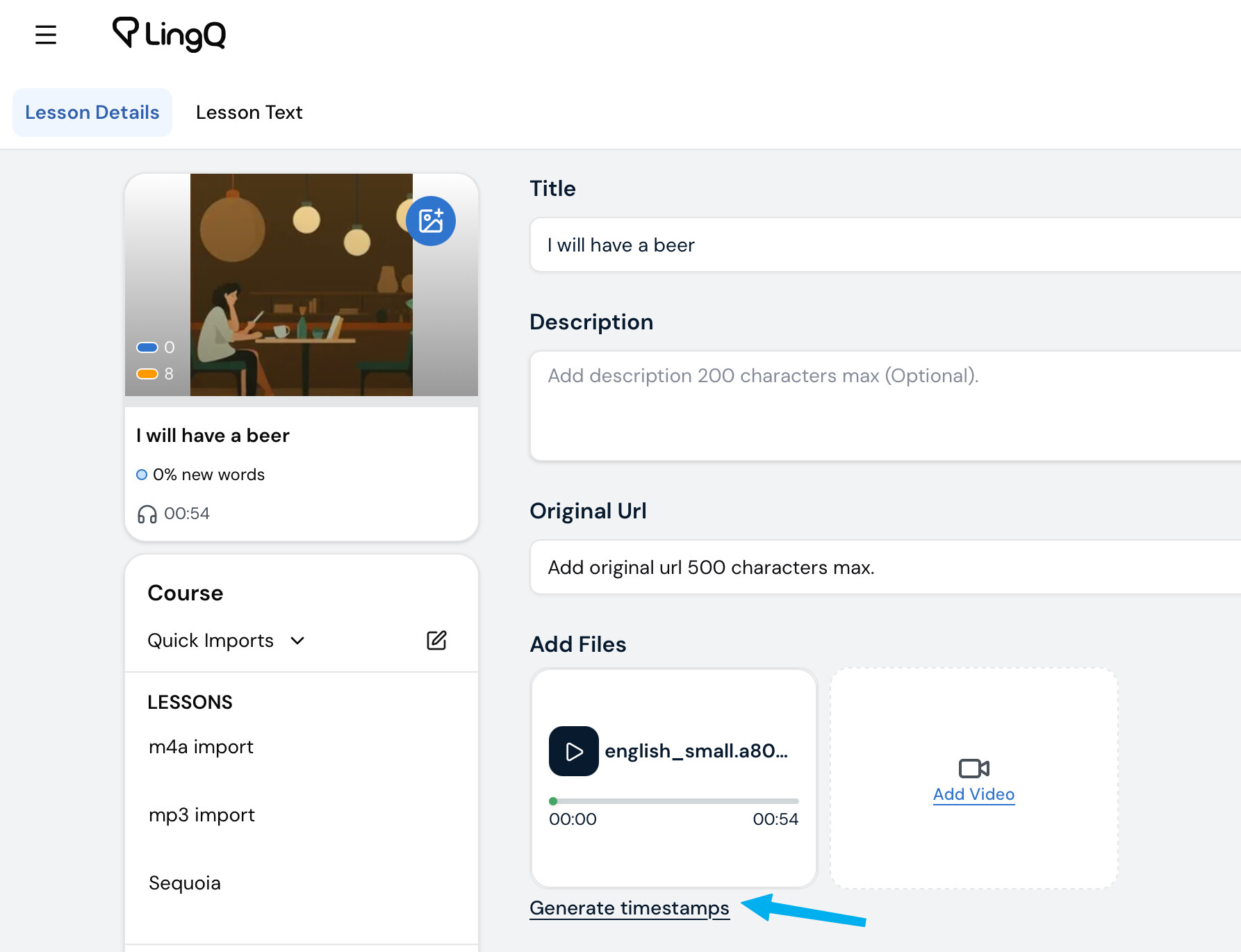
Could you please open this lesson for edit and click “Generate timestamps”. It should help
Generating time stamps made no difference. I even rebooted my computer to see if that would help but it didn’t.
One thing I’ve noticed is that the play lists on my computer have the time stamps (the length of each lesson) but on my phone, some do and some do not. I’m taking these all from the same source, an audioBible I purchased on a memory card. The initial books that I added audio to (some of the Psalms and Matthew) work fine on my phone but the later ones (John, Acts of the Apostles and Genesis) do not.
@knot2witty Thank you for the information. Could you please share a lesson (just open it in the browser, copy the URL and paste it in the comment here)? Or you can send it to support@lingq.com (if you don’t want to share it on the forum). It will be used only to identify this issue.
I can listen to it on my phone but don’t get credit for it. I get credit if I listen on my laptop.
I thought I had done this, but I guess not. Login - LingQ
Hello @knot2witty It should be fixed in the new iOS version 6.0.20. Please, check how it works on the new version. Thank you!
Thank you! It does work now. I appreciate your help. (Sorry for taking so long to respond.)