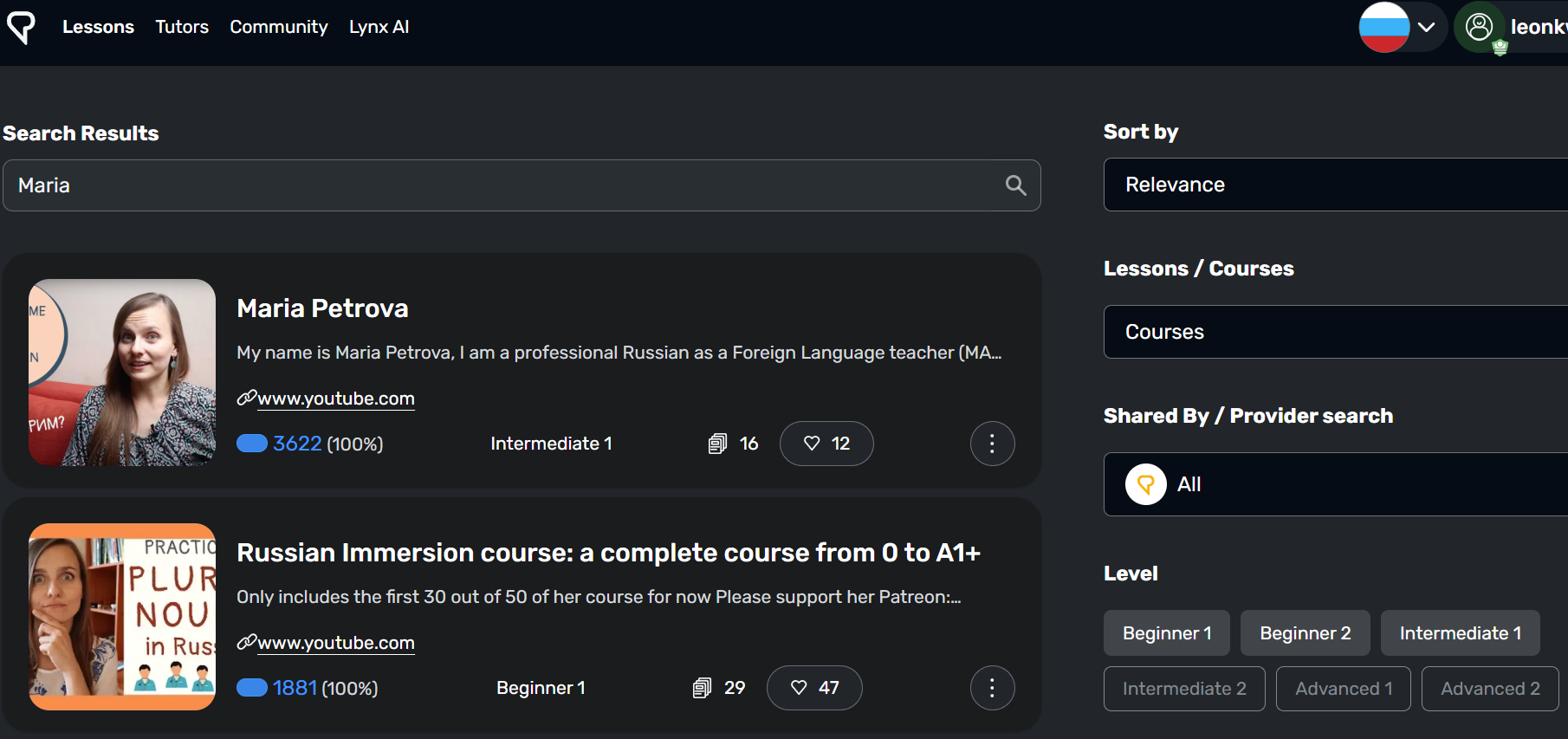
But when I go to Courses / View All, and search for “Maria”, it does not find that course.
It only finds someone else’s course, not mine with the videos I want to watch.
Why doesn’t searching for “Maria” find my course named “Maria Petrova” ?
(I also tried searching for “Maria Petrova”, and that also does not find my course with that name.)
Note that I tried to include the actual urls in here, but the topic editor turned them into images, and when I deleted the images, the urls were deleted too.
That part appears to be some bug with the topic editor.
I will see if I can work around that bug by attaching the urls as responses.
Oh, by the way, turning on the “My Imports” button appears to block out other people’s courses, and then it finds nothing at all–neither my course nor other people’s courses with the same name.
So I think it is not the “My Imports” filter specifically that is broken, but the main search functionality?
Just a guess but perhaps check what level (Beginner 2 etc.) you have assigned to the course – might have a level outside your filters (and different to the lessons)
Were you importing a ebook? There is a rare bug where ebook I import sometimes does not appear as a course in the library search page. I just delete and import again usually works after that. No idea why it happens or how to replicate bug. I even have an empty course that I can’t delete, it appear in my course list but when I try to delete them it say the course does not exist. importing is buggy sometimes. You can try importing again.
Thank you, but no, it is not an ebook. It is a course with a bunch of youtube videos.
I would hate to do them all again, especially because there is some limit on how many we can import now, right?
I don’t want to lose all my import quota trying to work around the course search bug.
Note: I get the same complete failure to find my course whether I click all the level buttons or none of them, and whether I check the “mis importaciones” or leave it unchecked–that only affects whether it finds the public course.
And to ensure it is not some weird letter issue, here is an example where I copied (select all + copy) the course name from the course itself and then pasted it into the search box, so that there was no typing involved at all, and searched for the EXACT course name: