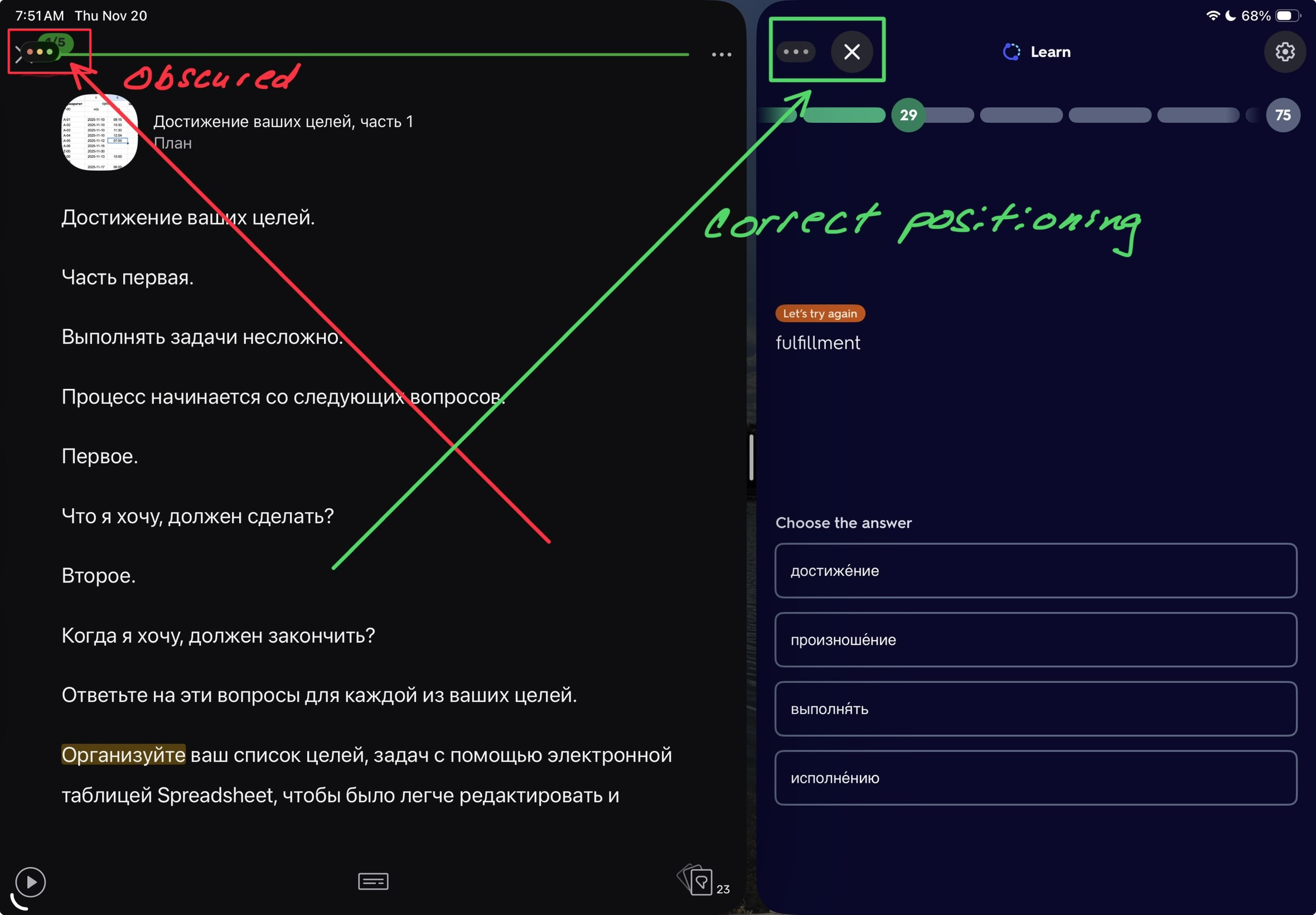
When not in full screen mode, the ‘X’ to exit the lesson is obscured and cannot be used. In this example I have Lingq on the left and Quizlet on the right.
1 Like
Thanks for reporting. I asked our team to look into this.
1 Like
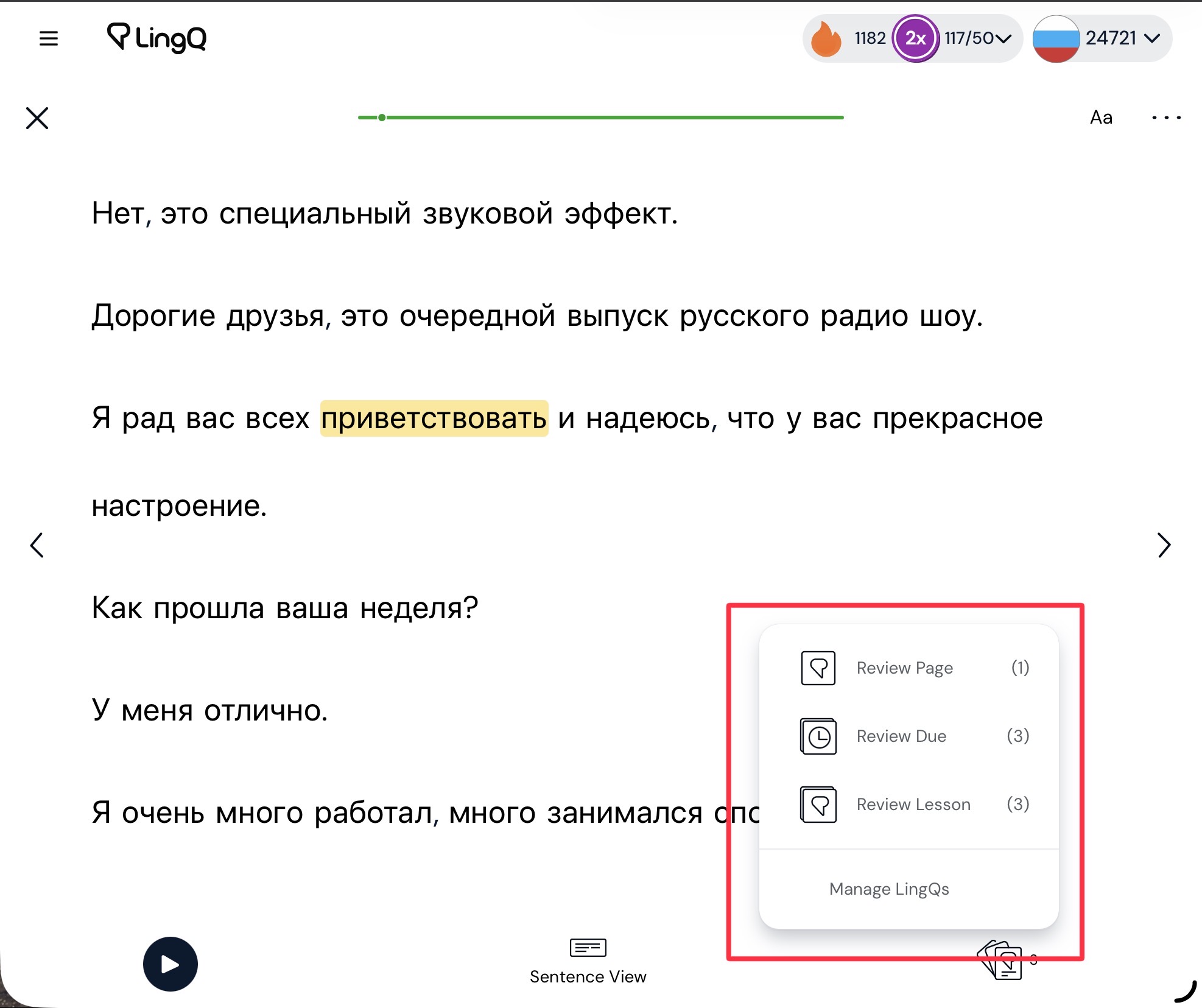
Another anomaly: the “Vocabulary List” item is missing from the word list when Safari isn’t in full screen mode in the web app.
1 Like
Thanks, we will look into that one too.
1 Like
Hi @vernmartin ! Thank you for pointing this out.
The issue with the overlapping controls at the top will be fixed.
Regarding the missing Vocabulary List in the Web app: when the browser window becomes smaller than a certain minimum width, the sidebar widget can no longer be displayed and it automatically switches to the floating mode. Since the vocabulary list is only shown in the sidebar widget, it becomes unavailable when the window is too narrow.
And that’s not fixable?