This may be a dumb question. But I have heard Steve talk about an exercise in sentence mode where you have to click on words to assemble the sentence in your target language. How do I get that working? My sentence mode doesn’t do that. And I can’t find any settings to make it happen.

Well…Looks like I already had that option selected. Is this a feature that is only available on the Desktop website and not the app? Here is what my screen looks like on the PC. I simply click review sentence here and the exercise comes up.

But this is what it looks like on my mobile app. There is no button to click review sentence. Its just this screen where you can only see this sentence. And there is the added option to have it translated for you. Which I do not care about.
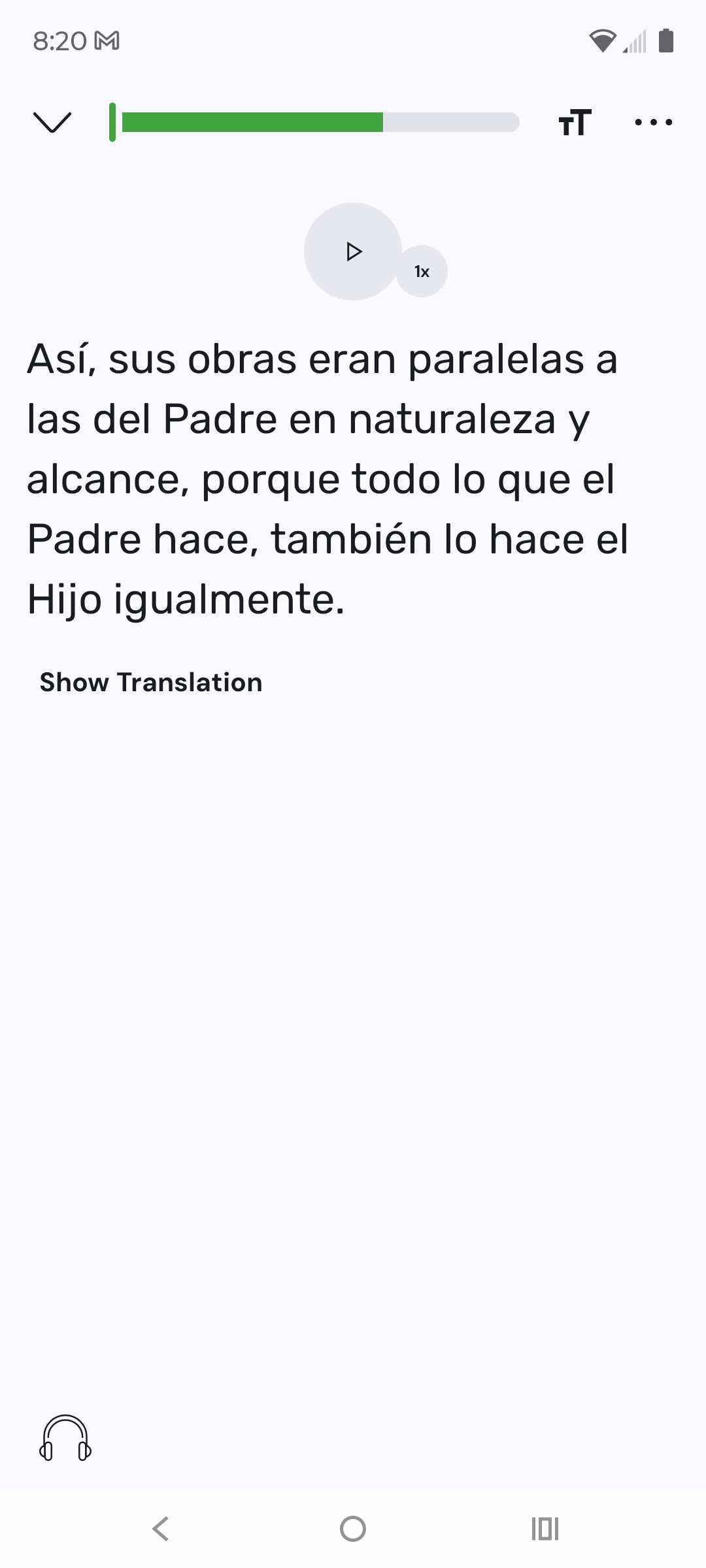
Please tell me this is not just available on the PC. I never use lingq on my computer. Only on my phone.
I’m not sure if it’s the intended behavior (probably not)…but the “review” symbol will only appear on the righthand bottom side and it will only appear if you have blue or yellow words it looks like. So go to a sentence that has yellow words and try there. If you have multiple review “games” selected it may not go to “unscramble” first. Interestingly I had set “unscramble” as an option OUTSIDE of the lesson in the settings for “activities”. So once you do have the review button selected, there is another “gear” settings symbol. Click that and make sure unscramble is ticked there.
Maybe they can make a change to make unscramble available on sentences that don’t have yellow words, but seems like that is a request that would need to be made.
@ericb100 is absolutely right. After the update is released, the Review Sentence buttom is only available if the sentence conrains unknown words in status 1 or 2 or 3. And this is only true on the phone

