Rooster Video Tools V3 - Alpha is here!
The next chapter of The ULTIMATE Language Learning Video Extension starts now.
Version 3 aims to close the shortcomings of the version 2 extension. Full public release is still targeted for late 2026 - the alpha is available now, and this is your chance to help shape it before then.
The extension itself is free to install and use for anyone. Creating lessons in LanguageMaster requires a Standard subscription; importing into and syncing with LingQ requires a Gold subscription.
Getting the Alpha
The extension is available on the Google Chrome and Microsoft Edge webstores as well as available for manual installation.
Google Chrome / Chromium Browsers
Microsoft Edge
Manual Install
- Download the Rooster Video Tools V3 Extension
- See this guide for manual installation of Chrome extensions
Usage
- Disable LingQ Import Extension / Rooster Video Tools V2 Extension if enabled.
- Sign in with your LanguageMaster account inside the extension (a free account works - subscription only needed for lesson imports, see above).
- Read the docs: app.languagemaster.io/rooster-docs
Join our Discord or reply here if you have any questions, feedback or suggestions.
Preview Images
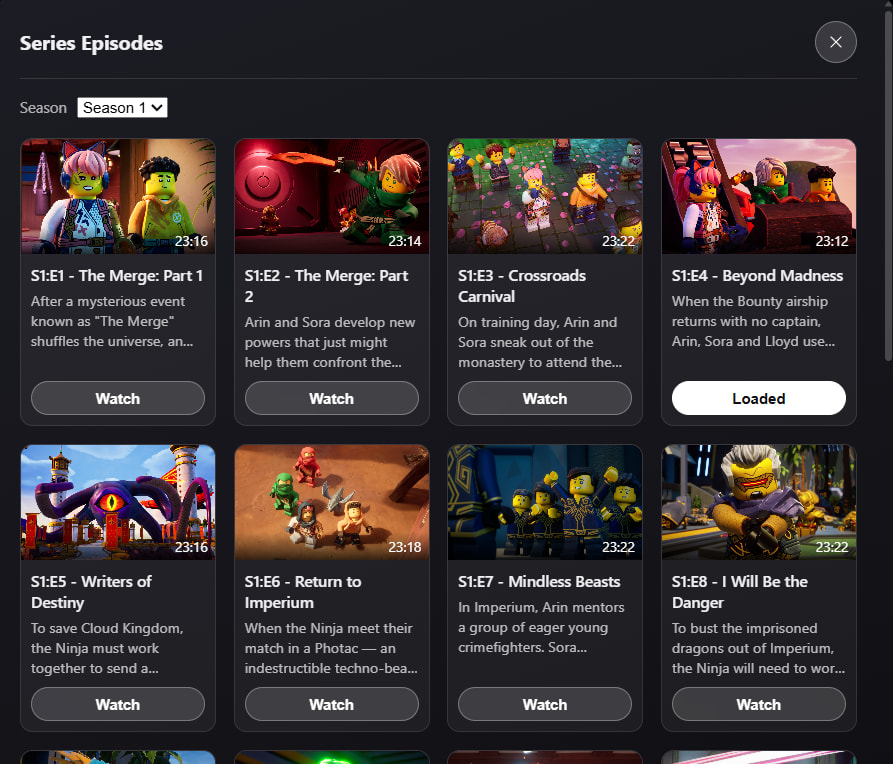
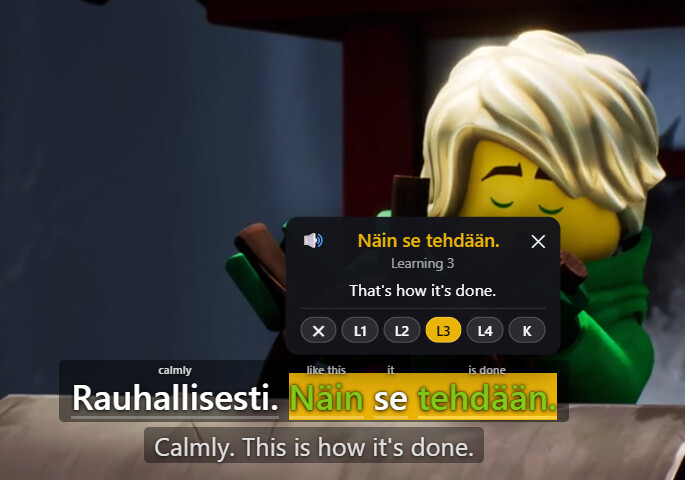
Video Websites Extension
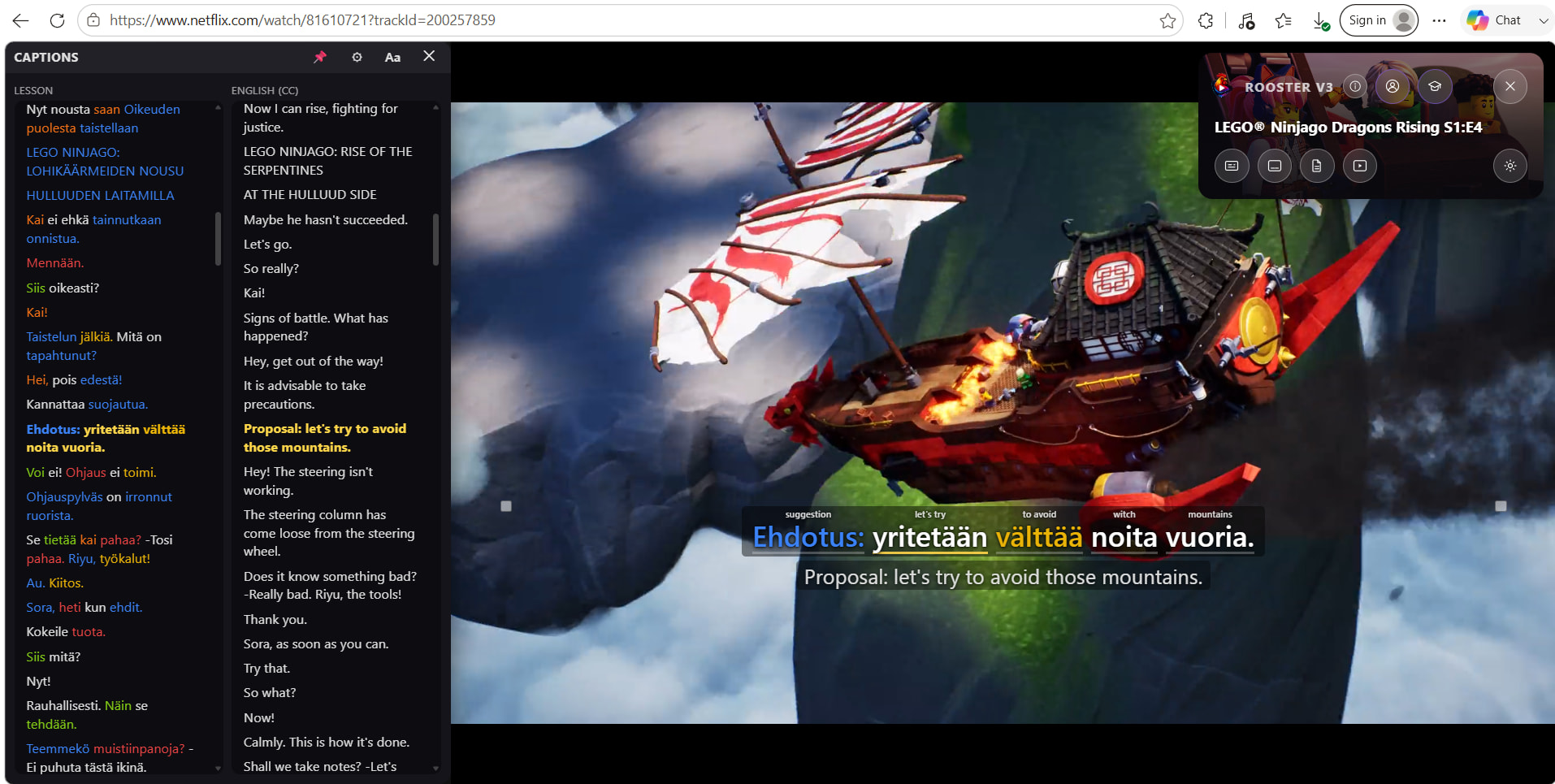
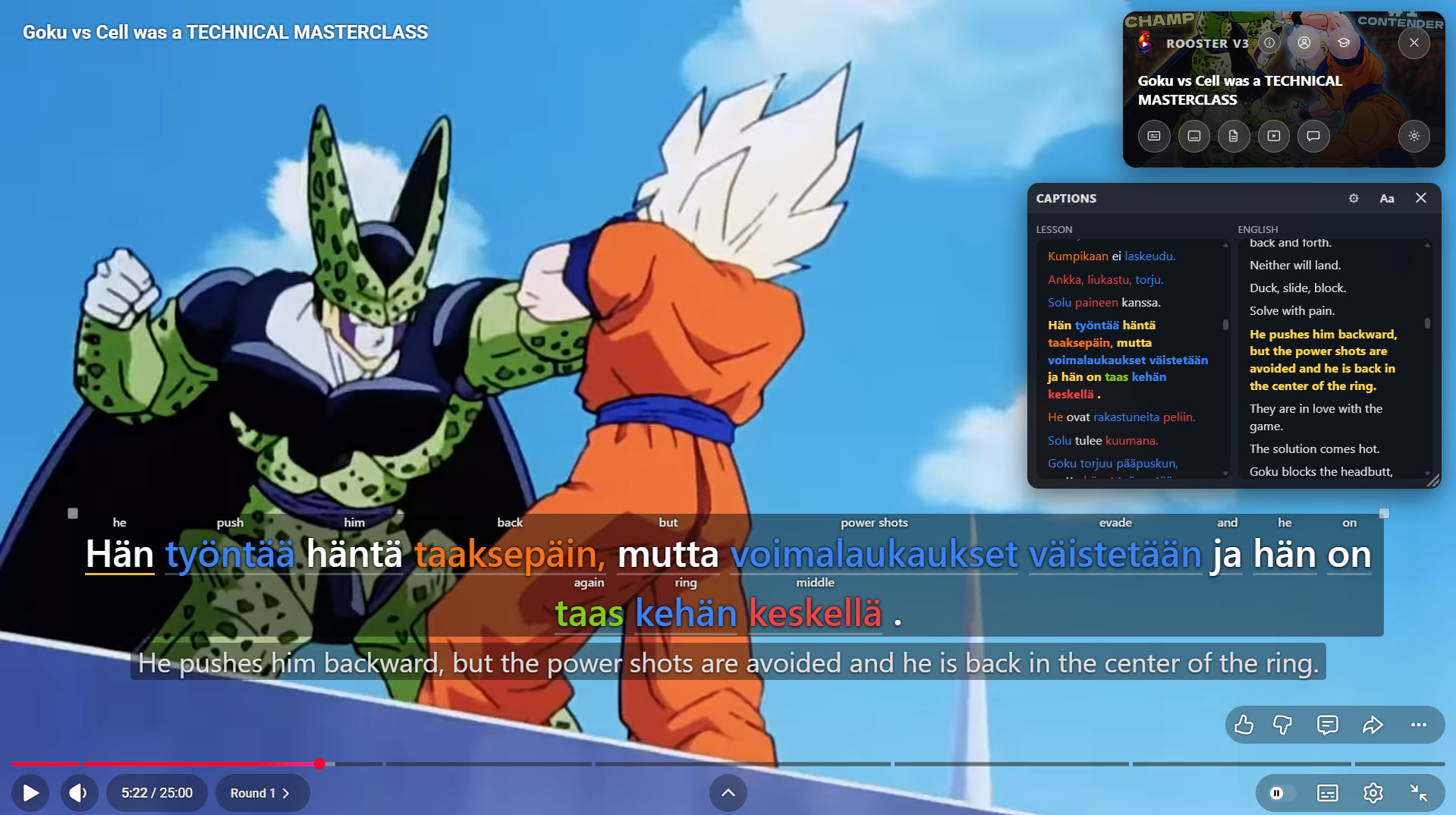
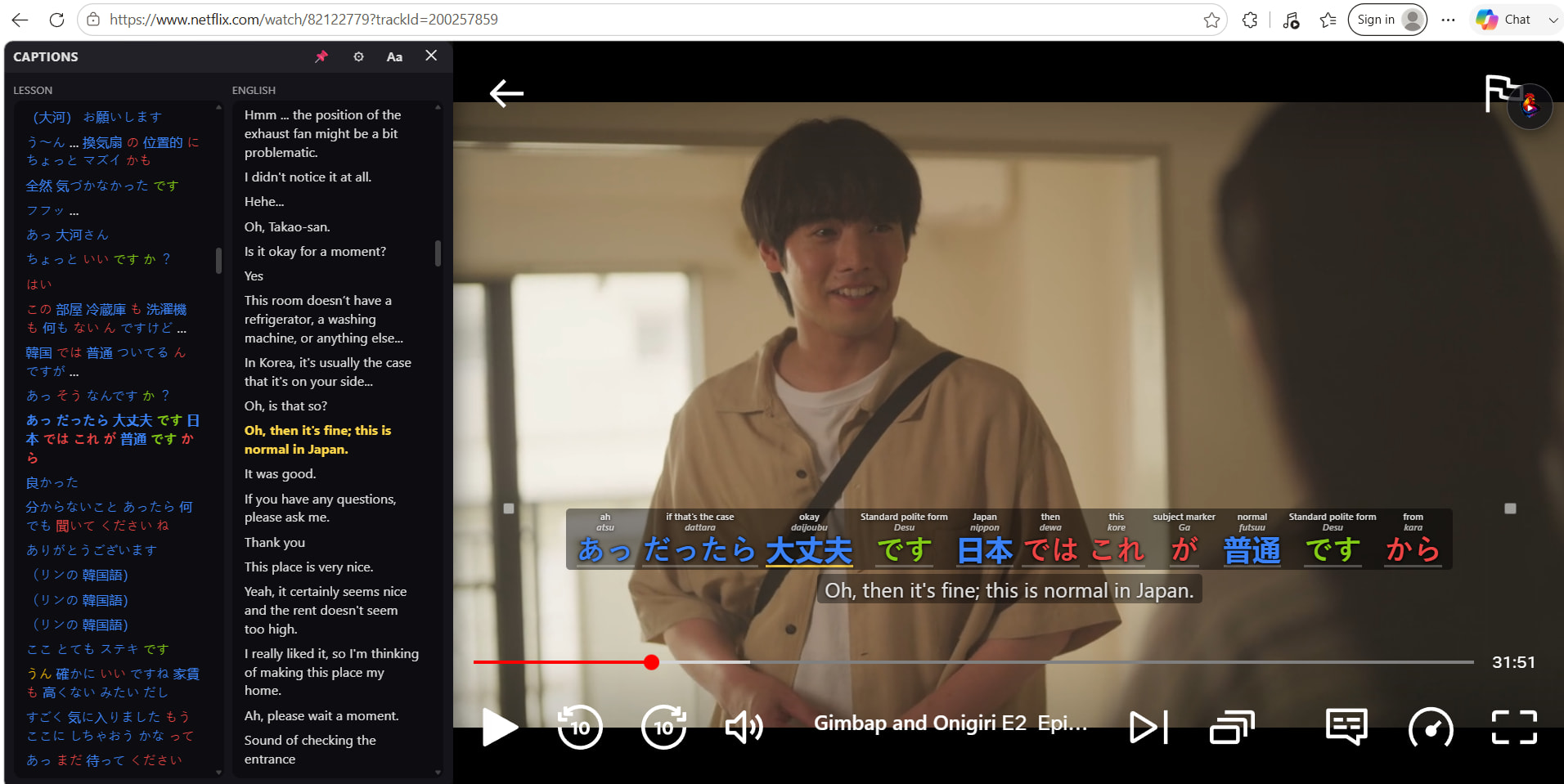

LanguageMaster App

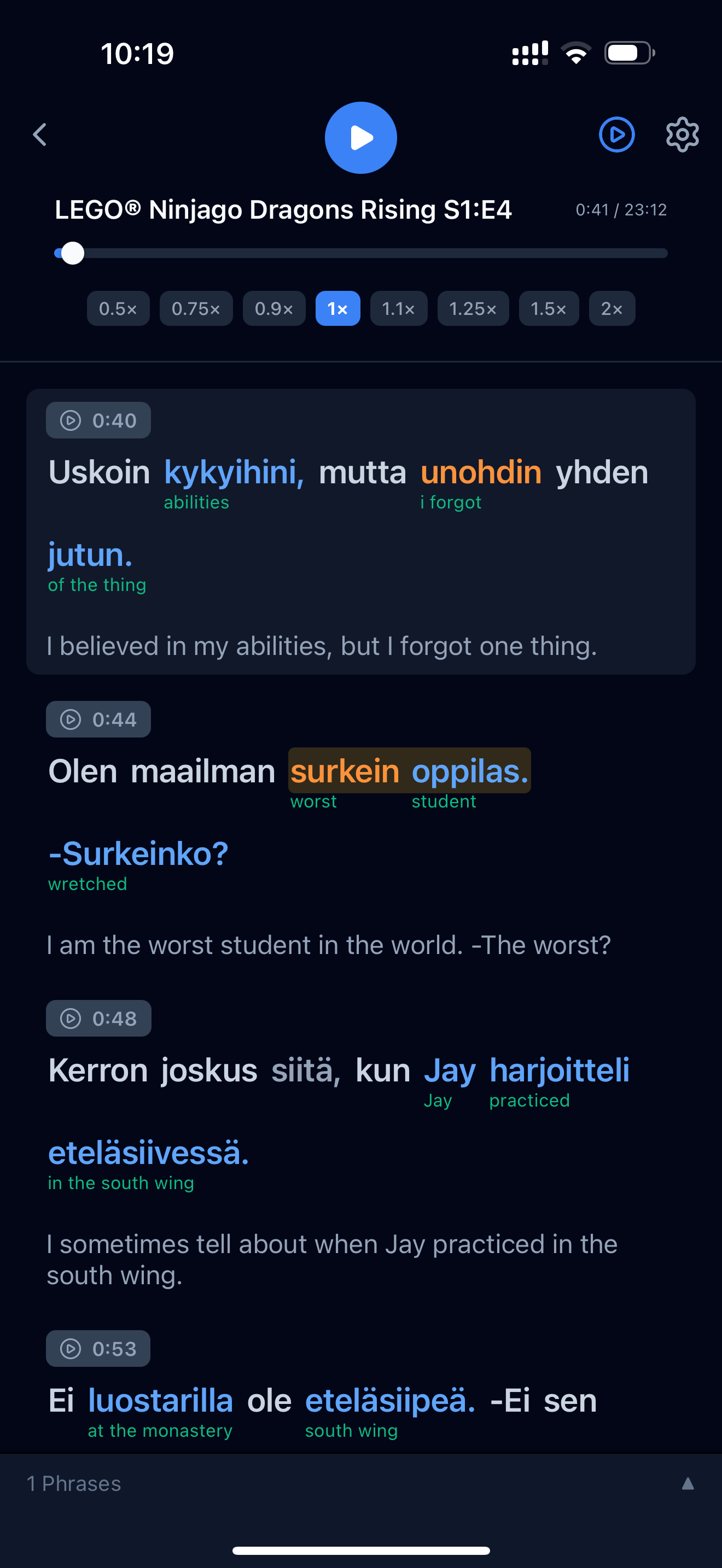
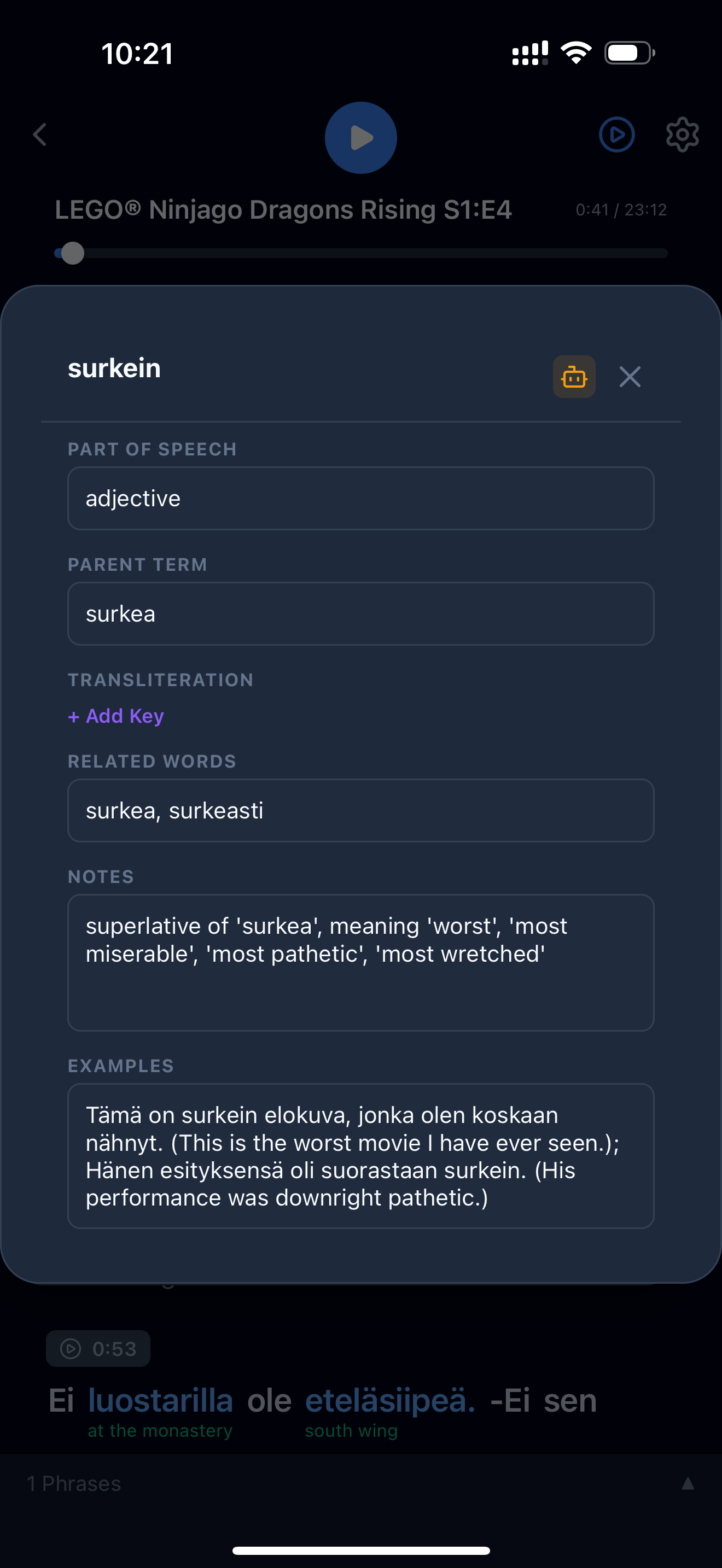
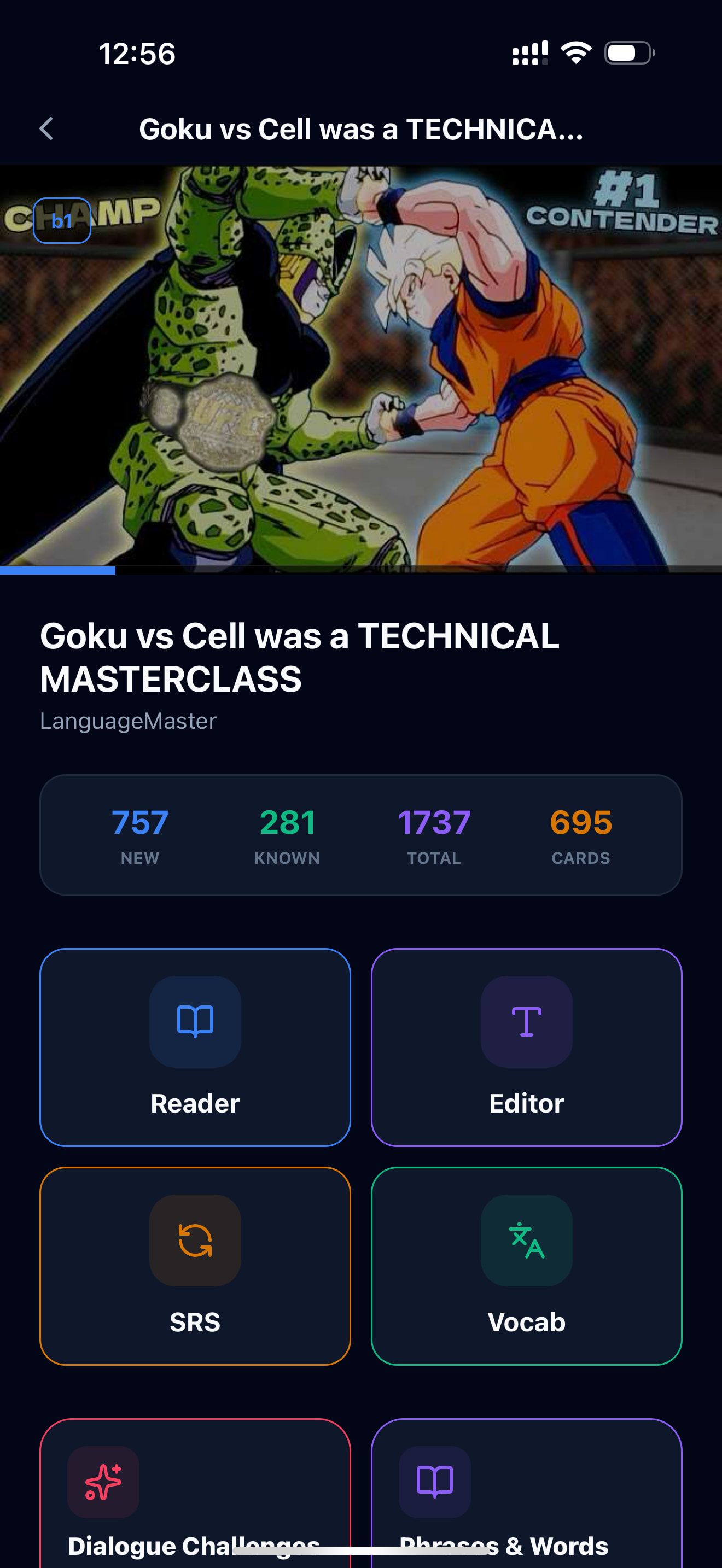

Additional Screenshots


Scope and Improvements
| # | Improvement | Details |
|---|---|---|
| 1 | Simplified UI | Pruned, grouped, and simplified various options to make the extension easier to use |
| 2 | Faster lesson creation & loading | Captions and word data auto-load with the video; lesson creation is now an optional extra step for studying later |
| 3 | Version-based preferences | UI preferences and selections are saved server-side, so they persist across version upgrades |
| 4 | Official install source | Available on the Chrome & Edge stores (in addition to self-hosting). No Firefox version planned |
| 5 | Shadow DOM utilisation | V2 runs on the main DOM, which can break when sites update their UI. V3 wraps everything in a shadow container for stability |
| 6 | Full UI localisation | The entire interface — every tab, popup, and error message — is translated into 28 languages, not just LanguageMaster-facing pages |
| 7 | LingQ integration, rebuilt | Cleaner LingQ lesson import, two-way status sync, and language-mismatch warnings that actually account for translation targets instead of false-positiving |
A Closer Look at What’s Inside
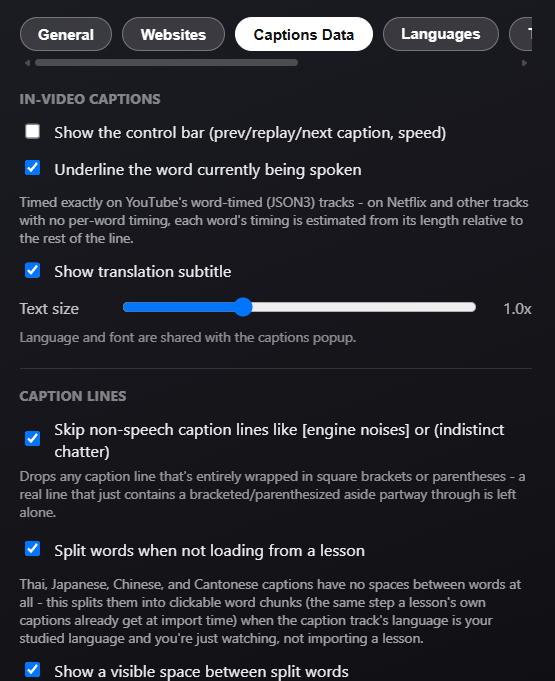
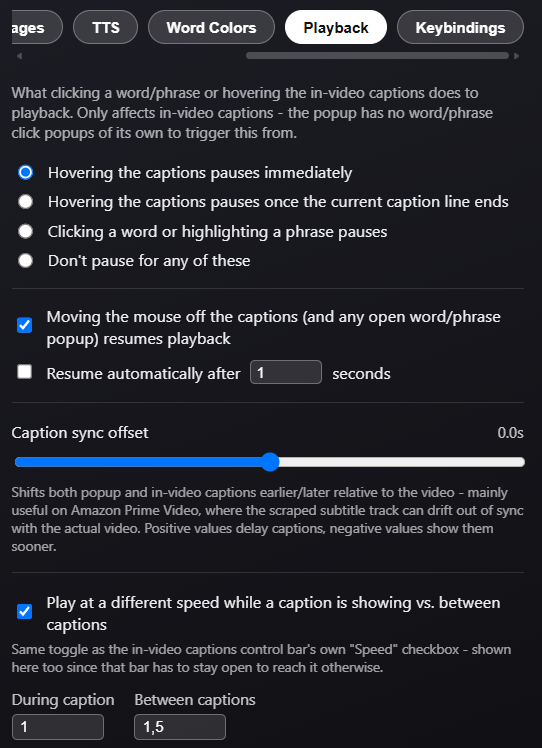
In-Video Captions - a clickable overlay sits directly over the video. Depending on your tier: a full lesson shows instant translations/transliterations baked in, a subscriber with no lesson can tap any word for an on-demand lookup, and captions still display normally either way. The overlay is fully repositionable, and a small control bar lets you jump to the previous/next line, replay the current one, or slow playback down during captions (and speed it back up in the gaps between them).
Captions Popup - a floating panel alongside the player with more room to work: pick your primary track and format, turn on Compare mode to show a second language side-by-side, and choose your own font (built-in styles or any Google Font). It can be pinned to a fixed width, dragged anywhere, and follows the video into fullscreen.
Words List - a separate panel listing every distinct word in the whole video (not just the current line), with filters by status and several sort orders, plus a one-click export to TXT/CSV/JSON for building your own study lists.
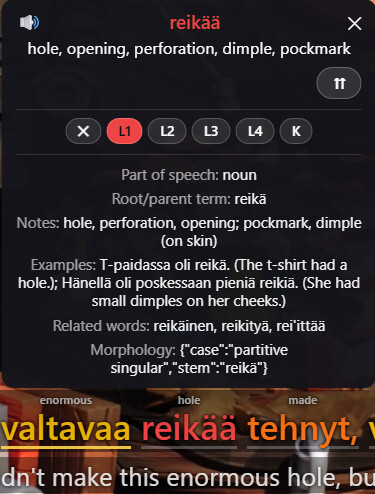
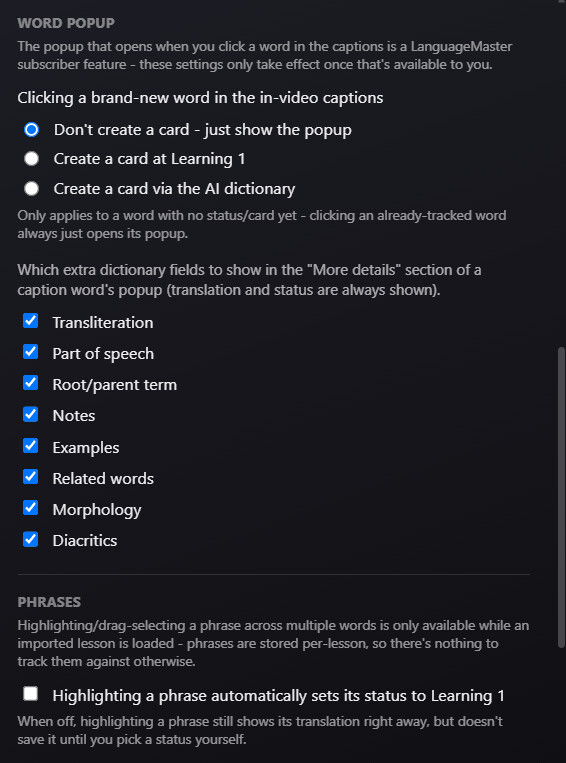
Word Popup & Vocabulary Tracking - click any word for an instant popup: six status levels (Ignored → Learning 1–4 → Known) with fully customisable highlight colours (14 built-in presets or your own), an AI dictionary lookup, pronunciation playback, and optional extra detail fields (part of speech, root, notes, examples, related words, morphology, diacritics) you can toggle on individually.
Phrases - drag-select up to seven consecutive words directly in the captions to save and track a whole phrase.
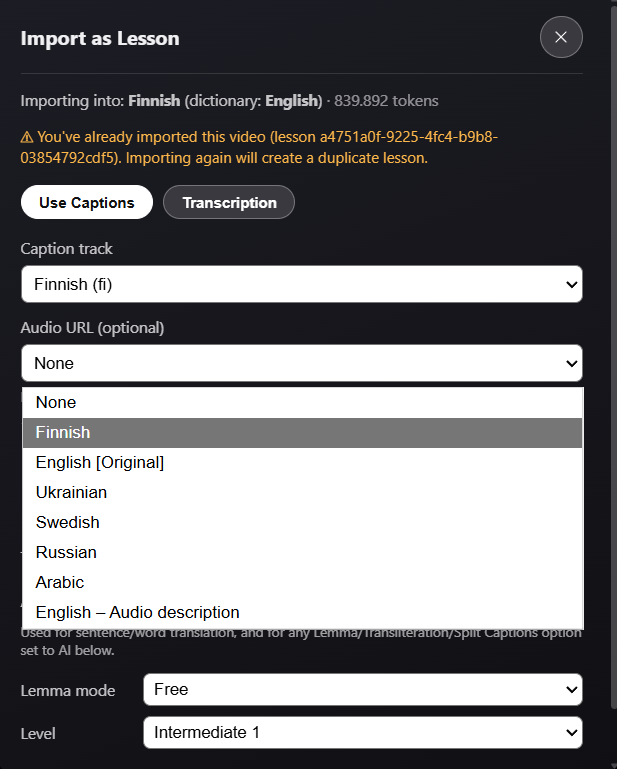
Importing Lessons - turn any video into a structured lesson via captions, a specific subtitle track, or AI transcription where no captions exist, with translation and AI/heuristic formatting options along the way (requires a Standard subscription). LingQ users get the same flow feeding straight into their LingQ library instead (requires Gold), including loading an existing LingQ lesson if one’s already been imported.
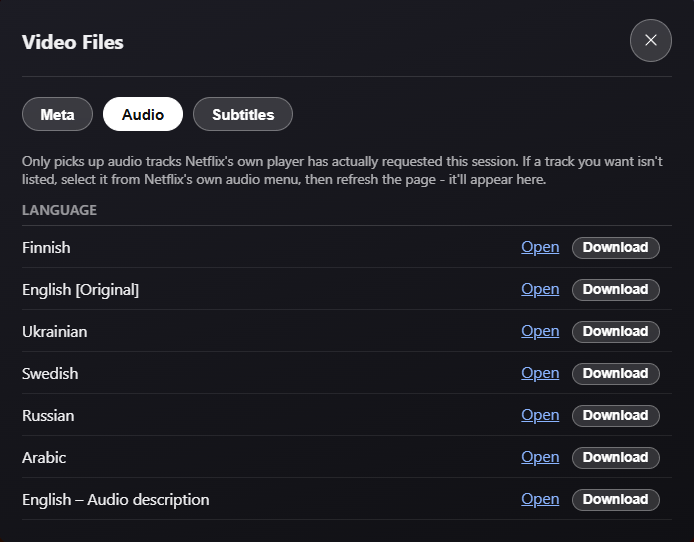
Video Files - a dedicated panel for grabbing the underlying video/audio streams, every subtitle track (with an option to translate before downloading), and storyboard thumbnails, site permitting.
Podcast/Audio Imports - support for multiple podcast pages, audio scraping and importing.
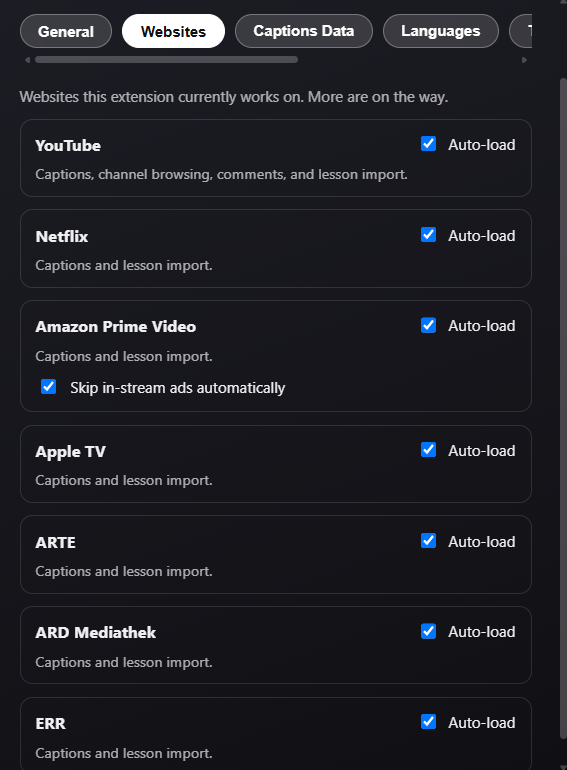
Preferences - nine dedicated tabs (General, Websites, Captions Data, Languages, TTS, Word Colors, Playback, Reporting, Keybindings) instead of one giant settings dump, with every keyboard shortcut individually rebindable.
Lesson Creation Options (Maintained from V2)
| Feature | Description |
|---|---|
| Captions | The default lesson creation data |
| Audio | Attaching audio from YouTube / Netflix / Disney+ / more |
| Transcription | Transcribe subtitles (audio → captions) where captions aren’t available |
| Metadata | Titles, Season/Episode identifiers, Descriptions, Thumbnails |
Pricing Tiers (Largely Unchanged from V2)
| Tier | Main Features |
|---|---|
| Free | Standard dual subtitles (studied + native language), video and audio file downloads |
| Standard Subscriber | Create LanguageMaster lessons, Lesson-less mode with word data, AI dictionary, word popups & status updates, Netflix Audio → MP3 for universal playback across LanguageMaster iOS/Android/Browser apps |
| Gold Subscriber | Create LingQ Lessons, Synced LingQ Word Data and Statuses |
See the full supported website list below.