Is this ok, or do you need it in an email?
@Jingle This is fine, thank you.
The solution you will need to use from now on is to make lesson Shared, but restrict it to your Classroom only. That way it will be available to them only and only your students can see and access it.
Zoran,
That makes sense but…(falls to her knees and raises pleading hands) WHERE in the place that I put in the restriction?
I have chosen the “shared” option and looked under advanced settings. I see nowhere to put in the restriction.
Can you show me a screenshot?
@Jingle If you change the course to Shared, are you still not seeing the “Restrict to” option under advanced settings?
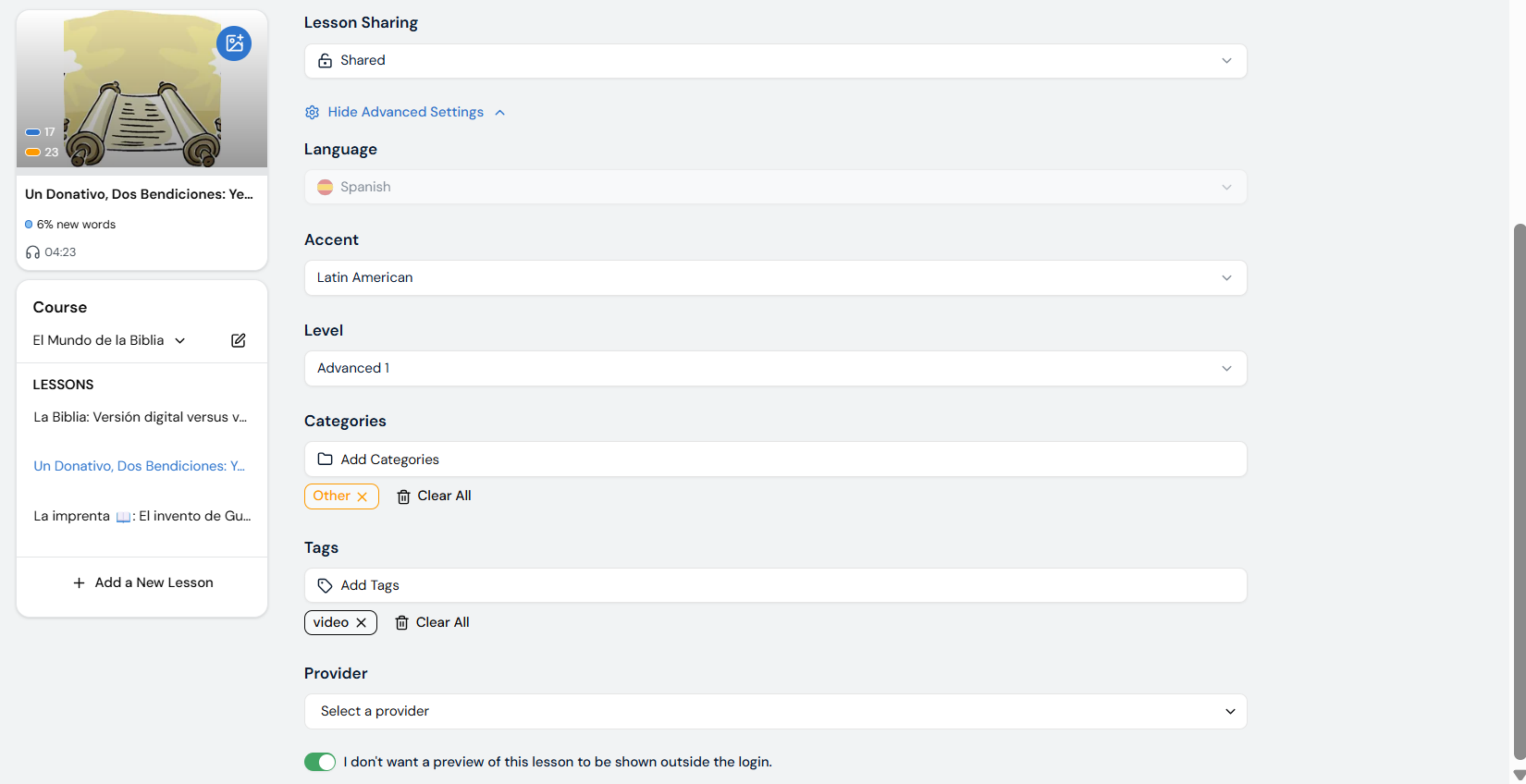
Then things get worse!
I had never actually clicked “save” after clicking “Shared”. So I clicked “Save” and got this message":

WHAT??? I understand, of course, that this is necessary for public lessons, but I certainly hope that it doesn’t apply when and if I can ever restrict the lessons to my own classes.
Anyway, still no place to restrict.
@Jingle I appreciate your feedback and patience. I escalated this to our team and we will have this sorted out asap!
Thank you for your efforts.
I certainly hope they keep the Classroom sharing option under Private so that we don’t have to jump through all the hoops required of a public lesson.
@Jingle We will have it sorted out, our team is working on it.
It is there! Wonderful! Thank you so much.
@Jingle You are welcome! Sorry about the wait.