I’ve been using LingQ for free until I saw a YouTube video describing its new features using Advanced AI and Eleven Labs voices. So, I wanted to give it a trial run by subscribing for one month to test these new features. But, I can’t find any settings to where I can adjust which voices to use or anything explaining how to use them. Is there a video out there explaining these features and how to use them?
1 Like
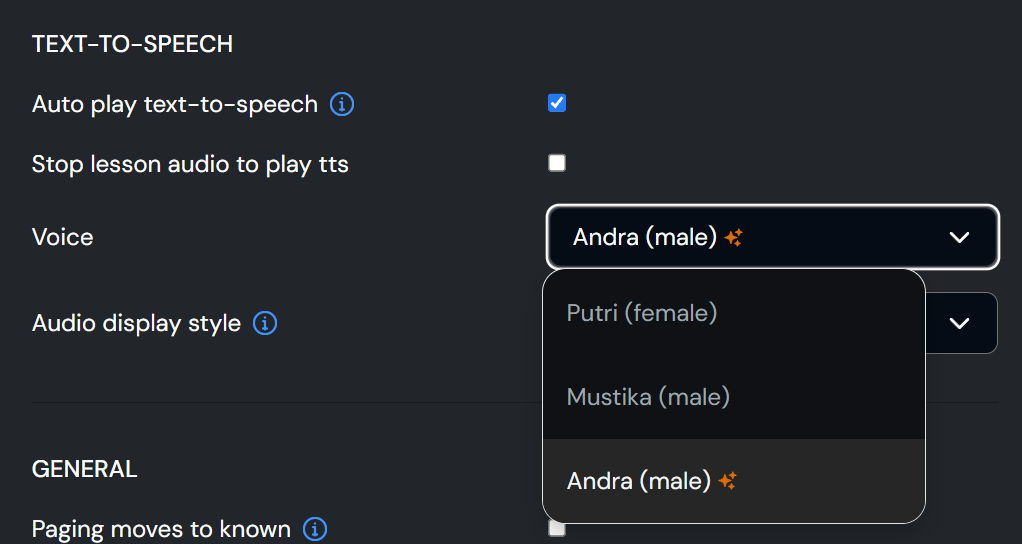
You can change the voice from the settings menu, e.g. on desktop click on your names → Settings → reader.
However I think the voices are limited in some languages – e.g. in Indonesian there’s only 1 premium voice but fortunately it’s pretty good.
There’s not much else to learn as far as using it – if upload a lesson without audio, the play button turns into “Generate Lesson Audio”, which I find to be pretty good: works well even for very long (5-6k words) lessons.
You can also get messages in Lynx read aloud.

Thanks. I was hoping that Lynx AI could be set to automatically respond to my questions/answers through voice instead of text. I know you can click on the mic and it would read it with voice. I was trying to simulate a real conversation.