Lately, I’ve been using LingQ’s AI feature more and more frequently. It’s incredibly useful – marking phrases and sentences, the AI can explain everything, helping me understand so much content.
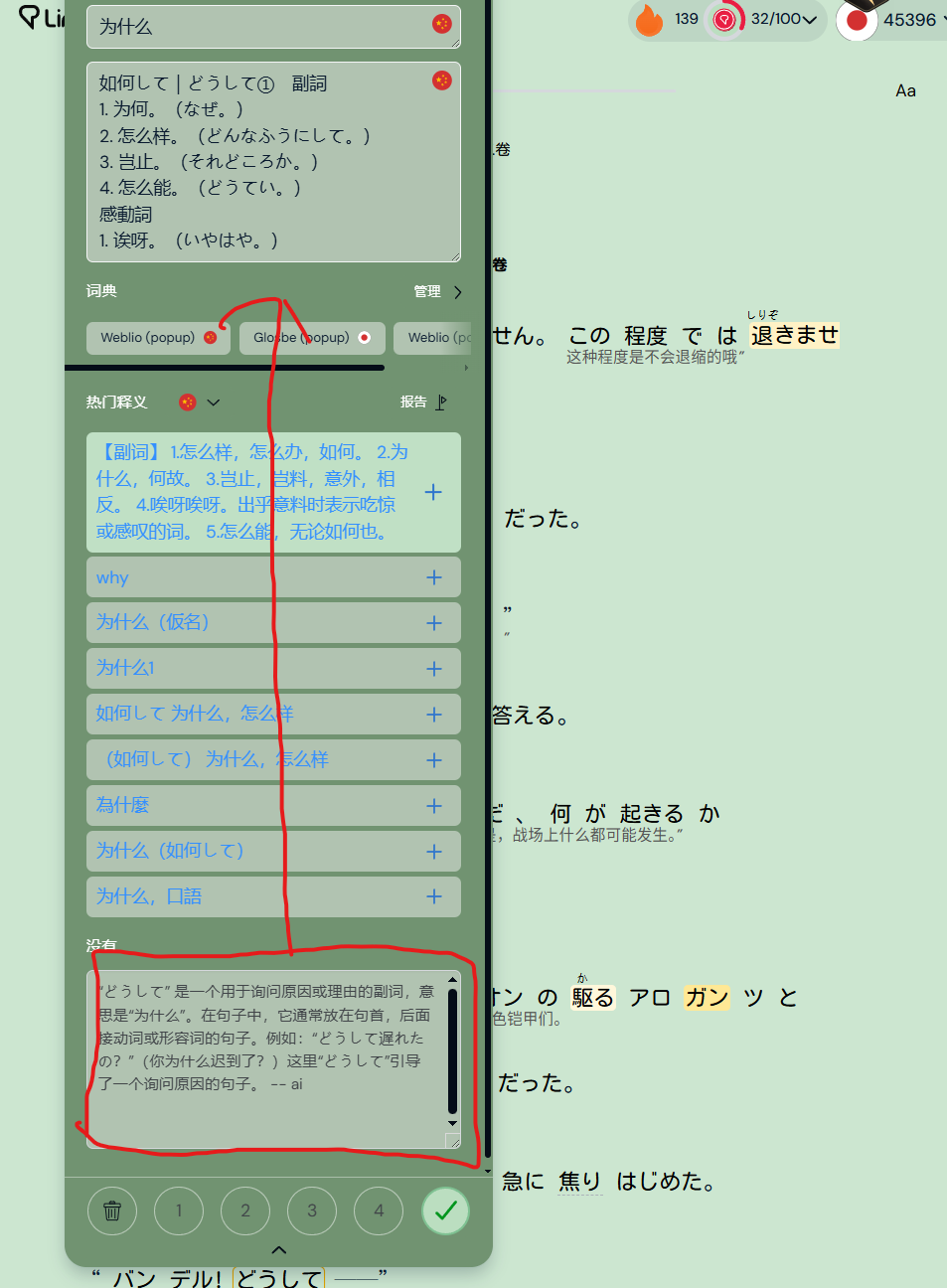
However, there’s currently one drawback: when encountering high-frequency vocabulary, there’s an overwhelming number of user-created entries and definitions. I specifically found a representative screenshot – terms with numerous definitions require scrolling down several times to reach the bottom. Why not simply move this section directly beneath the vocabulary panel? If the notes section is empty, it could display in a space-saving format; when content is present, it would show normally. This would be far more comfortable.
This approach also has the added benefit of encouraging users to add sentences to the notes section. Previously, I was too lazy to use it, so I dumped everything into the vocabulary panel. If these two functions were placed closer together, the notes feature would likely see much more frequent use.
最近lingq的ai功能我用得越来越频繁了,他非常好用,标记短语,以及句子,ai可以解释一切,让我理解了很多的内容。
但是目前有一个缺点,就是遇到频率较高的词汇,会有大量用户创建的词汇以及释义,我专门找了一张有代表性的图片,释义较多的词汇需要滚动好几下才能滚动到下方,你们为何不将他直接移动到词汇栏下方呢?如果笔记栏里面没内容可以让他以不占用空间的内容显示,如果有内容那就正常显示,这样非常舒适。
这样还有一个好处,那就是很多句子也可以丢到笔记里,因为往常我懒得使用他,所以我全部丢到了词汇栏,如果两个功能挨近了,那么笔记功能也会 被频繁使用。