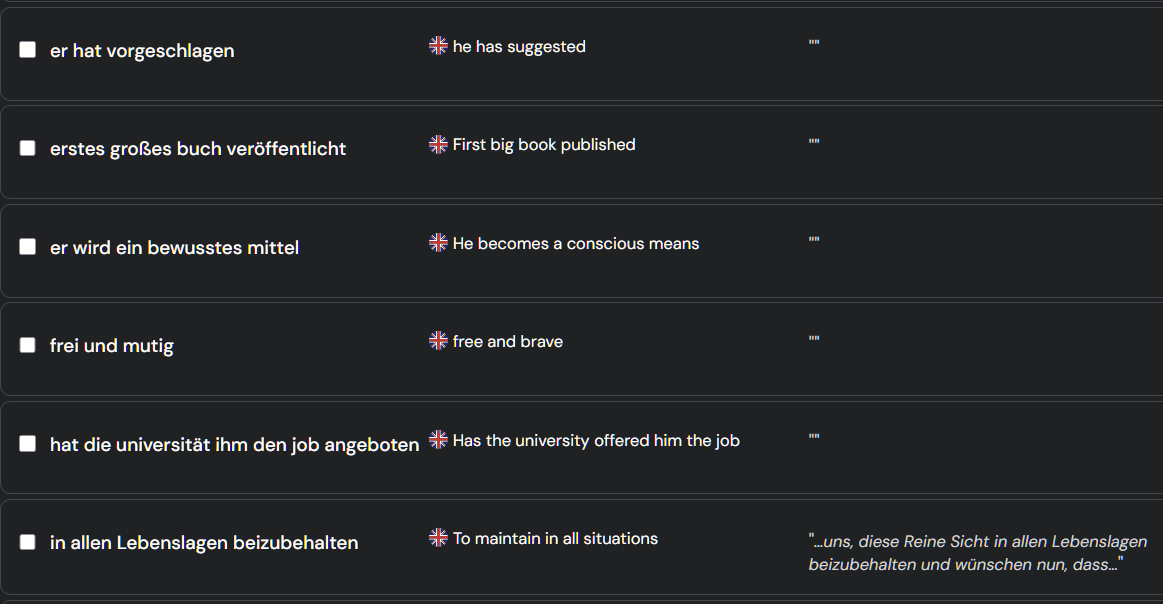
dear all,
I noticed that if I save the lingq phrase (sometimes also a word ) via the app, it just does not save the source text. When I do the same via browser on the PC, it saves that. Any idea? thank you
Thanks for reporting. I asked our team to investigate this further.
Thanks, we identified the issue and reported to our developers. We will have it fixed.
@peterje Thanks! We will look into this.
Is there any solution/workaround about this problem? I’m literally not able to use the app on my android phone due to missing source texts when adding lingqs. I’m forced to use my computer to use lingq which is simply unacceptable.
@mukawwaa There is no a workaround, I am afraid. You’ll need to wait for an update with a fix.
dear Zoran and all
I tested it now and it seems fixed. Please check it too
thank you
@peterje Great, glad to hear. Thanks for the update!