Hi @jan_arvidveggeberg thank you for reporting it. I tried some of my courses, and it works well. Does it happen on other courses for you? Does it happen permanently for your ‘Simplified Lessons’ course? Thank you in advance!
Yes, it also happens for the russian public course ‘Stories from my childhood’. This course has 90 lessons. Maybe it has something to do with the number of lessons in a course. I could not make it fail on other book courses.
I have also noticed that the number of blue words and LingQs has been displayed as 0, but the percentage is correct.
And I’ve see that after I have done a lesson and sort again, the sorting is correct. I think this is because a completed course will trigger a delete first and then sort again.
Lastly, I’ve seen that after I had done a sort, it worked for about a second and afterwards reverted back to the previous order.
I can also mention that i have this issue both on my phone and tablet. Also, this sorting problem didn’t happen before so it’s something that was introduced in an update.
To me, this looks like a timing/display async io problem …
Hopefully you now have enough information to debug and fix the problem.
@irynalingq2025 Thanks! I mostly use LingQ on my Samsung Galaxy Tablet, but also sometimes on my Samsung Galaxy phone. I only use it on my Chromebook for some import and editing.
@jan_arvidveggeberg this is a tricky one. I spent some time today, checked many courses but cannot reproduce it. Does it happen only for courses that you didn’t opened before? If you retry to select the filter - would it be okay then? And also, what app version do you use?
this is a tricky one. I spent some time today, checked many courses but cannot reproduce it. Does it happen only for courses that you didn’t opened before? If you retry to select the filter - would it be okay then? And also, what app version do you use?
[/quote]
Thanks again for looking at it …
No, I have opened all the courses that it happens to multiple times. The vast majority of courses that I use, I have imported from YouTube myself. No, it doesn’t help to reselect the ‘New words’ filter. When reselecting nothing happens.
Today I tried with the 3rd android device, a phone and I can reproduce the problem there as well.
Tried with the public Russian course ‘Stories from my childhood’ with 90 lessons. About 20% of the lessons are completed.
Entered course. The default sorting is now ‘Original’
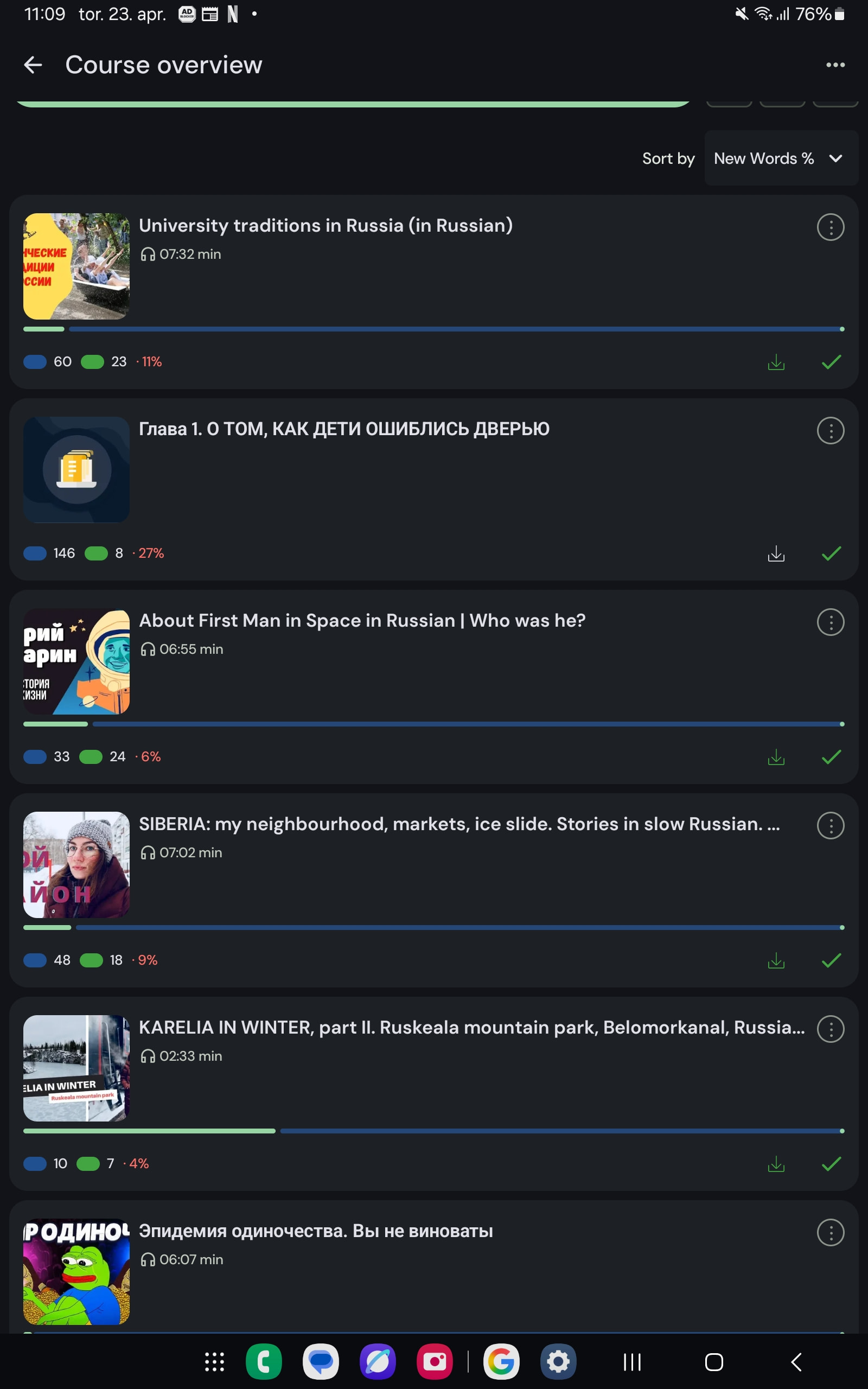
Sort by ‘New Words’. Sorting did not work. The original order is kept, but it has removed all the lessons where I have 0 blue words.
I also tried with private courses with more lessons and they have the same problem.
Here is one with 81 lessons where only a few lessons have not been completed. As you can see from the screenshot below, the sorting by ‘New words’ is not correct.