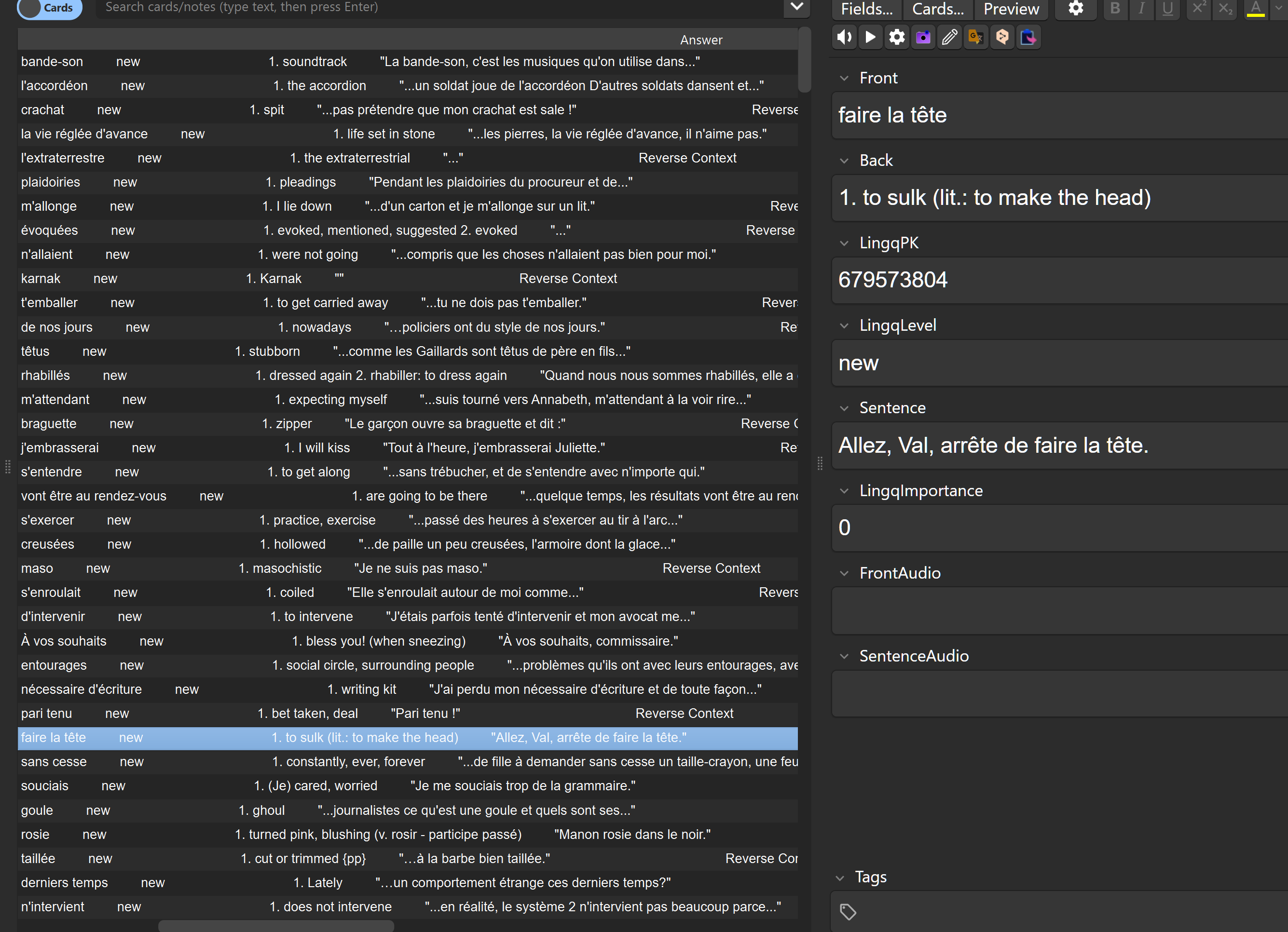
Recently I wrote some software to extract the lingqed phrases from a Lingq lesson with their translations (kudos to @roosterburton browser tool to extract raw lesson data to work with) for flashcard review. The result has shown me just how seemingly useless Lingq’s flashcards are. Additionally I recently tried Lenguia which suffers from the same illness: the example text for marked words has nothing to do with the source text.
Lenguia is a pretty cool, albeit expensive tool that promises to make quick work of flagging words to learn and learning through spaced repetition in flashcards. What I noticed immediately was that the context of the word shown in the flashcard had nothing to do with the text I was reading. I cancelled my subscription immediately. (Another nagative with Lenguia: no free way to try it out.)
So, I now have a personal solution derived from data that is clearly available in Lingq. I see the phrase I lingqed (from the lesson I’m studying) + my chosen translation. It’s amazing how helpful that authentic context is.
I did not get much traction from Lingq when I brought that up before. I continue for that reason to find the flashcards and other built-in learning tools in the Lingq lessons far less than helpful.
If a word can have different meaning depending on the specific context where it’s used, then it stands to reason we need that context to learn in context — the very most productive way to acquire new words.
Now that I have this tool, I lingq many phrases for study later. Context is key. Nothing new there. I just don’t understand why the Lingq team doesn’t get that. Clearly the information is there, because I can see it in the data - and they can display it on the screen.
But when it comes to the vocabulary review it’s not there. We longtime users deserve better.
I used to use this ANKI addon - Lingq Anki Sync
It imports the sentence and sometime part of it.
Is your tool able to extract full sentences all the time ?
Let me just first say (1) my point in this post is the value of context and (2) I wish Lingq would use the data they already have for flashcard and other tool generation - and use it effectively.
My Tool
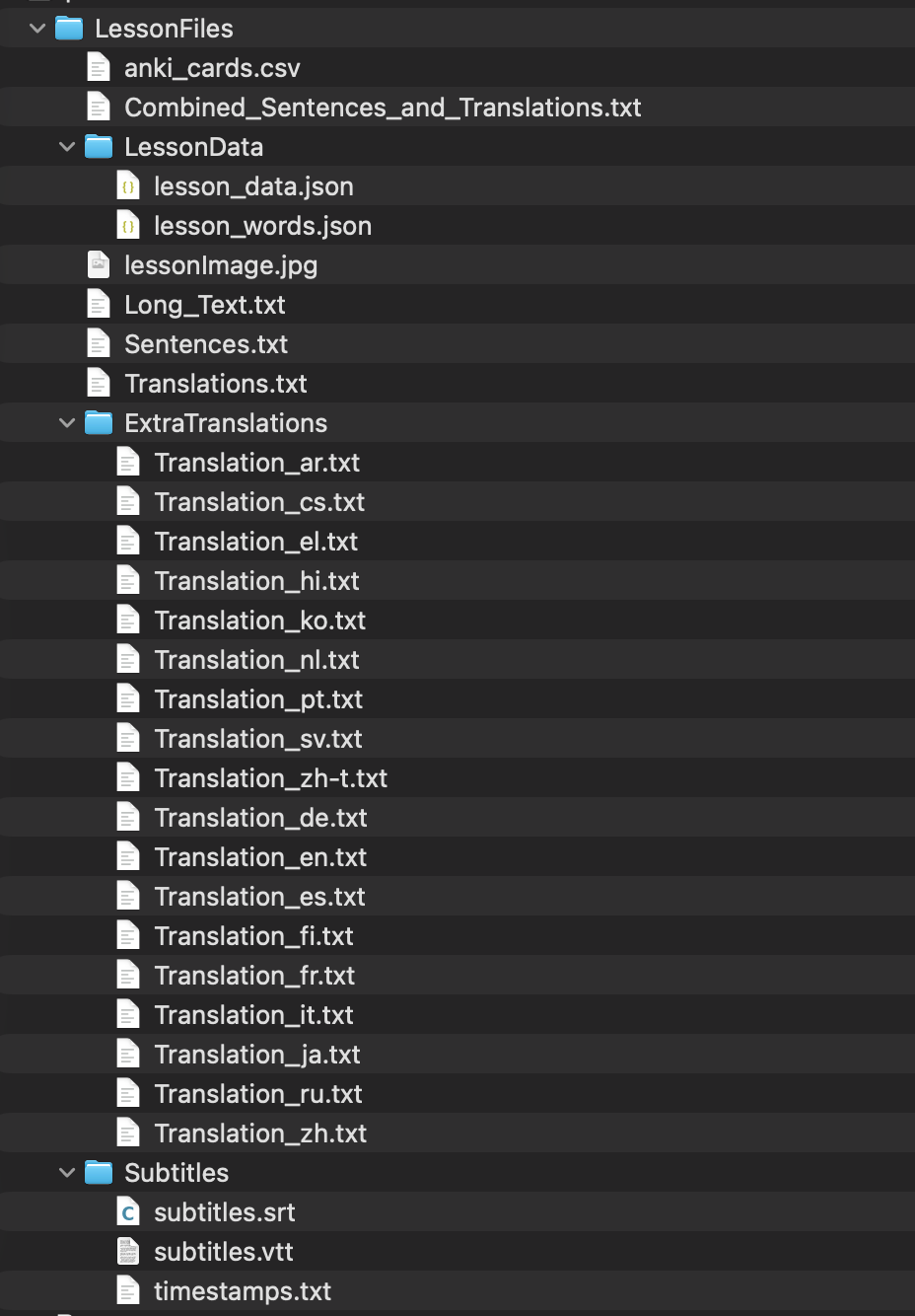
My tool is a command line tool that gets its data from a collection of files for a lesson downloaded using the web extension tool of @roosterburton. You can find details here: Web Browser Extensions (Software) for LingQ Dan Burton is a pro, and I’m just a retired pro become a hobbyist. Nothing I’m doing is suitable for prime time.
At the moment what I find my tool is most useful for is to extract the Russian multi-word phrases I have “lingqed” and the English language I chose when I created that lingq. As we all should know, trying to lingq multi-word text is primitive at best in Lingq. First it has a nine word limit. Second, it’s “finicky.” It usually takes several tries to select the words I want, assuming it ever does.
Full Sentences
My tool does find full example sentences for all lingq’d words - once again thanks to the “Combined_Sentences_and_Translations.txt” downloaded using the above-mentioned web extension. That file does a great job to bring together the lesson text and translation. If that extension can pull that out, it must be in the data Lingq keeps with the lesson somewhere in its data. Example:
I take advantage of the downloaded data from the web extension which is extensive. I make use of the sentence/translations file mentioned above and the “json” files that contain the lesson data. I spent some time fishing around in those “JavaScript Object Notation” (JSON) files until I found what I was looking for and figured out how to extract and use it.
That for sharing, that data looks interesting, I do have rooster tool but have not tried downloading data feature. If I can extract every sentences that has lingQ-ed words that will be useful for sentence mining.