I use LingQ in Dark Mode early in the morning when the room is in darkness.
Theme: The gradient underlining in reading mode, and the glaring green progress bar, play/pause button and “Finish Lesson” bar are annoying. “Statistics” brings up a lot of extra info, when all I want to know is how many points I currently have for the day (can you not have a separate link for the full stats?) - also, the bright “Start Lesson” and “Next Lesson” blocks are like oncoming headlights on a dark night;
Functioning: In reading/sentence mode, now when clicking one’s LingQ, instead of the app reading the entire sentence, one only hears one word, one then has to click the LingQ again to hear the entire sentence (this is now the reverse of what it used to be).
Functioning: When going from LingQ to LingQ, one can no longer get rid of the pop-up by clicking black space. Now, when clicking black space, another pop-up relating a word to the left of the black space pops up. One now has to slide the pop-up away. This wastes time and is extremely frustrating!
Functioning: “Review Page/Lesson” exercises seem to be substantially shorter than before.
These are just some of the issues I picked up this morning.
I complain quite a bit (about adding words at the end of a lesson ) but
* getting Irish was great. I’m a year in around St Patrick’s day.
* The video with dual subtitles probably needs some adjustments but could be great.
* I really like seeing my “words read today” so easily on the top of my large screen. I can just refresh it to see if I have reached my goal (which is beyond the minium for the streak). How about having that on the web version too?
Well done on listening to people and for improving things.
ADDED:
I can’t easily find Greek videos to watch on the Android app with bilingual subtitles.
I click on what might be a video
maybe I can then click on a youtube icon
or maybe I get a version of Youtube with adverts and no bilingual subtitles (and I suspect it doesn’t count my reading or listening time).
Could there be a home page category for videos that work in the bilingual system?
Thanks Zoran. The overall scoring also seems to have changed. I now reach my 100 daily minimum within 10-15 minutes, when it previously took almost an hour.
Hello @Ralf_CT Thank you for your feedback. You are talking about Android app, right?
Regarding the 1 point. The coins are displayed at the top of the Library (you just need to swipe down to see most recent qty). So you can just close the ‘Lesson Complete screen’ and review your coins in the Library. I often do that, to be honest. But many users are really into the statistics, so we are showing all the data on that page.
Also about the dark theme - could it be related to your device settings? Maybe you have bright contrast or something. As those buttons are not so bright, especially the ‘Next lesson’ block. It is quite dimmed. So I wonder what could cause it to be bright.
Regarding the 2 point. There are new settings ‘Settings’/Sentence view section/’Play sentence text-to-speech’ and ‘Show sentence translation’. They can be useful if you are using Sentence view. Let me know if it solves your question.
Regarding the 3 point. Is it about Sentence view also? We had already fixed it, it will be available in the new update. Meanwhile, if you turn off ‘Tap to page’ setting, it should fix it.
Regarding the 4 point. Could you please check, is it exactly actual for both ‘Review page’ and ‘Review lesson’? As we have known issue (in progress of fixing) with ‘Review page’, but ‘Review lesson’ is working correctly.
This morning I was busy with lesson 77, Stories Of My Childhood (Russian) and noticed the following (Android):
While one can select a sentence (sometimes only possible from the last to the first word), it does not create a LingQ (two examples: page 3, Например, если женщина ведет себя and Представляю как люди выглядели в этих масках!). Strangely, if one tries again, the translation pop-up appears, as if the LingQ had been created.
“Translation unavailable” appears quite frequently, one can sometimes bypass this by selecting fewer words, or selecting from the last to the first word.
To answer your questions:
While busy with a lesson I never exit the lesson and enter the Library to see my points, I simply click Statistics. My display is set on Dark Mode, I suppose I could learn to tolerate the ‘Next Lesson’ block as it only appears at the end of Statistics.
I want to hear only the selected LingQ, not the entire ‘Sentence View’ sentence. Previously one would click one’s LingQ and the whole LingQ would play, one could then click individual words to hear them. Now. when clicking a LingQ. one hears a word, one then has to click again to hear the sentence. It seems to be related to an existing pop-up on the screen (the first click removes the pop-up and one hears one word, the next click plays the entire sentence).
‘Tap to page’ is off. In ‘Sentence View’ it behaves as per ‘2’ above. Clicking black space on the right plays the text immediately to the left of the black space, instead of removing the pop-up.
‘Review Lesson’ (in my case lesson 77) is extremely short.
Point scoring now seems to be out of control. I currently have 349/100 for lesson 77, when my previous average for an hour was less than half of that.
@Ralf_CT could you please attach a screenshot with a page where you have the second issue with playing word/phrase audio? It is little bit hard to understand/reproduce just by a description.
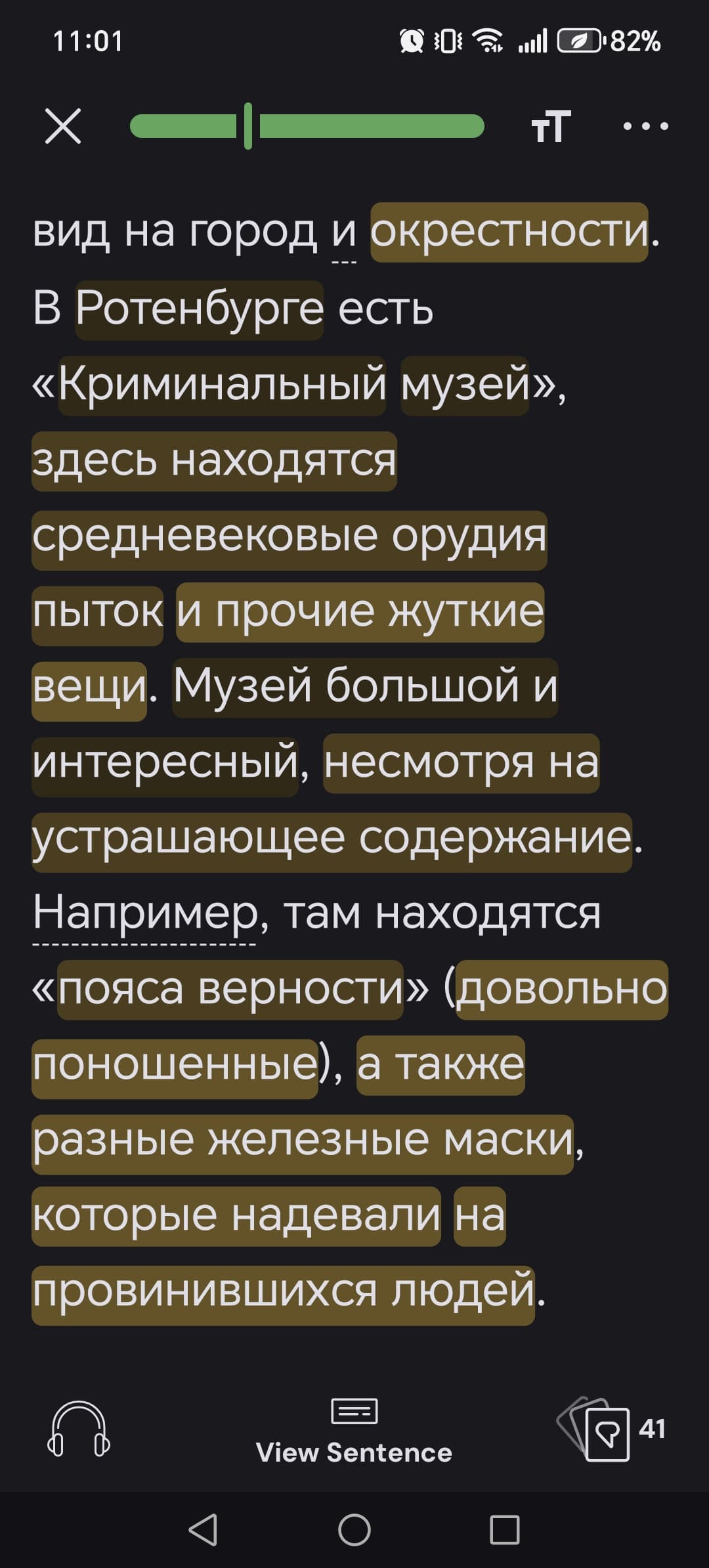
Looking at the screenshot below, if I click the LingQ здесь находятся средневековые орудия пыток it will play and there will be a pop-up on the screen. If I then click the next LingQ и прочие жуткие вещи, only one word will play and the pop-up will clear, I must then click the LingQ again to play the whole one. Previously one could click the black space on the right to clear the pop-up, one could then click the next LingQ to play it. I’ve since noticed that one can clear the pop-up by clicking black space at the bottom right, but that was previously not necessary, one could just click to the right of the LingQ. Hopefully this makes it clearer.
Just want to report a couple of issues on Android app since the update (I reported a larger issue with Japanese re-split with Ai function in another thread)
-New audio underline, is really awesome in the Android app, but it seems that some lessons don’t have it at all and regenerating timestamps doesn’t fix it. I had already noticed that opening new lessons on Android app would not start the ‘generate timestamps’ process as it did on PC this may be related. But that used to be fixed by regenerating manually on pc, now it is not.
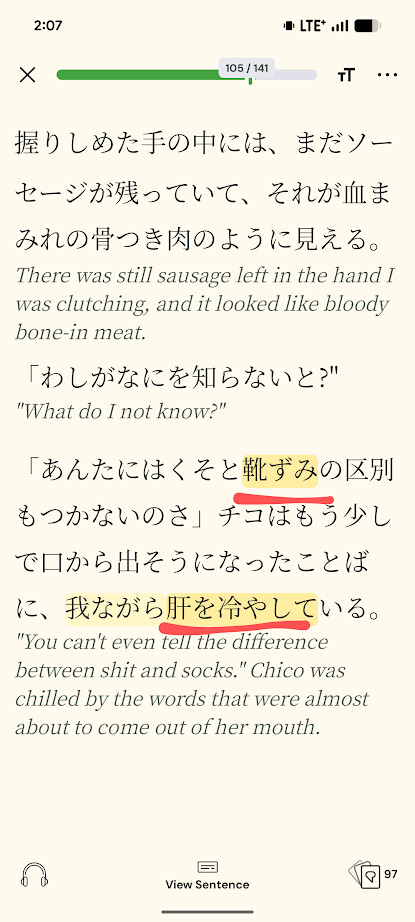
-Phrase highlighting. It seems that highlighted phrases won’t show in yellow/green/underline on the reader despite being successfully saved.
Other issues I had have been addressed by the latest update thanks so much!
Translations are - sometimes - initially available when trying to create a LingQ, when trying again, it’s suddenly a case of Translation Unavailable. This is becoming increasingly common and annoying. This ‘error’ defeats the entire purpose of using LingQ. Here’s a screenshot from Lesson 78, Stories Fom My Childhood (Russian). Also, some LingQs just don’t show as a LingQ after being selected.
Hello @egreene could you please check again the phrase highlighting? Is there a specific condition? I got this issue once, but cannot reproduce it anymore.
Regarding the timestamps. Did you try this ‘Generate timestamps’ option?
Hi @bbbblinq you are using Android app, right? The color of your Coins is determined by how many coins you’ve earned in the language over the past 30 days. Here is more information about it.
The color of the Streak is designed to show your daily progress. As I understand, you want to see if you completed your daily goal - then the Streak color is what you need. Hope it is helpful.
@irynalingq2025 I’m also noticing that highlighted phrases get ignored in the Android app when they are created in the app (when viewing in the browser or on Android), but there’s no problem with phrases created in the browser version (again, when viewing in the browser or on Android).
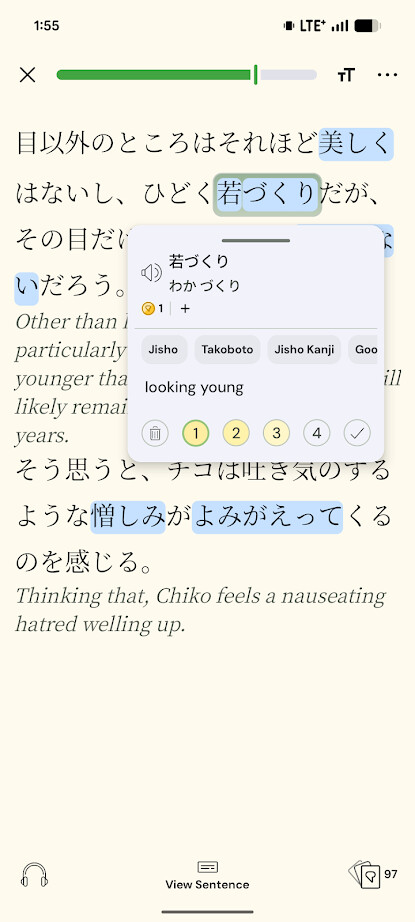
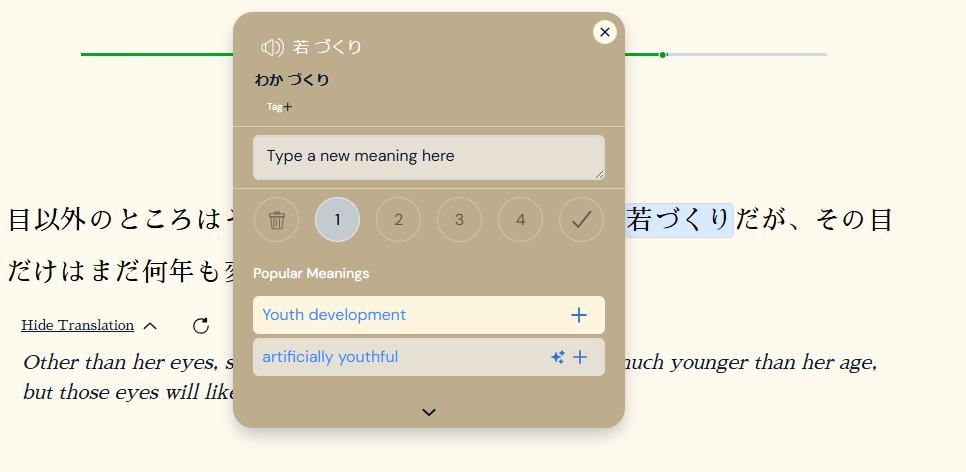
Here’s an example of what it looks like when I create a phrase LingQ in the Android app - you’ll notice that the status is 1 so it’s registering (it also appears in my vocabulary list of LinqQ).
After highlighting the phrase and adding a definition, there’s no highlighting that actually remains, but selecting the phrases manually again shows the status and definition properly.
But if I select the phrase again, the status appears as 1 (but no definition) and it shows up in my vocabulary list (this time with a definition and the correct status).
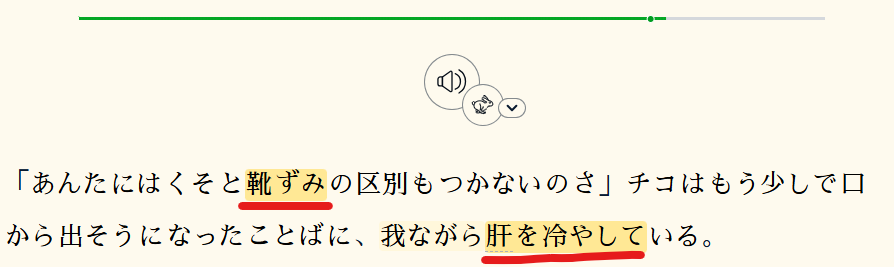
That said, if I try the reverse direction and create a LingQ from a phrase on the browser first, there are no issues and the phrase appears properly later both in the browser version and in the Android app (pardon the language - this is a Stephen King novel).