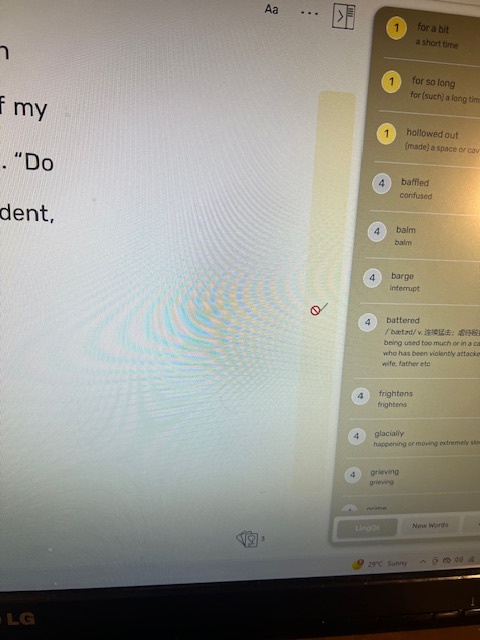
After finishing one lesson I can not proceed to the next lesson. It is stuck there. I have to go back to the course again and then open a new lesson from there. It is time consuming and very annoying. I do not know why this bug still exists. I am having this issue with both German and English lessons.
I’ve been dealing with this for weeks as well. I’ve been jumping through the hoops of going back and finding the next lesson and loading it manually, when it doesn’t load automatically at the end of the previous lesson as it should.
At this point I just consider it to be LingQ acting quirky – as it often does, but it would nice if it just worked.
Thank you for pointing out the issue! Could you please clarify what happens when you click on the “Finish Lesson” button (tick icon)? Do you see the “Lesson Complete” screen with a reference to the next lesson?
If possible, could you please share a screenshot of the issue?
When you keep clicking on a tick icon, you can not see the screen named “Lesson Complete with a reference to the next lesson. It is stuck there forever. However, it is recording words read of the lesson itself. It is very strange. When I go under profile and check my reading stats under “Today” I see that it shows the words read. The only issue is, it is not moving to the next page/the next lesson. For this, I have to go back to Lessons tab and then open the course view from there and then click on the next lesson from there. It requires a lot of going back and forth. One more thing, I opened the same course on LingQ app on my iphone there is no such issue. That said, It seems happening with the web version.
@asad100101 , thank you for the provided information!
Unfortunately, I wasn’t able to reproduce the issue on my side so far. Completing larger lessons can sometimes take a bit of time to process (up to around 30 seconds), but it consistently works for me.
Could you please confirm that nothing changes when you wait a little longer after clicking the “Finish Lesson” button?
I find the right hand bar annoying but I see it much less these days. I use a stylus to click the high up menu to go to the next lesson. This is less likely to trigger the large bar (and it used to assume all words were known - annoyingly - but this hasn’t happened in ages).
For some reason, today it is working fine and does not take more than 30 seconds. It moved to the next page within 10 seconds or so. I do not know if the problem has been resolved. Today I had no such issues with both German and English lessons. However, yesterday It was still persisted. I still do not know exactly about what is going on. Today was a good day for reading.
Today I am back to old issue again. I guess I have to open the lesson the way I have been doing for a while. Through lesson Tab. That is my only option at the moment.