I have imported my book chapters as lessons for a course of my account. The book chapters were chapter 1, chapter 2, chapter 3… etc and the lessons for these texts have been “chapter 1” for chapter 1, “chapter 2 (1)” and “chapter 2 (2)” for chapter 2, “chapter 3” for chapter 3… so on. Lesson 1 with the title “chapter 1” should be the first lesson on the course because I had imported them in the exact chapter order but I didn’t know why that wasn’t the case. “Chapter 2 (1)” was the first lesson existed on top in my course this time. I want to move the lesson “Chapter 2 (1)” down the list so it should be the second lesson appear on the course. How should I do this?
Thank you for your time.
In Edit Course. You can arrange the lessons however you like (click hold a lesson and “slide” it up/down.)
We can’t do it in mobile browsers can we? I have tried reorder the lessons under the desktop mode in Chrome for Android but nothing moved (when I tapped on them). It was designed to be that way wasn’t it?
Doesn’t appear to be a way to do it. I just tried, but every time I click and hold on the lesson or in particular the “move” symbol it just wants to scroll or highlight the screen. Maybe there’s a way to turn off the typical behavior of the phone/tablet so that it would work, but seems like it’s not doable (that I know of anyway).
@zoran Zoran: why can’t we reorder lessons in a course? Lacking this capability is extremely inconvenient, and it’s still an issue as far as I can see in 2026!
@zoran @ericb100 @mysamsungmyjoy
Nevermind. The answer is here in the forum: Handles don’t show in dark mode
Only if you happen to know they are there, can you hover over the place on the screen they would be (while in dark mode) and drag the lesson around.
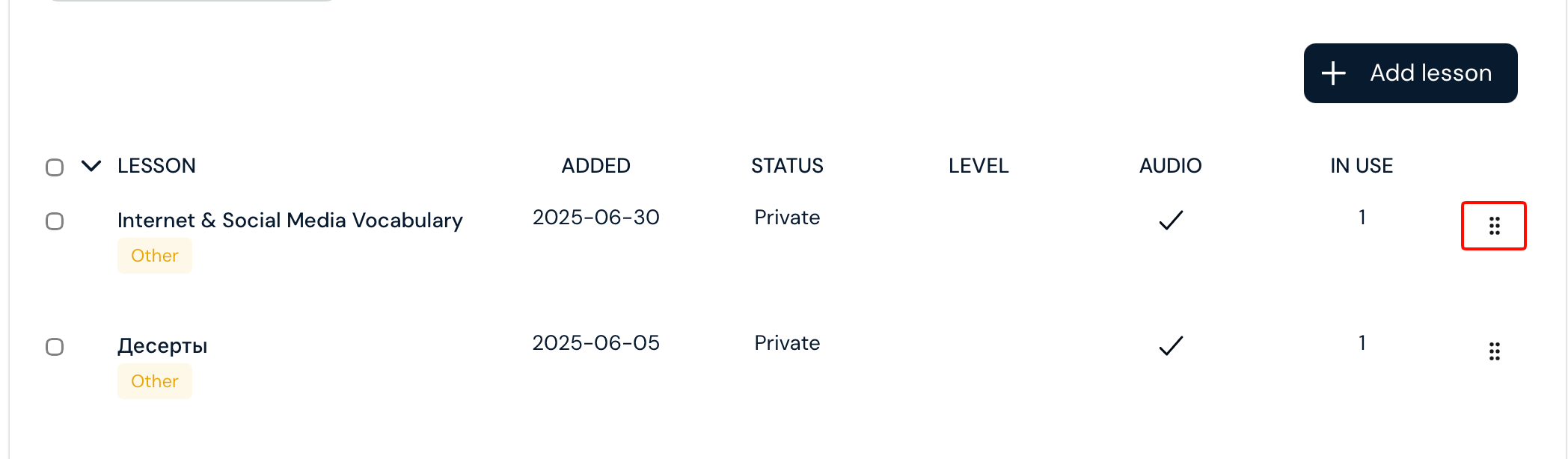
Not visible in dark mode …

Thanks everyone, we will have this dark mode issue fixed.

Yes, we pushed a fix for this. Thanks again for reporting!