UPDATED
I understand that for copyright issues or any other issues you have decided to remove many already imported Youtube videos.
However, a part from the News Feed, I was expecting to find already imported and useful material on LingQ. For convenience and speed. Any list that could be imported could be displayed everywhere. If the material is not totally available it shouldn’t be mixed on everything else on LingQ.
Could you separate those things? So that we can search on material already with text and audio on LingQ? Because there are also Podcasts that are actually from Youtube videos that are not imported anymore. And I don’t understand what’s already usable or what’s not from the search field.
Even worse, doing like this, any already made “course” could have lots of empty videos in the future. Because they will be private, because they will be removed an so on.
So the “external” course you have today could be totally useless tomorrow with missing videos here and there without knowing which ones until you get there.
I checked randomly, all the videos I’ve imported seem to be ok. Are you sure about videos removal?
What I completely agree with is that lessons screen should make it easy to distinguish between imported lessons with audio, imported without audio, and “for import” lessons. Also be able to filter them would be nice - in my case I need only imported lessons with audio and quality human-made subtitles.
If I want to have material to import I can check on any excel list like we had before. What’s inside LingQ should be material available only otherwise is just a “waste of time”.
The courses you mention contain external lessons, to import them you need to have the LingQ extension installed. This seems to be a new way of populating the library with content that is potentially interesting to users, without taking on the legal liabilities that downloading and sharing the content would entail. Because if you share content, you are supposed to have gotten permission by the copyright holder. If this isn’t possible, for example with Netflix, external lessons can be a way to show users content right on the LingQ homepage.
As far as I can see only LingQ employees can create courses with external content. Personally I’m not against this practice, there are some “understudied” languages here that have very little content in the library, so this might make LingQ more accessible to new users.
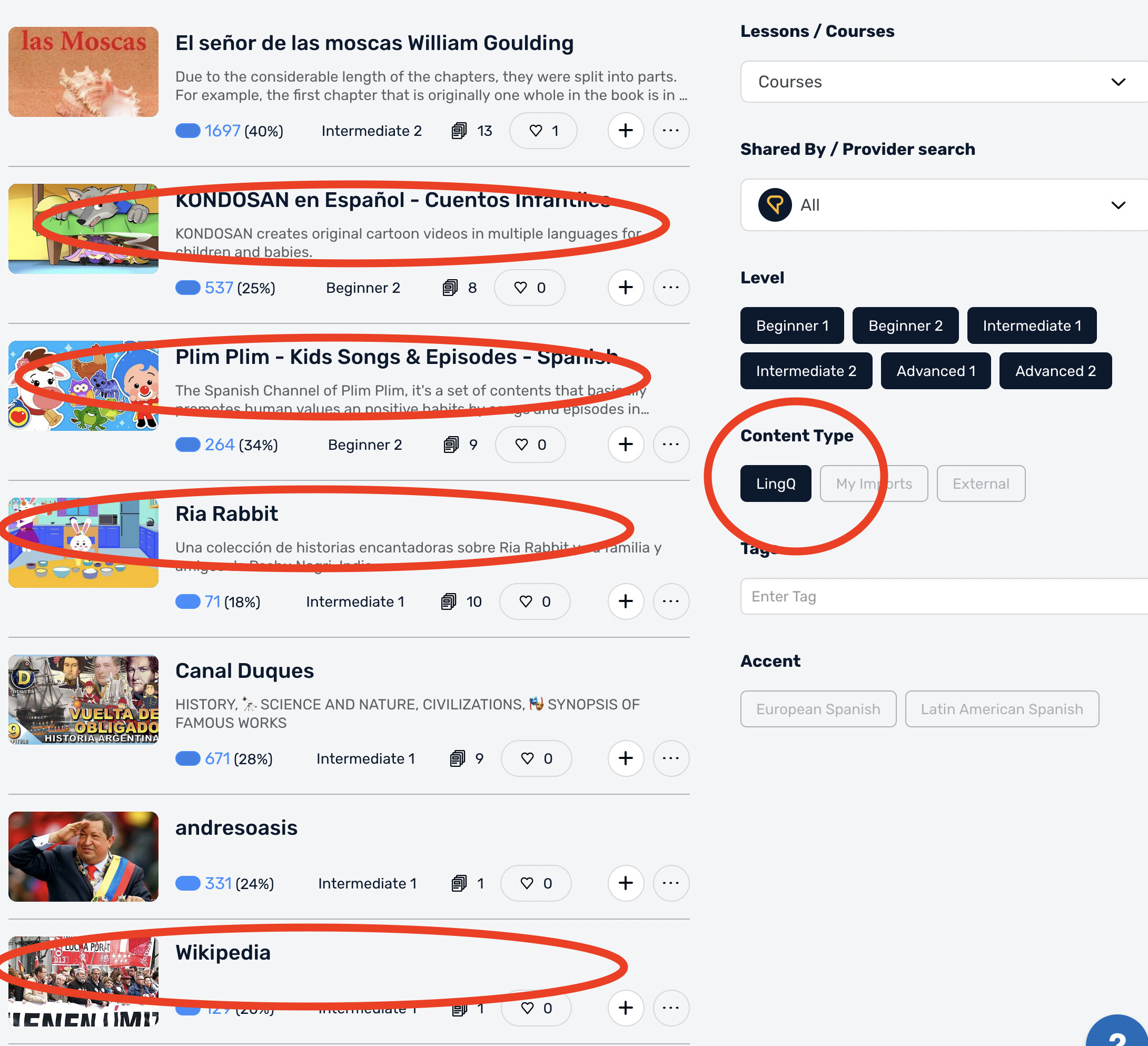
When you use the search function, you should be able to restrict the results to “LingQ” or “My Imports” and thus exclude “External” this option can be found under “Content Type” toward the bottom on the right hand side.
I disagree about the “potential” because everything on the web is “potential” to import.
Almost All Netflix is potential (if you pay Netflix), at least for the majority of popular languages. There is no need to have the homepage cluttered unless you want to give a “feeling” that you have a lot of material when in fact it’s just empty icons. An excel list can do the same. Imho.
Those are just “suggestions” not material. So it should be clear, like NEWS FEED, that it’s all external content and not mixed everywhere. Imho.
We can’t filter out from the homepage. So we can’t click from the homepage because it pops up to import and as I said the database is not reliable.
I tried now with your suggestion, clicking LINGQ inside the content type and doesn’t filter out those courses to import.
Imho, it’s just a waste of time. If I want to quickly study lessons from one language to another I wouldn’t like to skip lessons here and there all the time in a labyrinth of icons.
I would rather have a GLOBAL SETTING to eliminate any EXTERNAL suggestion.
Agreed. Add to that that they still haven’t fixed the bug with new words in lessons that don’t have any and your list becomes cluttered with things you already went through or which you have to import first.