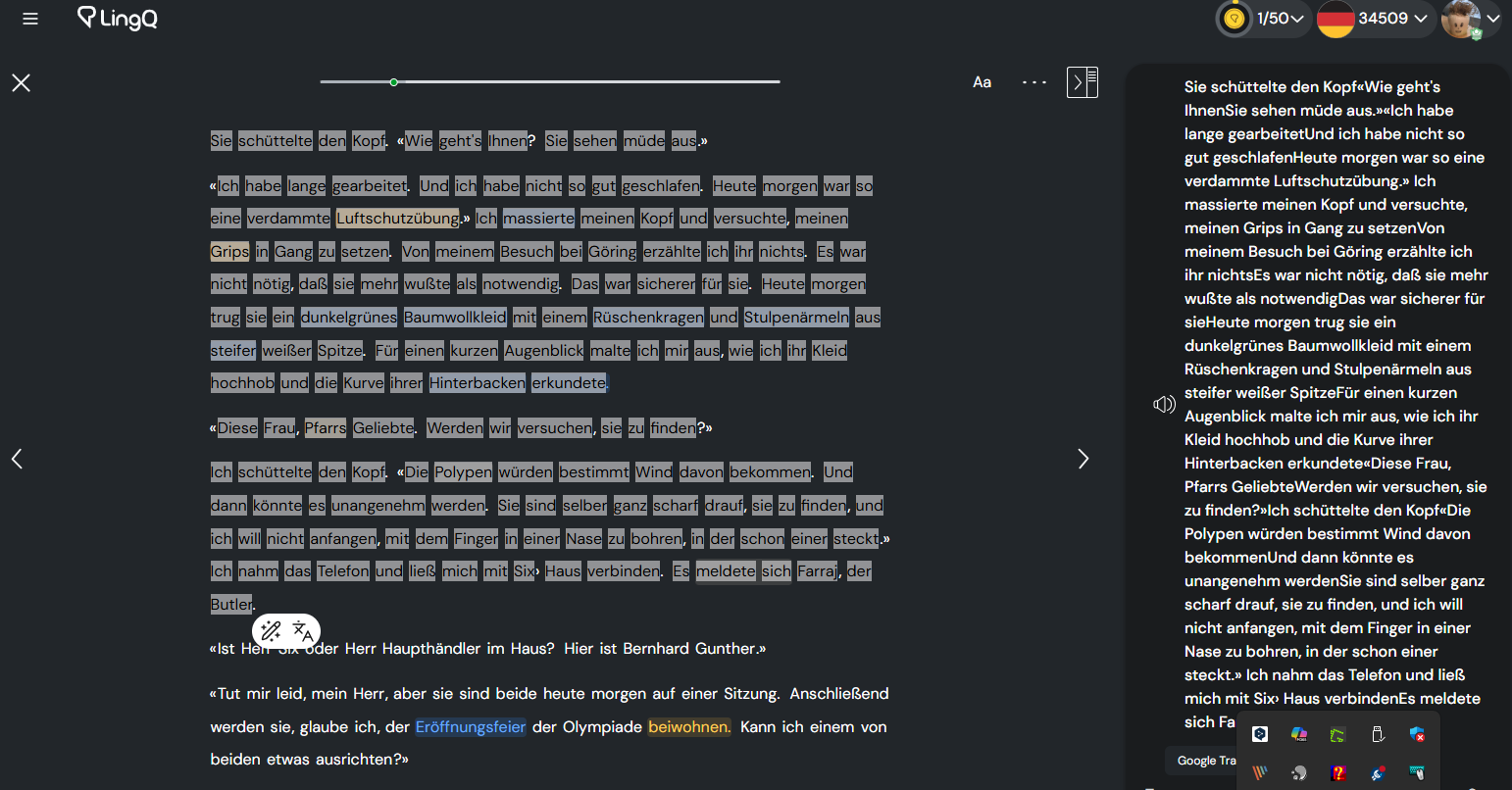
Thanks everyone. I ended up using Claude Code to hack together a Tampermonky script which works well enough for me:
// ==UserScript==
// @name LingQ Sentence Miner
// @namespace http://tampermonkey.net/
// @version 1.0
// @description Mine sentences from LingQ for language learning. Select text, save highlighted words + full sentences to CSV.
// @author Your Name
// @match https://www.lingq.com/en/learn/de/web/reader/*
// @grant GM_setValue
// @grant GM_getValue
// @grant GM_download
// @grant GM_registerMenuCommand
// @run-at document-idle
// ==/UserScript==
(function() {
'use strict';
// Configuration
const CONFIG = {
autoExportThreshold: GM_getValue('autoExportThreshold', 25),
keyboardShortcut: 'KeyS', // Ctrl+Shift+S
buttonPosition: GM_getValue('buttonPosition', 'bottom-right')
};
// Storage keys
const STORAGE_KEY = 'lingq_mined_sentences';
const COUNT_KEY = 'lingq_sentence_count';
// Get current stored sentences
function getMinedSentences() {
const stored = GM_getValue(STORAGE_KEY, '[]');
return JSON.parse(stored);
}
// Save sentences to storage
function saveMinedSentences(sentences) {
GM_setValue(STORAGE_KEY, JSON.stringify(sentences));
GM_setValue(COUNT_KEY, sentences.length);
}
// Get count
function getCount() {
return GM_getValue(COUNT_KEY, 0);
}
// Extract text from element, recursively getting all text nodes
function extractText(element) {
if (!element) return '';
return element.textContent.trim();
}
// Find the sentence element(s) containing the selection
function findSentenceElements(selection) {
if (!selection || selection.rangeCount === 0) return [];
const range = selection.getRangeAt(0);
const sentences = new Set();
// Get the start and end containers
let startContainer = range.startContainer;
let endContainer = range.endContainer;
// If text node, get parent element
if (startContainer.nodeType === Node.TEXT_NODE) {
startContainer = startContainer.parentElement;
}
if (endContainer.nodeType === Node.TEXT_NODE) {
endContainer = endContainer.parentElement;
}
// Function to find sentence ancestor
function findSentenceAncestor(element) {
let current = element;
while (current && current !== document.body) {
if (current.classList && current.classList.contains('sentence')) {
return current;
}
current = current.parentElement;
}
return null;
}
// Find sentences for start and end
const startSentence = findSentenceAncestor(startContainer);
const endSentence = findSentenceAncestor(endContainer);
if (startSentence) sentences.add(startSentence);
if (endSentence) sentences.add(endSentence);
// If multi-sentence selection, find all sentences in between
if (startSentence && endSentence && startSentence !== endSentence) {
let current = startSentence.nextElementSibling;
while (current && current !== endSentence) {
if (current.classList && current.classList.contains('sentence')) {
sentences.add(current);
}
current = current.nextElementSibling;
}
}
return Array.from(sentences);
}
// Store last selection for button clicks
let lastSelection = null;
let lastRange = null;
// Save selection when it changes
document.addEventListener('selectionchange', () => {
const selection = window.getSelection();
if (selection && selection.toString().trim() !== '' && selection.rangeCount > 0) {
lastSelection = selection.toString().trim();
lastRange = selection.getRangeAt(0).cloneRange();
}
});
// Mine the selected text
function mineSelection() {
let selection = window.getSelection();
// If no current selection but we have a saved one, restore it
if ((!selection || selection.toString().trim() === '') && lastRange) {
selection.removeAllRanges();
selection.addRange(lastRange);
}
selection = window.getSelection();
if (!selection || selection.toString().trim() === '') {
showNotification('Please select some text first', 'warning');
return;
}
const selectedText = selection.toString().trim();
const sentenceElements = findSentenceElements(selection);
if (sentenceElements.length === 0) {
showNotification('Could not find sentence. Please try selecting text within a sentence.', 'error');
console.log('Debug: Could not find sentence element for selection:', selectedText);
console.log('Debug: Selection range:', selection.getRangeAt(0));
return;
}
// Extract full sentences
const fullSentences = sentenceElements.map(el => extractText(el));
const fullSentenceText = fullSentences.join(' ');
// Get metadata
const lessonTitle = document.querySelector('title')?.textContent || 'Unknown Lesson';
const lessonURL = window.location.href;
const timestamp = new Date().toISOString();
// Create entry
const entry = {
selectedText: selectedText,
fullSentence: fullSentenceText,
lessonTitle: lessonTitle,
lessonURL: lessonURL,
timestamp: timestamp
};
// Save to storage
const sentences = getMinedSentences();
sentences.push(entry);
saveMinedSentences(sentences);
const count = sentences.length;
showNotification(`Saved! Total: ${count} sentence${count !== 1 ? 's' : ''}`, 'success');
// Update button count
updateButtonCount(count);
// Auto-export if threshold reached
if (count >= CONFIG.autoExportThreshold && count % CONFIG.autoExportThreshold === 0) {
exportSentences(false); // Auto-export without clearing
}
// Clear selection and stored selection
selection.removeAllRanges();
lastSelection = null;
lastRange = null;
}
// Export sentences to CSV
function exportSentences(clearAfterExport = false) {
const sentences = getMinedSentences();
if (sentences.length === 0) {
showNotification('No sentences to export', 'warning');
return;
}
// Create CSV content
const headers = ['Selected Text', 'Full Sentence', 'Lesson Title', 'Lesson URL', 'Timestamp'];
const csvRows = [headers.join(',')];
sentences.forEach(entry => {
const row = [
escapeCSV(entry.selectedText),
escapeCSV(entry.fullSentence),
escapeCSV(entry.lessonTitle),
escapeCSV(entry.lessonURL),
escapeCSV(entry.timestamp)
];
csvRows.push(row.join(','));
});
const csvContent = csvRows.join('\n');
const timestamp = new Date().toISOString().replace(/[:.]/g, '-').slice(0, 19);
const filename = `lingq-mines-${timestamp}.csv`;
// Download using GM_download
GM_download({
url: 'data:text/csv;charset=utf-8,' + encodeURIComponent(csvContent),
name: filename,
saveAs: false
});
showNotification(`Exported ${sentences.length} sentence${sentences.length !== 1 ? 's' : ''} to ${filename}`, 'success');
if (clearAfterExport) {
saveMinedSentences([]);
updateButtonCount(0);
showNotification('Storage cleared', 'info');
}
}
// Escape CSV fields
function escapeCSV(field) {
if (field == null) return '""';
field = String(field);
if (field.includes(',') || field.includes('"') || field.includes('\n')) {
return '"' + field.replace(/"/g, '""') + '"';
}
return field;
}
// Show notification
function showNotification(message, type = 'info') {
const notification = document.createElement('div');
notification.className = `lingq-miner-notification lingq-miner-${type}`;
notification.textContent = message;
const colors = {
success: '#10b981',
error: '#ef4444',
warning: '#f59e0b',
info: '#3b82f6'
};
notification.style.cssText = `
position: fixed;
top: 20px;
right: 20px;
background: ${colors[type] || colors.info};
color: white;
padding: 12px 20px;
border-radius: 8px;
font-family: -apple-system, BlinkMacSystemFont, "Segoe UI", Roboto, sans-serif;
font-size: 14px;
font-weight: 500;
box-shadow: 0 4px 12px rgba(0,0,0,0.15);
z-index: 999999;
animation: slideIn 0.3s ease-out;
`;
document.body.appendChild(notification);
setTimeout(() => {
notification.style.animation = 'slideOut 0.3s ease-out';
setTimeout(() => notification.remove(), 300);
}, 3000);
}
// Create floating button
function createFloatingButton() {
const container = document.createElement('div');
container.id = 'lingq-miner-button-container';
container.style.cssText = `
position: fixed;
bottom: 80px;
right: 20px;
z-index: 99999;
display: flex;
flex-direction: column;
gap: 8px;
`;
// Main mine button
const mineButton = document.createElement('button');
mineButton.id = 'lingq-miner-button';
mineButton.innerHTML = '💾';
mineButton.title = 'Mine selected text (Ctrl+Shift+S)';
mineButton.style.cssText = `
width: 56px;
height: 56px;
border-radius: 50%;
background: linear-gradient(135deg, #667eea 0%, #764ba2 100%);
color: white;
border: none;
font-size: 24px;
cursor: pointer;
box-shadow: 0 4px 12px rgba(0,0,0,0.2);
transition: all 0.3s ease;
display: flex;
align-items: center;
justify-content: center;
position: relative;
`;
// Count badge
const countBadge = document.createElement('span');
countBadge.id = 'lingq-miner-count';
countBadge.textContent = getCount();
countBadge.style.cssText = `
position: absolute;
top: -4px;
right: -4px;
background: #ef4444;
color: white;
border-radius: 12px;
padding: 2px 6px;
font-size: 11px;
font-weight: bold;
min-width: 20px;
text-align: center;
`;
mineButton.appendChild(countBadge);
// Export button
const exportButton = document.createElement('button');
exportButton.id = 'lingq-export-button';
exportButton.innerHTML = '📥';
exportButton.title = 'Export all sentences';
exportButton.style.cssText = `
width: 48px;
height: 48px;
border-radius: 50%;
background: #10b981;
color: white;
border: none;
font-size: 20px;
cursor: pointer;
box-shadow: 0 4px 12px rgba(0,0,0,0.2);
transition: all 0.3s ease;
`;
// Settings button
const settingsButton = document.createElement('button');
settingsButton.id = 'lingq-settings-button';
settingsButton.innerHTML = '⚙️';
settingsButton.title = 'Settings';
settingsButton.style.cssText = `
width: 48px;
height: 48px;
border-radius: 50%;
background: #6b7280;
color: white;
border: none;
font-size: 20px;
cursor: pointer;
box-shadow: 0 4px 12px rgba(0,0,0,0.2);
transition: all 0.3s ease;
`;
// Hover effects
[mineButton, exportButton, settingsButton].forEach(btn => {
btn.addEventListener('mouseenter', () => {
btn.style.transform = 'scale(1.1)';
btn.style.boxShadow = '0 6px 16px rgba(0,0,0,0.3)';
});
btn.addEventListener('mouseleave', () => {
btn.style.transform = 'scale(1)';
btn.style.boxShadow = '0 4px 12px rgba(0,0,0,0.2)';
});
});
// Event listeners
// Use mousedown to prevent focus loss and selection clearing
mineButton.addEventListener('mousedown', (e) => {
e.preventDefault(); // Prevent focus change
mineSelection();
});
exportButton.addEventListener('click', () => showExportDialog());
settingsButton.addEventListener('click', () => showSettingsDialog());
container.appendChild(mineButton);
container.appendChild(exportButton);
container.appendChild(settingsButton);
document.body.appendChild(container);
// Add CSS animations
const style = document.createElement('style');
style.textContent = `
@keyframes slideIn {
from {
transform: translateX(400px);
opacity: 0;
}
to {
transform: translateX(0);
opacity: 1;
}
}
@keyframes slideOut {
from {
transform: translateX(0);
opacity: 1;
}
to {
transform: translateX(400px);
opacity: 0;
}
}
`;
document.head.appendChild(style);
}
// Update button count
function updateButtonCount(count) {
const badge = document.getElementById('lingq-miner-count');
if (badge) {
badge.textContent = count;
}
}
// Show export dialog
function showExportDialog() {
const count = getCount();
if (count === 0) {
showNotification('No sentences to export', 'warning');
return;
}
const dialog = document.createElement('div');
dialog.style.cssText = `
position: fixed;
top: 50%;
left: 50%;
transform: translate(-50%, -50%);
background: white;
padding: 24px;
border-radius: 12px;
box-shadow: 0 8px 32px rgba(0,0,0,0.3);
z-index: 1000000;
font-family: -apple-system, BlinkMacSystemFont, "Segoe UI", Roboto, sans-serif;
min-width: 300px;
`;
dialog.innerHTML = `
<h3 style="margin: 0 0 16px 0; font-size: 18px; color: #1f2937;">Export Sentences</h3>
<p style="margin: 0 0 20px 0; color: #6b7280; font-size: 14px;">
You have ${count} sentence${count !== 1 ? 's' : ''} ready to export.
</p>
<div style="display: flex; gap: 8px;">
<button id="export-keep" style="flex: 1; padding: 10px; background: #10b981; color: white; border: none; border-radius: 6px; cursor: pointer; font-weight: 500;">
Export & Keep
</button>
<button id="export-clear" style="flex: 1; padding: 10px; background: #ef4444; color: white; border: none; border-radius: 6px; cursor: pointer; font-weight: 500;">
Export & Clear
</button>
</div>
<button id="export-cancel" style="width: 100%; margin-top: 8px; padding: 10px; background: #e5e7eb; color: #374151; border: none; border-radius: 6px; cursor: pointer; font-weight: 500;">
Cancel
</button>
`;
const overlay = document.createElement('div');
overlay.style.cssText = `
position: fixed;
top: 0;
left: 0;
right: 0;
bottom: 0;
background: rgba(0,0,0,0.5);
z-index: 999999;
`;
document.body.appendChild(overlay);
document.body.appendChild(dialog);
document.getElementById('export-keep').addEventListener('click', () => {
exportSentences(false);
overlay.remove();
dialog.remove();
});
document.getElementById('export-clear').addEventListener('click', () => {
exportSentences(true);
overlay.remove();
dialog.remove();
});
document.getElementById('export-cancel').addEventListener('click', () => {
overlay.remove();
dialog.remove();
});
overlay.addEventListener('click', () => {
overlay.remove();
dialog.remove();
});
}
// Show settings dialog
function showSettingsDialog() {
const dialog = document.createElement('div');
dialog.style.cssText = `
position: fixed;
top: 50%;
left: 50%;
transform: translate(-50%, -50%);
background: white;
padding: 24px;
border-radius: 12px;
box-shadow: 0 8px 32px rgba(0,0,0,0.3);
z-index: 1000000;
font-family: -apple-system, BlinkMacSystemFont, "Segoe UI", Roboto, sans-serif;
min-width: 350px;
`;
dialog.innerHTML = `
<h3 style="margin: 0 0 20px 0; font-size: 18px; color: #1f2937;">Settings</h3>
<div style="margin-bottom: 16px;">
<label style="display: block; margin-bottom: 4px; color: #374151; font-size: 14px; font-weight: 500;">
Auto-export after every:
</label>
<input type="number" id="threshold-input" value="${CONFIG.autoExportThreshold}" min="1" max="1000"
style="width: 100%; padding: 8px; border: 1px solid #d1d5db; border-radius: 6px; font-size: 14px;">
<span style="display: block; margin-top: 4px; color: #6b7280; font-size: 12px;">sentences</span>
</div>
<div style="margin-bottom: 20px;">
<label style="display: block; margin-bottom: 8px; color: #374151; font-size: 14px; font-weight: 500;">
Current storage: <strong>${getCount()}</strong> sentences
</label>
</div>
<div style="display: flex; gap: 8px;">
<button id="settings-save" style="flex: 1; padding: 10px; background: #667eea; color: white; border: none; border-radius: 6px; cursor: pointer; font-weight: 500;">
Save
</button>
<button id="settings-cancel" style="flex: 1; padding: 10px; background: #e5e7eb; color: #374151; border: none; border-radius: 6px; cursor: pointer; font-weight: 500;">
Cancel
</button>
</div>
`;
const overlay = document.createElement('div');
overlay.style.cssText = `
position: fixed;
top: 0;
left: 0;
right: 0;
bottom: 0;
background: rgba(0,0,0,0.5);
z-index: 999999;
`;
document.body.appendChild(overlay);
document.body.appendChild(dialog);
document.getElementById('settings-save').addEventListener('click', () => {
const newThreshold = parseInt(document.getElementById('threshold-input').value);
if (newThreshold > 0) {
GM_setValue('autoExportThreshold', newThreshold);
CONFIG.autoExportThreshold = newThreshold;
showNotification('Settings saved!', 'success');
}
overlay.remove();
dialog.remove();
});
document.getElementById('settings-cancel').addEventListener('click', () => {
overlay.remove();
dialog.remove();
});
overlay.addEventListener('click', () => {
overlay.remove();
dialog.remove();
});
}
// Keyboard shortcut
document.addEventListener('keydown', (e) => {
if (e.ctrlKey && e.shiftKey && e.code === CONFIG.keyboardShortcut) {
e.preventDefault();
mineSelection();
}
});
// Register menu commands
GM_registerMenuCommand('Export Sentences', () => showExportDialog());
GM_registerMenuCommand('Settings', () => showSettingsDialog());
GM_registerMenuCommand('View Count', () => {
showNotification(`Stored sentences: ${getCount()}`, 'info');
});
// Initialize when page is ready
if (document.readyState === 'loading') {
document.addEventListener('DOMContentLoaded', createFloatingButton);
} else {
createFloatingButton();
}
console.log('LingQ Sentence Miner loaded! Use Ctrl+Shift+S or click the 💾 button to mine sentences.');
})();