I see elongated pitures quite often in the library [Windows, Chrome].
I don’t care, but thought you should know. They enlarge as i scroll. Pressing F5 fixes them for that session.
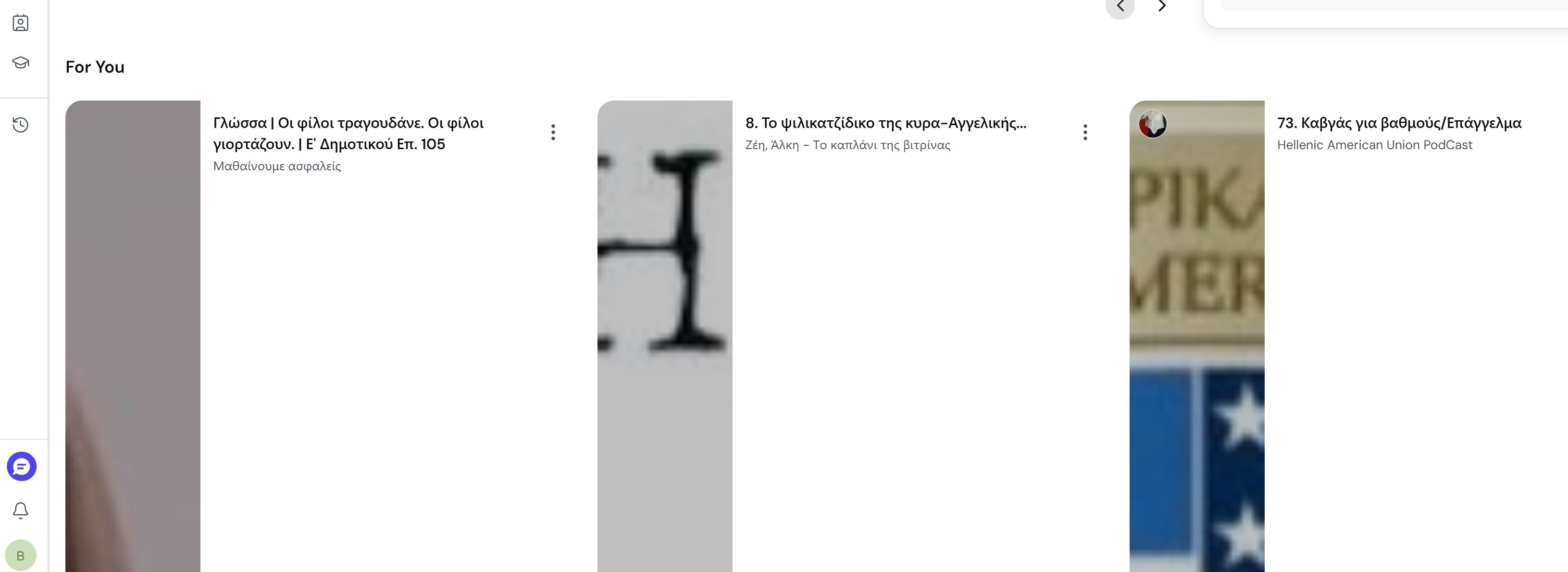
1 Like
That “tall images enlarge while scrolling, F5 fixes it for the session” pattern sounds like a rendering/layout glitch, possibly cached CSS or images getting measured before the container width settles. A hard refresh and a quick test in a private window would help rule out cache or an extension; if it still happens there, note whether it appears after scrolling or resizing the window, since that would make it easier for the team to reproduce.
@bbbblinq Thanks for noting this. If you’re able to provide any extra info, like when it happens to appear or if you have anything special about your setup, that will help. Until then I’ve asked our QA team to investigate this.
It generally happens when I move the mouse wheel to go down. But also if I use the down arrow.
I have a pretyy old desktop. Windows 10. Chrome.
I often open several tabe (languages) at once (using a Stremdeck). Maybe they don’t quite load in the same way.
While I’m here:
THANKS FOR:
Scroll mode
- Blue words being done better
- Being able to see which lesson (X of Y) as I move lesson
- slow mode audio
EVEN BETTER IF:
- blue words move to 1 (my choice) as I go. Not grouped for later for no reason I can see.
- If I have to move blue words, can I do it in two clicks (coinc, move) like it was a week ago, not 4 as it is now?
- make “words read today” more prominent and updateable (perhaps with a page swipe down). The stats when I click the coin (scroll mode) seem to be something else.
- Gernerally, making dong multiple short lessons to have ideally one click to move across lessons, including converting blue words.