Sadly more downgrades. To get out of a lesson we cannot just directly click any more but need to go a longer route. The small statistics window we can directly access while in a lesson has also been downgraded and requires more clicks to get to relevant information.
Sadly that theme to require more and more clicks from the users has been an ongoing one for years at LingQ.
I use the web version to avoid insane amounts of clicking. You end up with unreasonable set up time for macros and other machines to eventually have smooth processes.
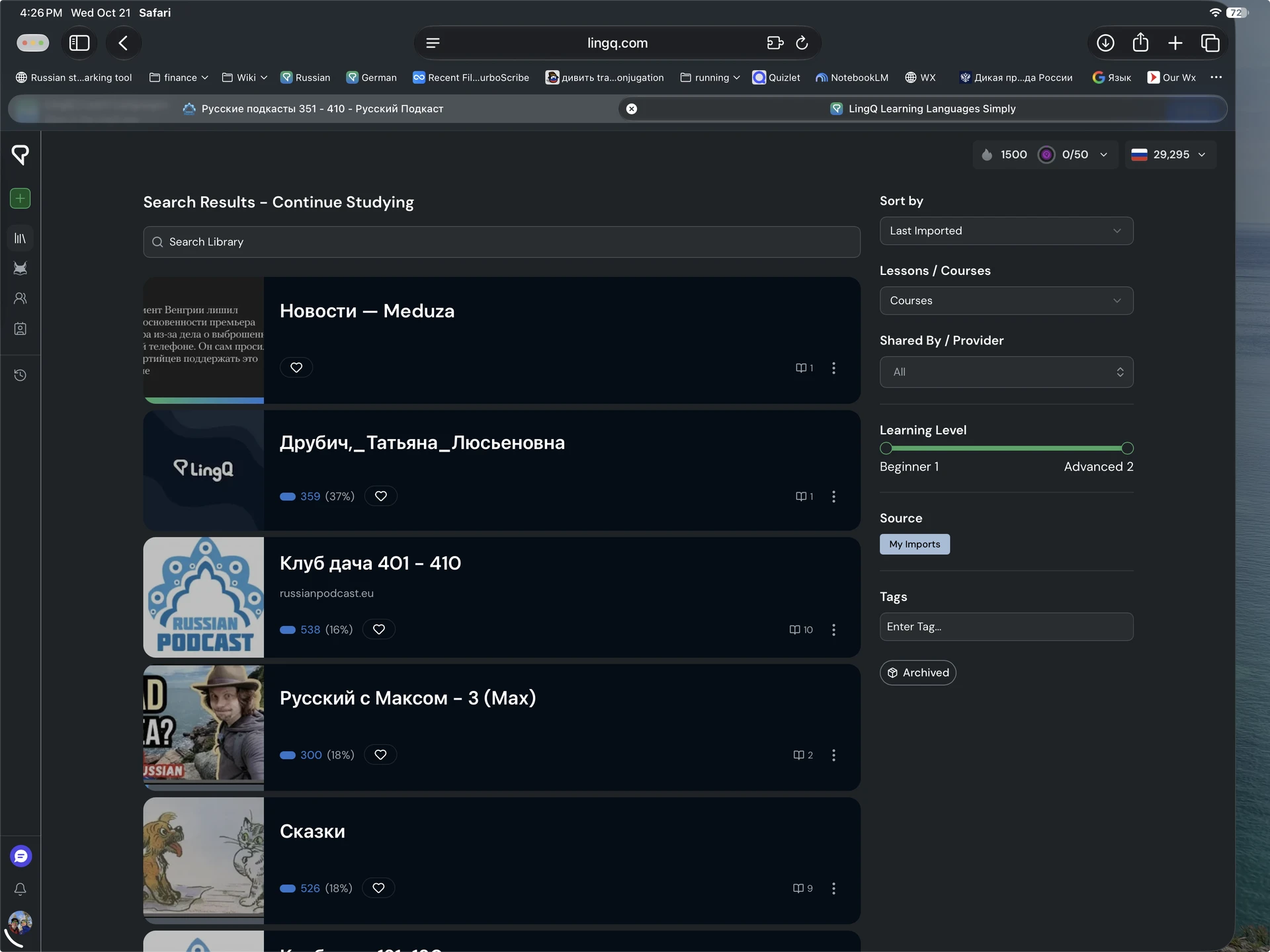
Looking in my list of recently imported material, I am filtering by course, and yet the names are sometimes names of one of the lessons instead of the course. Example:
In the following screenshots, I show (1) my search criteria (2) the course as shown in the list and (3) the course itself clearly showing the correct course name.
I am a bit late to the party, as I just joined the beta version today, but I found something, that sticks out for me from the get-go:
When I look at the review cards on the main page, there is a color coordination thing going on with the levels → (red to) dark yellow to green, which I generally like. The color green means that I know the word: I managed it.
But then, there is another color thing going on with the lesson levels, which I love the concept of, but here some of the same colors mean the opposite: Here a green indicator means, that I am looking at a beginners lesson. It would make more sense if green would be assigned to the advanced lessons.
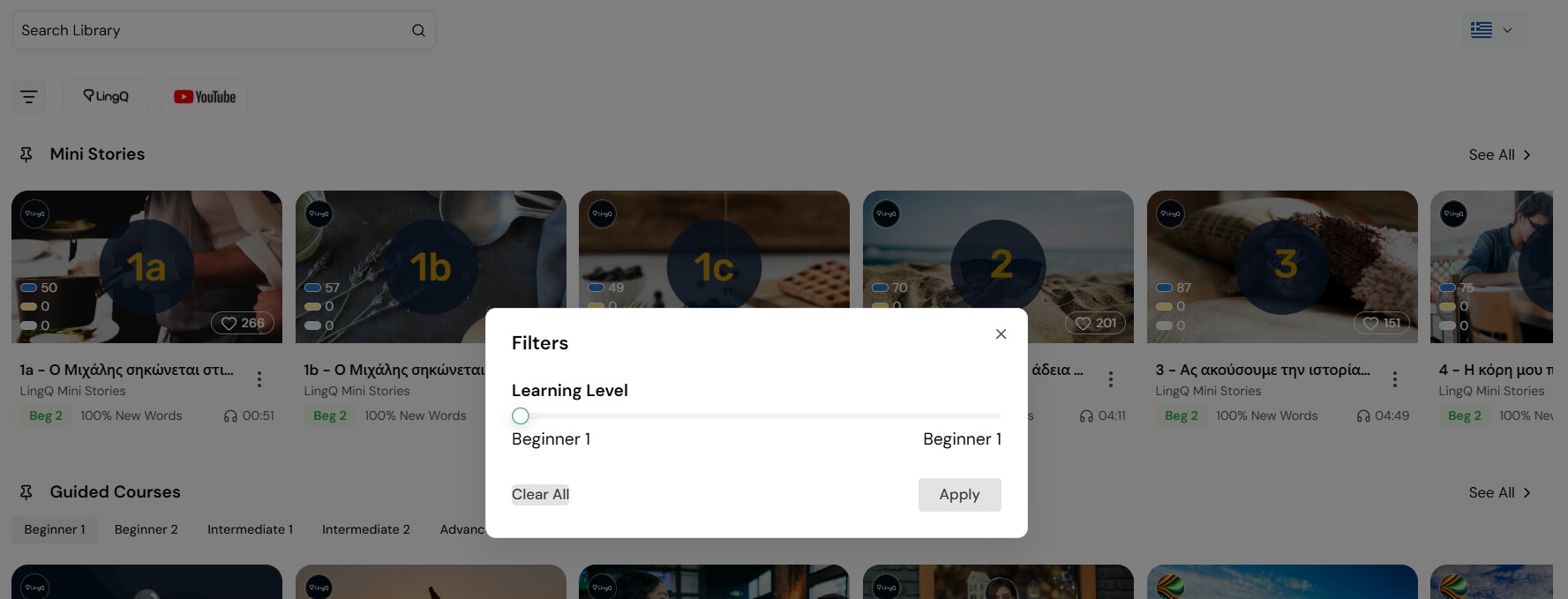
Hi, today I added a new language and wanted to adjust my learner level to just Beginner 1. But the little window that appears after clicking the filter symbol does not disappear after clicking “Apply”. When I click next to said window, the filter has not changed.
Another thing: As I started with a completely new language, I want to blend out most of the shelves in the library. But that’s not possible. I had a look at the settings, where I chose just five preferred topics, but in the library all shelves are visible still.
For now, I pinned these five shelves to the top. But actually, I don’t want to see some of the other shelves for at least two years.
[Edit because the system did not allow me to write a new post:]
The button to move lessons in a shelf to the left are positioned differently in some shelves. Sometimes they are placed within the lesson picture and sometimes the lower part just blends in with the white background.
I truly hope you start adding functionality to the mobile app to edit things. For instance, I want to change the name of a course. I can only view the course in the mobile app. Can’t change it.
Even so, the web app continues to encourage the use of the mobile app.
I’m filtering for my imports, looking for the courses that have the most recent imports. Third one down is the newest. All the others listed were both created and received new imports some time ago — long enough, that I don’t remember. Lately, I’ve been creating courses from material from “Russian PODCAST.” Those courses should be listed at the top, and I would expect them to be sorted from most recent to least recent — sorting by the date of the most recent lesson imported into the course.
Filtering and sorting by lessons seems fairly accurate, although I have not been keeping track.
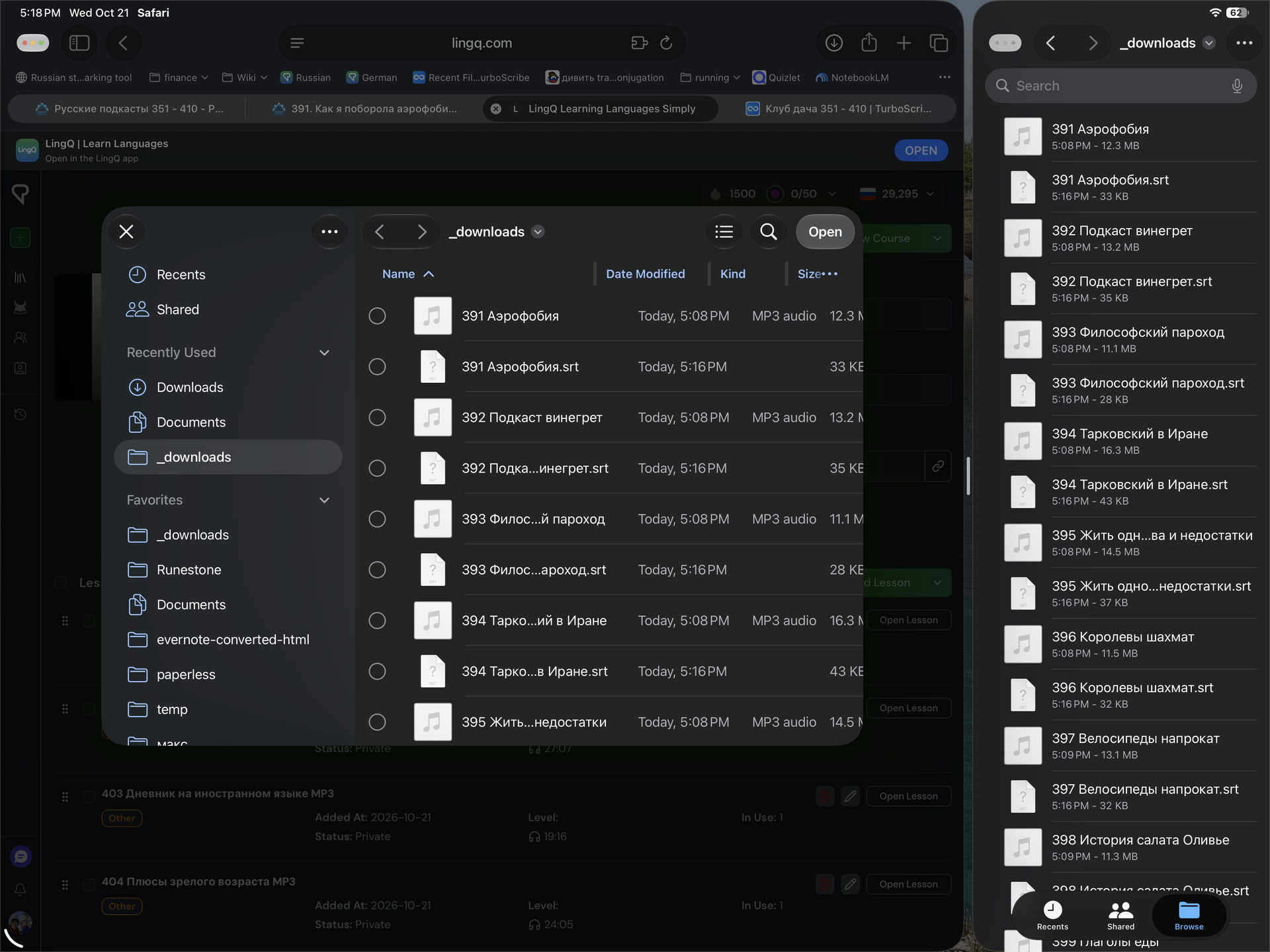
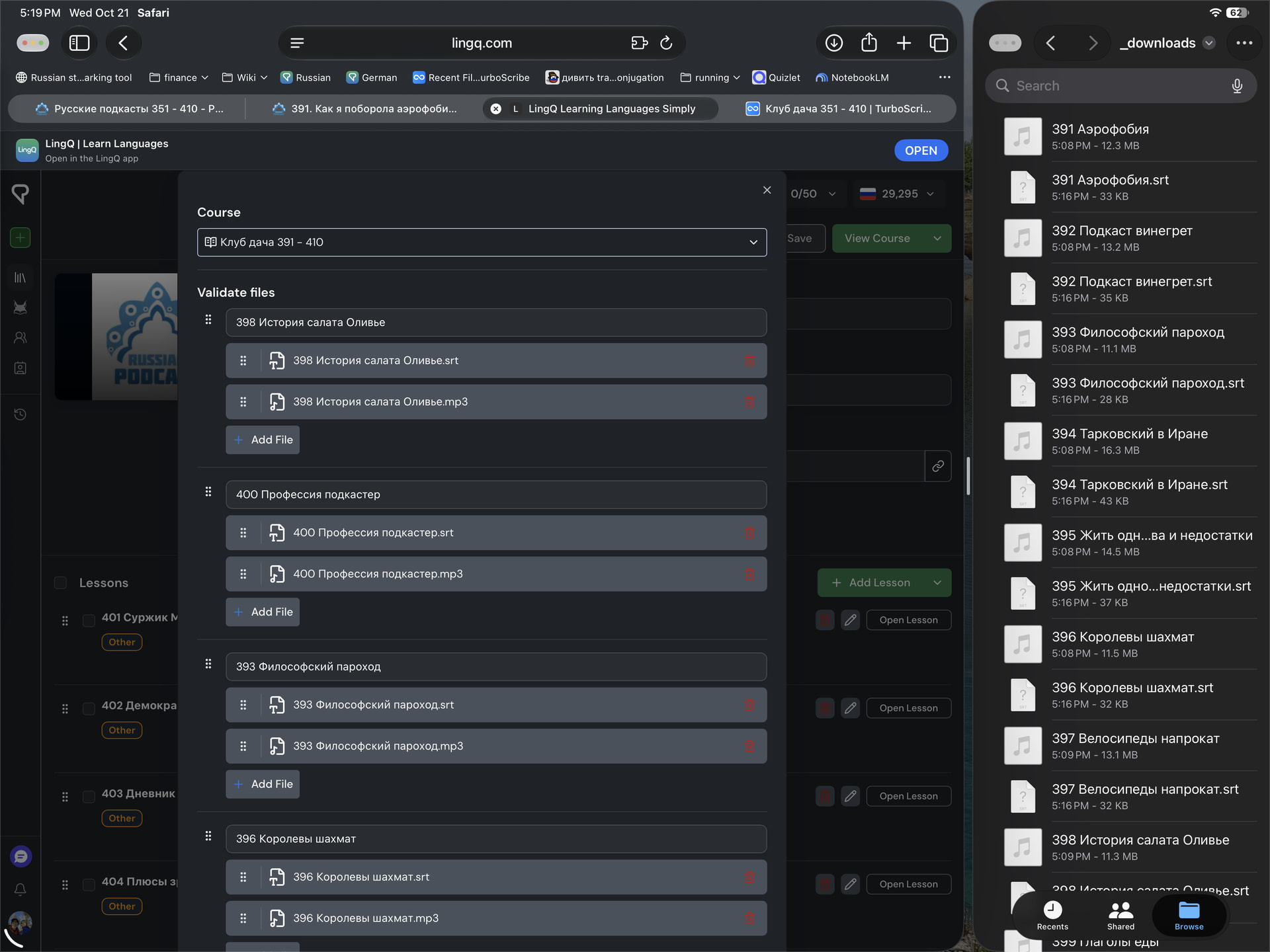
Two screenshots below: (1) the order I will select and have selected the files for import and (2) the seemingly random order that Lingq will import the files.
I want Lingq to take the files in the order I give them to it.
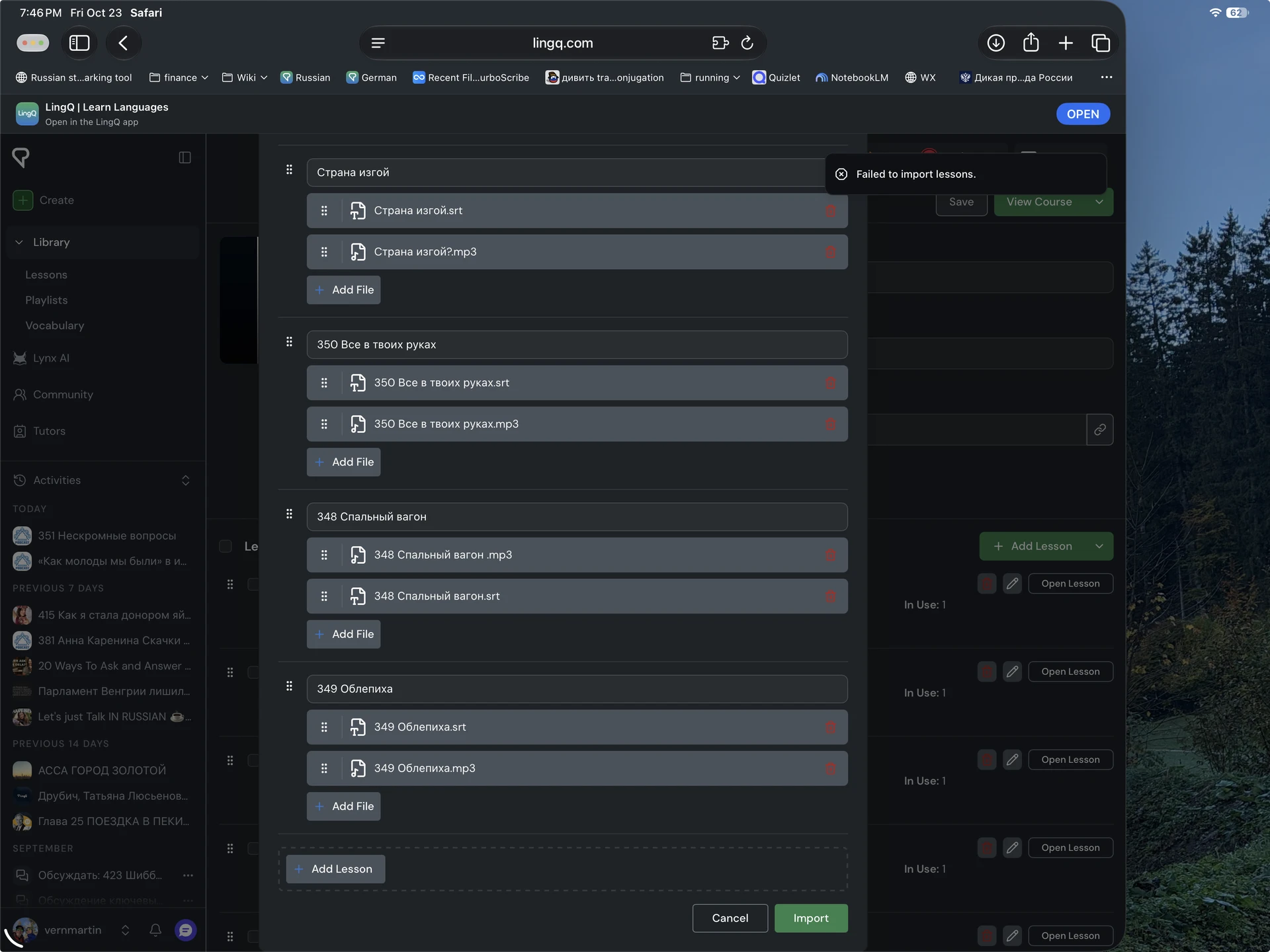
I have tried this import several times. It’s relatively small. Why is it failing? Why not let the user know why? Obviously, the program knows enough to say it failed. There is presumably a reason, maybe some limit has been hit, maybe some random error, but why not let us all know?
Today I created one new course with 10 lessons and manually sorted them before the import (but after Lingq had reordered them seemingly randomly). Lingq left the order well enough alone during the import. Yay.
I then added 10 more lessons to the same course, and once again I manually sorted them properly just before I hit the import button. Lingq left the order alone and appended them to the end of the list. That’s good. That’s predictable.
This indicates that (1) Lingq imports in the order of the list if I sort the list just before I hit import and (2) it does not preserve the order of selection from the file system.
So, the issue I’d like to see Lingq solve is to accept the order as the files are selected from the file system and handed to it for import — at that point I have already presorted the files the way I want them.
I notice it does some file matching, and perhaps in its efforts to match on file names so that SRT, MP3, and image files are grouped, it rearranges the list of files. I don’t need that. I have already arranged and grouped them during selection.
Yesterday, a fe times I arrive on the library screen on the search area, not the home area. It wasn’t useful. It would be better to default to the home “tab”.