Great little extension this! Thanks! A small issue i am having. When pressing the right arrow to hover over a blue word, typically pressing enter will save the first definition and make a Lingq. This functionality doesnt appear to work with the extension active. Are you able to replicate this behaviour?
Thanks for the report. Yes, issue was it wasn’t selecting the first definition. It required the user to press up/down first to select one. Fixed with MasterLingQ 1.619 and V2.0.2 on extension stores. (Whenever Google/Mozilla process them)
1 Like
Hi Rooster. A well known issue with LingQ is that tags cant be added by just using the keyboard. Even trying to add takes multiple key presses, causing definitions to be added and then failing. Is this something that the keybindings shortcut could fix? Would love to be able to add a default/any named tag by using one button press. Thanks!
Hi Nicholas
Thanks for the suggestion
I haven’t used the tag system very much so was unaware of the difficulties with it.
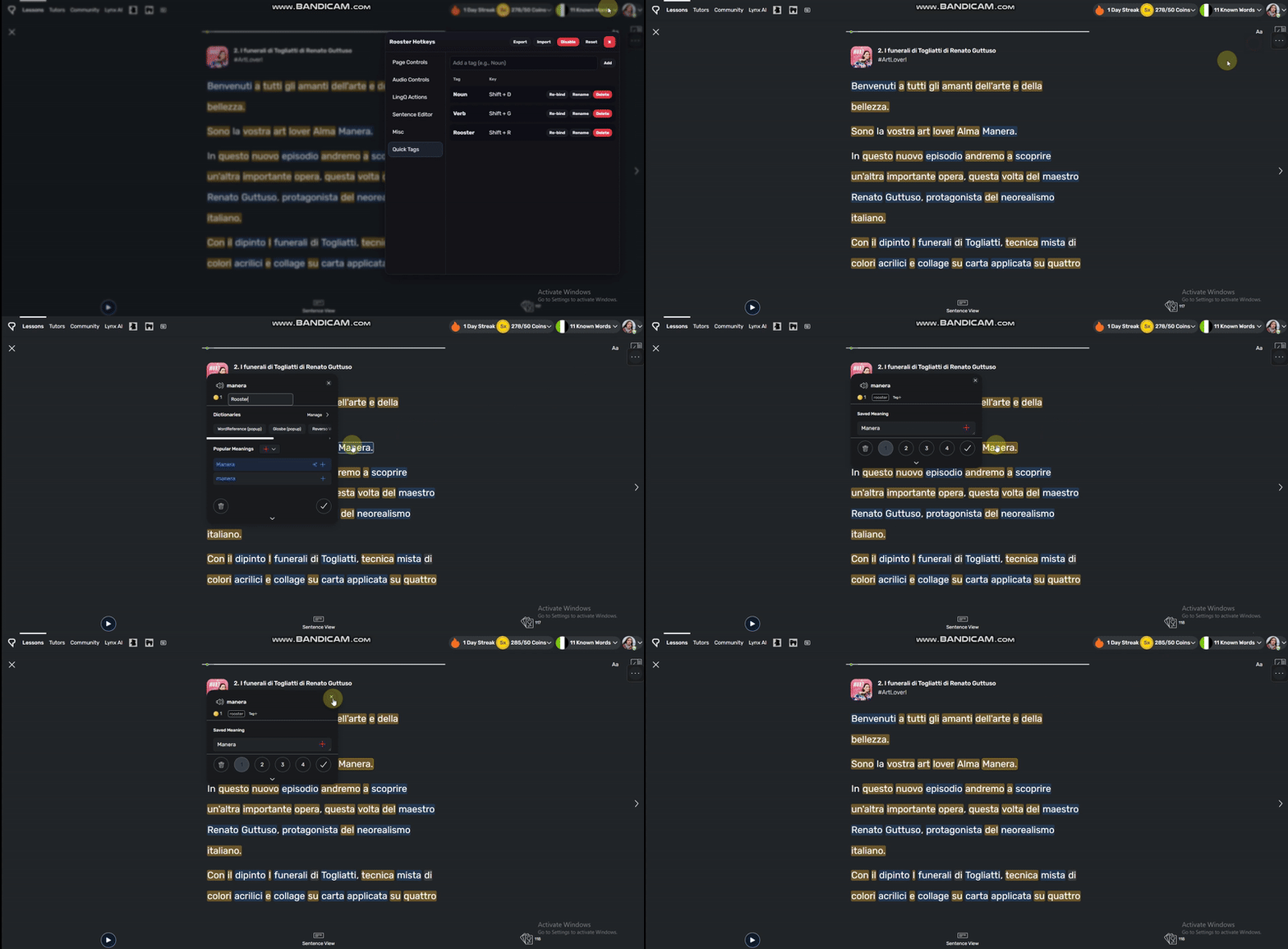
Have created this ‘Quick Tags’ menu where you can assign tag strings to keys and have them autofill / select with 1 press.
From MasterLingQ (1.623) and Firefox/Chrome Stores (2.0.4)

1 Like
Amazing once again Rooster. Works flawlessly. How you can implement in hours what hasnt been added to Lingq in years blows my mind. Thanks so much!
1 Like
Hello again @roosterburton
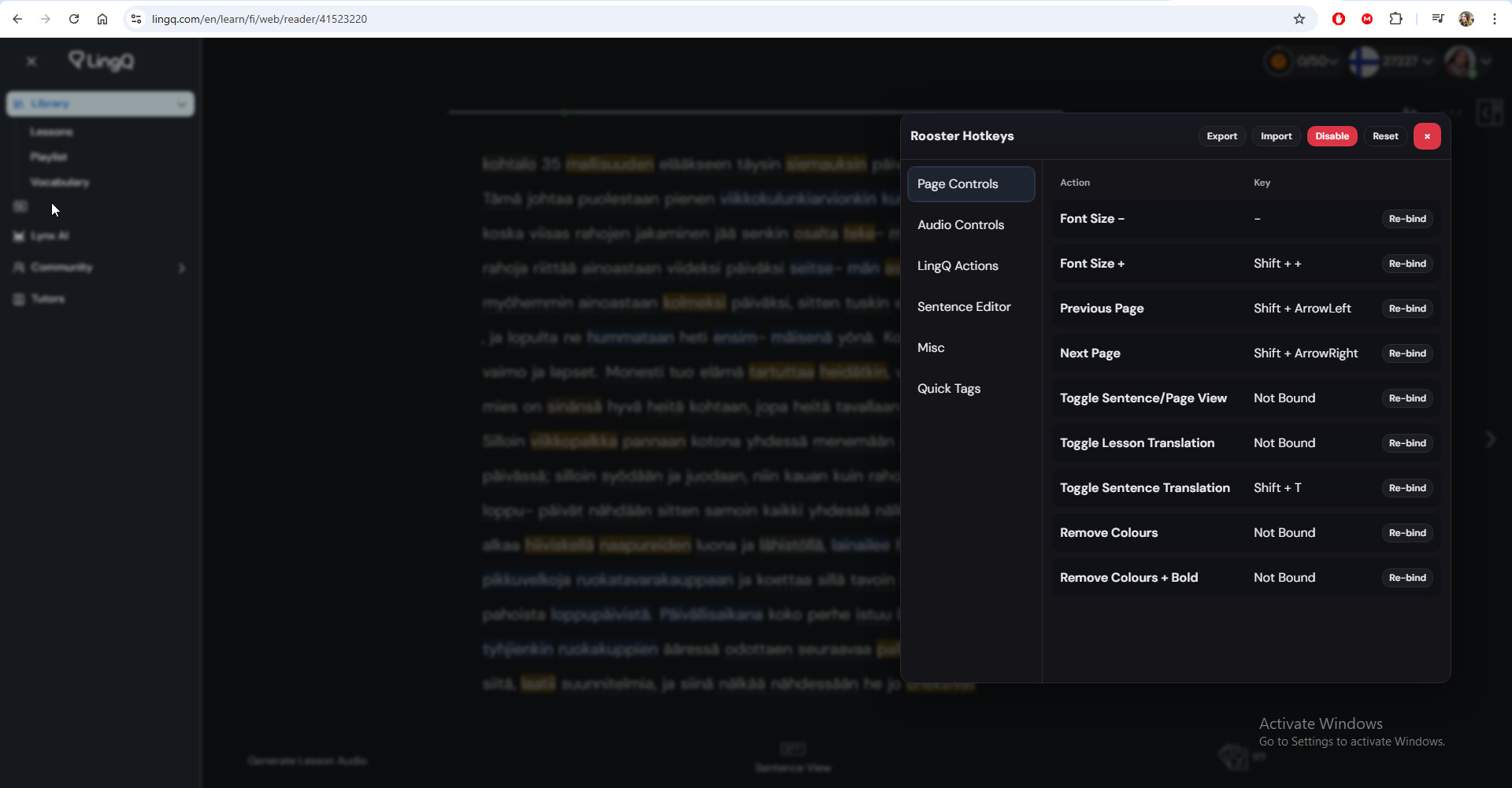
I no longer am able to see the menu for the shortcuts? Is this a new bug or just me perhaps? Thanks
Hey mate, sorry for the delayed reply.
LingQ changed their interface since the initial release. An update was pushed to the Chrome store on 20 November, you may need to manually update the addon.
Working from Chrome store install (checked today)
If still having issues can send me a DM. Thanks
1 Like