Edit: Solved by LingQ Team
…………………………………………………………..
When watching youtube videos with multiple audio tracks on the LingQ website, I can select the correct audio. In this screenshot example, Spanish.
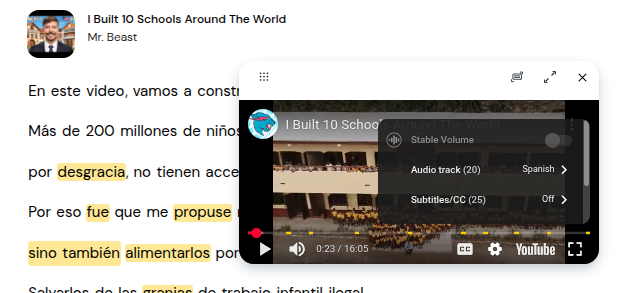
However in the LingQ app (my screenshot is from the new beta version), I click the same settings button and there is no option for Audio track. I can’t show entire menu as window is restricted. I scrolled through it entirely and clicked more options and there is still no audio track options.
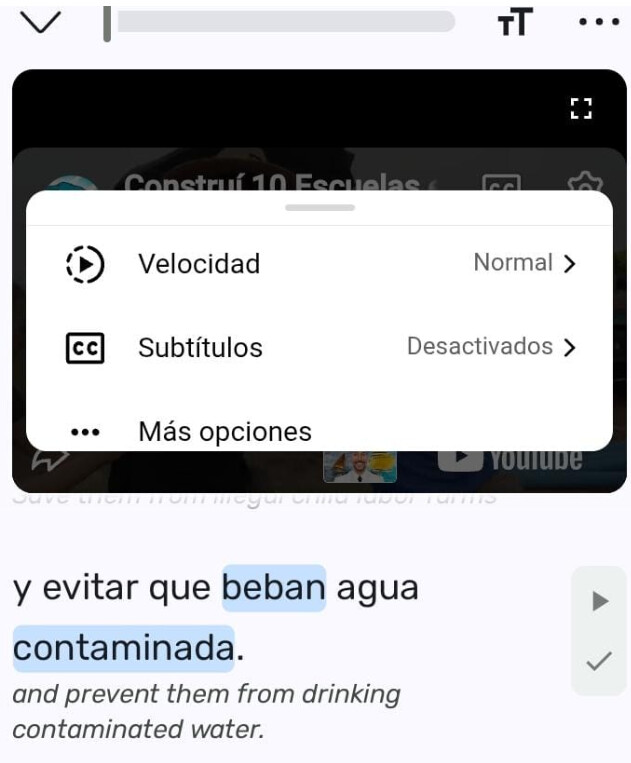
Very interestingly the title of the video is changed to Spanish (you can see part of it in the screenshot) but the audio track language is not in Spanish.
I assume this is completely youtube’s fault, at least Gemini AI said it is YouTube’s fault, and that the YouTube API cannot add an audiotrack option.
I tried some alternative solutions like changing my phone default language to Spanish, changing lingq menu language to Spanish, the extra option in the Android menu to make Youtube app language to be default in Spanish, and making sure my YouTube app on my android was already logged into my Spanish account. No success for any of these ideas. I restarted the phone of course and the LingQ app a dozen times. So if anyone knows user side solution for this problem, let me know 
