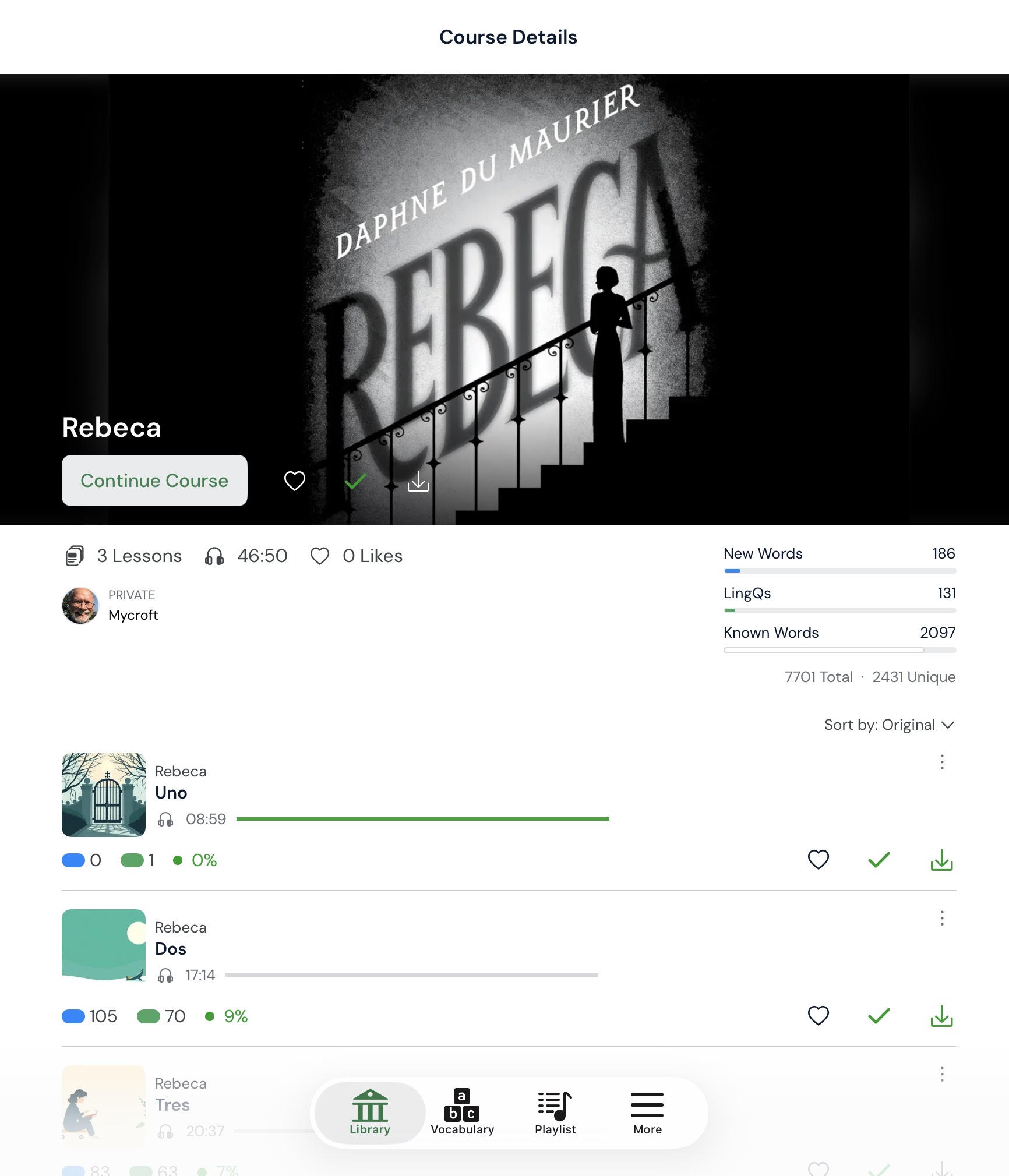
I have found that good artwork on the course header can be a true enticement to open up the course. So don’t skimp when you’re creating your course. Don’t be afraid to get a cover from Amazon. You can use the snipping tool to get the approximate shape of 16x9 if you don’t have a photo editor.
Love this, and I do it as well. I find an appropriate image to add to my personal lessons that I import or create.
Also, when importing a book I do a search on the book title and download the book cover to use.
Any little incentive to get you do open and do the lesson is great!
I do this too, although I have found the behavior frustrating sometimes in the past as LingQ often clips it in ways I didn’t want it to. Way back in 2017 or whenever I started there were actually the “shapes” of where it would fit and you could line it up as you would like it to fit. That would be nice
The other thing that bugs me (and used to work back then too), if you added a picture to a course, it would set it across all the lessons. It no longer does that (that I can figure out). So you have to do the image on the course and each lesson. Seems to me, if you choose it for the course it should get applied to all lessons (or have the option to do so).
They just fixed that issue. When you add lessons to a course now, it will use the course icon for the lessons.
Unfortunately if you import an ebook and go back in to add the image to the course, it doesn’t do it for the lessons. You have to do each individually. This has been my main scenario. I did just try re-adding the image to the course, but it left the lessons as is.
That’s true. If the lessons are already there, then the images would have to be changed one at a time. But at least now, when adding new lessons, it doesn’t automatically add random Ai images when we already have a course image.
I always manually add the lessons a chapter at a time because I want the audio to be included. If you’re going to create a course from the full epub, is it possible to create the course first with a fake lesson, add the image, delete the fake lesson and then select that course when you import the epub? I don’t remember if you can select a course when you import an epub.
For sure Mycroft, and thanks for alerting us to this. It definitely will be nice for adding new lessons. Especially since the AI artwork seems to sometimes want to put words from the lesson in the artwork…yet it seems from an entirely different language!
I’ll have to try your idea about creating the course first and importing the epub to it. I’m not sure if you can but that’s definitely something to try out.
Mycroft, I tried what you suggested and it worked. It’s a little be clumsy…You can’t create an empty course exactly. I had to “import” a lesson which I just typed a word and created the course. I then deleted the lesson from the course. Uploaded the image and then in the import epub section, you can select a course to add it to. Worked perfectly.
Thanks for the tip regarding 16x9. I took the cover art which was more of a square ratio, uploaded to chat gpt and asked it to make the image 16x9 by adding some complementing colors to the left and right side. It actually did more than that and essentially added to the photo. Nice.
So when viewing the course it looks great. The lessons are a bit of a different story…it crops it rather strangely since that picture is a square. So not perfect, but it does look nice overall.
From this:
To this:
OK, I played with this a bit more. And it’s very interesting behavior.
I was curious how things behaved if I gave a square image (which is what the lessons themselves seem to like once you’re in one). So adding that to each lesson looks like what you’d expect. It’s not cutoff or cropped oddly. The course picture itself doesn’t look as nice as using a 16x9 and you might have some potentially weird cropping.
On a MANUALLY created course with MANUALLY created lessons, the interesting thing about uploading the square image as the course image, it does change all the individual lessons in this case, even if already present. Whereas uploading a 16x9 or other non square picture does not affect the lesson pictures themselves.
Unfortunately this does not seem to be the case if the epub import itself is allowed to create the course. Oh well. At least on the next book import I’ll know what to do. =)


