On the desktop website, when doing flashcard or reverse flashcard reviews, you can allow tags to be displayed on either side of the flashcard. In the app, you also have these options, but the tags are not displayed. I don’t know if this is a bug or not, but please make it so that if you select for tags to be displayed, that they actually are.
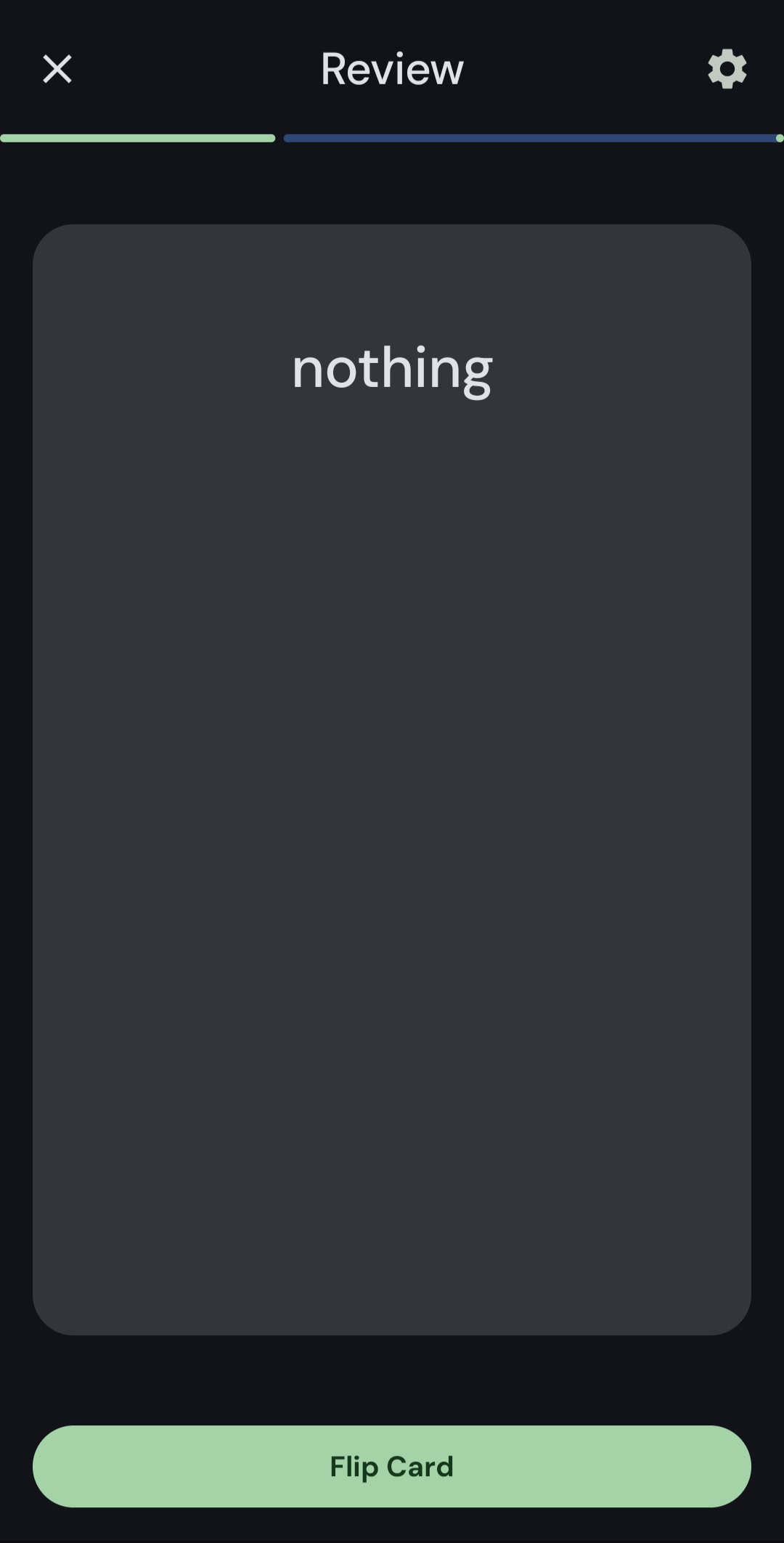
Thanks for reporting. I asked our team to look into this.
Hello @talkomi Could you please give a screenshot of your settings on Android?
@talkomi If you changed settings - all changes will be applied to the next Review session. Please, check your settings and then start a new Review. I hope it will help.
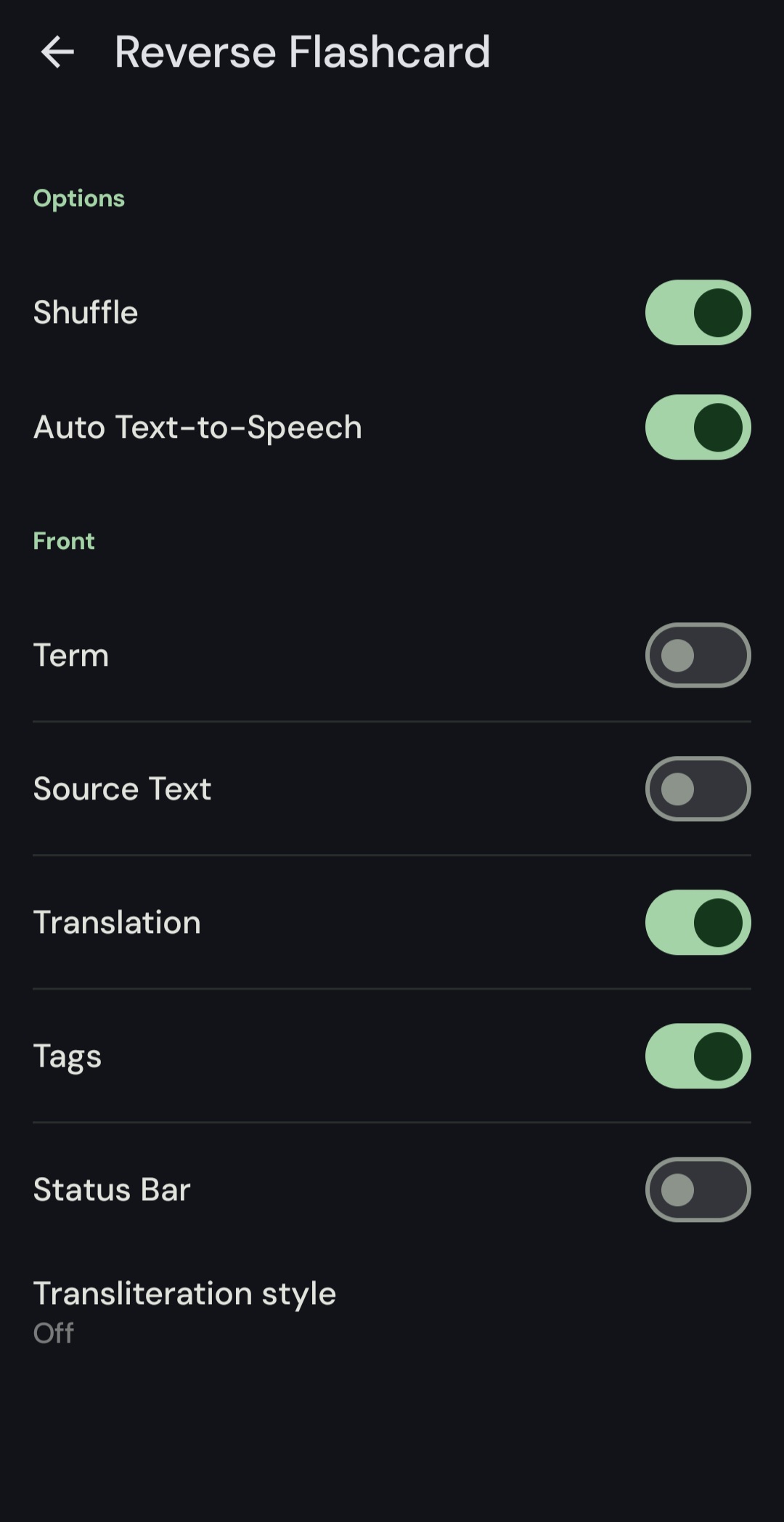
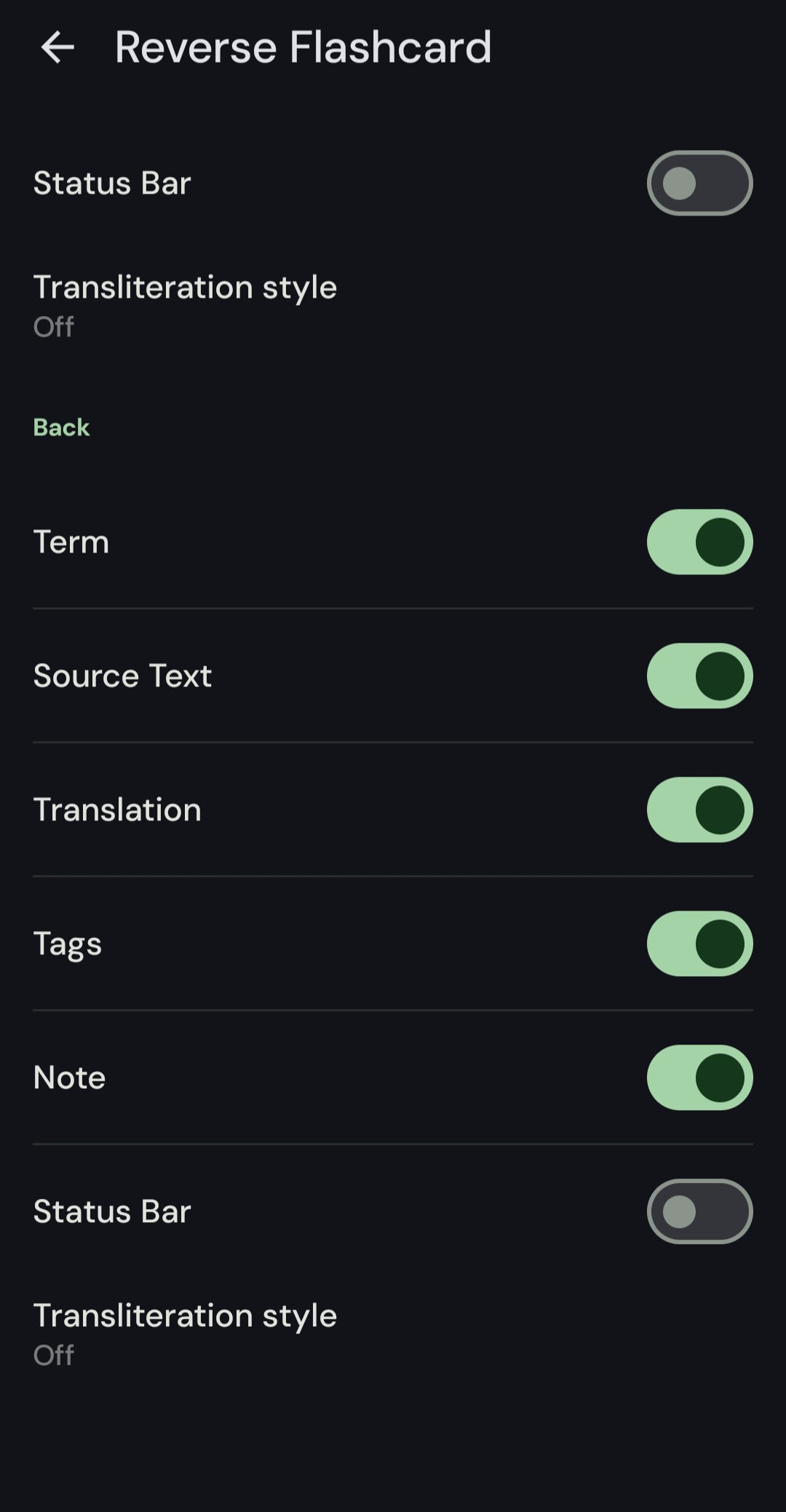
Hi @talkomi Thank you for the screenshot. Could you please clarify also what language do you study? And are there tags for an original word (do you see tags after flipping the card)?