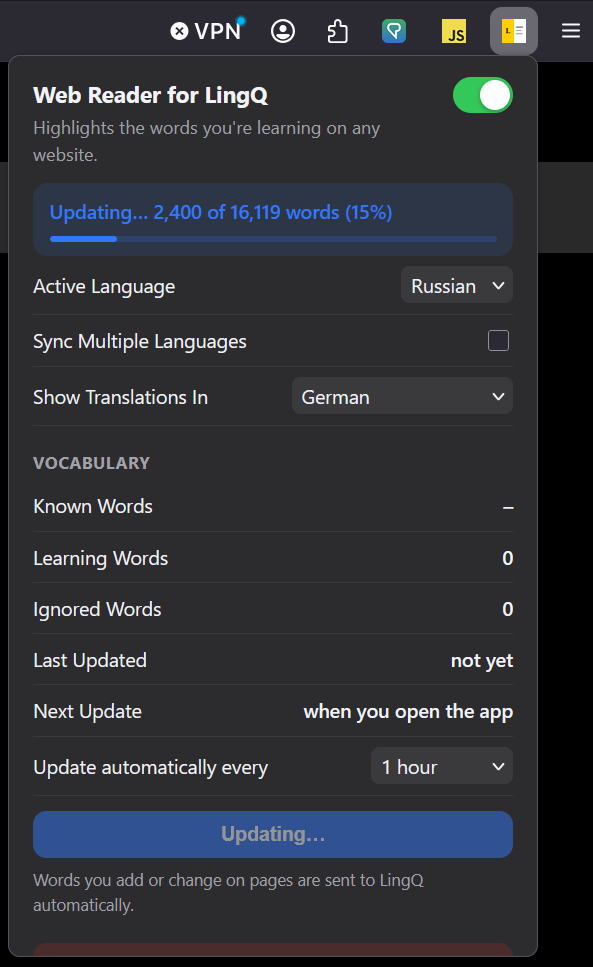
Just wanted to shout out this chrome extension i just stumbled across 'Web Reader for LingQ’
Basically turns any text on any website into clickable LingQs, connects straight to your LingQ account and updates known word account etc. Also works with youtube subtitles too so effectively makes it a solid Language reactor alternative for those of us what want all of our statistics on one platform. Check it out!
As I commented on another post in this forum that also suggested this extension: I was a bit apprehensive about installing this extension because I have no idea who the developer is. Would anyone know if they are an active forum member like others who have also developed complementary features for LingQ over the past few years? The fact that the email provided in the extension description is anonymous (WebReaderforLingq.rehire197@passmail.net) contributed to my concern. I hope I’m overreacting, as I would love to have this functionality. It would be amazing to be able to browse the internet freely while adding words to my LingQ database. However, until the developer introduces themselves and there is more information about the extension, I prefer to remain cautious.
I checked the source code of the Firefox implementation and it is safe. It does only use the LingQ’s own API.
After you have inserted your LingQ Api Key, which can find here … Anmelden - LingQ … and then you click on the button Update Vocabulary, it downloads the entire database of known words into the LocalStorage database. And you can set up the refreshment of this database, every hour for example.
The only problem with this one is sometimes it highlights words you already know as unknown and it you mark them as known they will be added to your known word count. Kind of weird and annoyingm
I would assume that this would fix/correct itself each time it syncs back and forth with LingQ, right? or are you saying that on lingQ your known word count increases with duplicates?
This is the holy grail of LingQ extensions IMO, if it works properly. I still think that this is something that LingQ should be making themselves, and this I guess proves that it is possible to do.
Yeah from what I have tried it seems to increase word count even with duplicates. I need to test it again to double check but it is annoying. Would be the holy grail if it worked perfectly
So their email has been changed from the one you posted, it’s now “josh@lichtung.xyz” and it is all connected to an upcoming app and language learning service called “lichtung” by someone called “Joshua Bragge”. For this extension specifically (Web Reader for LingQ), here is the full privacy policy and detailed breakdown of what the extension does… Privacy Policy · Web Reader for LingQ
It does all look pretty legit, although it is all very new as well.
Great workflow for this would be just browse YouTube in target language. Create lingQs, convert words to known, Chuck a timer on. Then at end of session add total watch time to hours listened on lingQ.
Added keyboard shortcuts to allow changing the status of popups. Select the following buttons while the popup is active: ESC to close popup, x for ignore, 1, 2, 3, 4 and 5 for status changes.
Did you manage to confirm that on LingQ itself, you have words that are included twice in your vocabulary and/or known word count? If so that would be a LingQ issue more than the extension I would think, because it shouldn’t be possible? Surly if the API via a third party app/extension is telling LingQ to set a word to known, and it is already known on LingQ, then nothing will happen, it would be essentially ignored, not that LingQ will think that you somehow know this word twice, and start doubling up? Seems strange.
@roosterburton Sorry for tagging you in this, feel free to ignore it, but I know you are very familier with LingQ’s API, is this something that is possible?
Issue is likely a normalisation issue between what is sent from the extension as a word to be saved and what lingq saves the word as on the backend. More prominent in languages with additional markings like Arabic which Josh is learning. The extension developer would need to figure out what is stripped / not stripped to prevent future collisions like this.
مُحَمَّد — Muḥammad
A possible normalised form is:
محمد
Here, normalisation removes the diacritics (tashkīl):
مُحَمَّد → محمد
The letters م ح م د are preserved.
The vowel marks ُ َ َّ are removed.
Another common example is normalising different forms of ألف:
أ → ا
إ → ا
آ → ا
So, for example:
إسلام → اسلام
The exact normalisation rules depend on the task—for example, Arabic search, NLP, OCR correction, or text preprocessing may each use slightly different rules.
Ah this would make sense, if he is encountering this with a language like Arabic. I hadn’t thought of that. I do encounter this very rarely with Norwegian where a word may be written with an accent or without in certain texts, but this is exceedingly rare. More common are the variations between nynorsk and bokmål.
So in your experience this wouldn’t happen with standard non-accented words? It didn’t make sense to me that LingQ would count the exact same word twice, but your explanation makes a lot of sense. I guess we will be able to see with the video he shares tomorrow if this is the case.
It seems more a ReadLang equivalent than a Language Reactor equivalent. At least at looking at the screenshots examples. A web reader. But neverthless, very interesting if it works well.
@marcos.rm you’re right to be concerned. Thanks for pointing that out.
I initially thought it was the case with Arabic due to the accent markers, this has always been an issue with lingQ, but I checked with Italian and it was doing the same thing oddly enough.
Hmm. So are you saying you have the exact same word, letter for letter, appearing twice in your known word list? No accent on one of the letters, or anything that makes it different?
Yes exactly. For example it highlighted ‘inseguito’ as a status 1 word. I double checked by typing it into my vocab database in lingq and it was already there recorded as a word I already knew, which I suspected as it’s a pretty common word.
Kinda weird, it happens like one in every 100 words so it’s not the worst thing in the world but it means I have to do this kind of double checking if anything looks suspicious.
The fact that you are not certain is making the tool less worth it, because you always have to double-check.
Also, that one might be the inconsistency that you have found right now, but it could also give you the feeling that there could be other inconsistencies in the background.
For now, your perception is 1% errors. Maybe there is a reason why this happens. The problem is that it can give the feeling that suddenly it becomes 10% if something goes wrong.
I think this is an issue that should be fixed to give absolute trust that the tool doesn’t mess up with our database. IMHO.