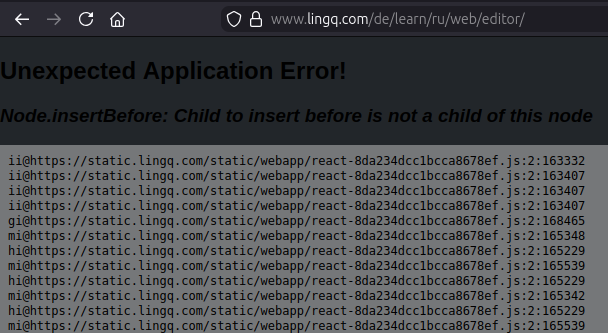
I’ve tried to upload audio to LinggQ three times today. Each time I get the transcript for the first two pages of 27 and then it just repeats these two page over and over.
Is there a glitch?
I’ve tried to upload audio to LinggQ three times today. Each time I get the transcript for the first two pages of 27 and then it just repeats these two page over and over.
Is there a glitch?
Sounds like an issue with that specific audio file. Can you please send over the file to support@lingq.com and we will take a look.
@jrernst If the MP3 is incorrectly encoded, our importer is treating part of the frame as silence. Firefox browser is less tolerant of that. Re-converting the file to MP3 with a different bitrate (256-320 should do the job) or converting to M4A should resolve the issue. You can convert with this online tool: https://online-audio-converter.com/
One more thing: Although there are these error messages, the audio was converted in the background. It is too long for me to check it completely, but so far I haven’t noticed any problems in the first few pages.
@jrernst Great, thanks for the update.