Any way to delete the awful AI definitions?

Any way to delete the awful AI definitions?

They tend to be for the wrong word altogether, so they are really awful.

They are not just bad, irrelevant definitions, they are worse than that, as they define some other nearby word, and cause mental interference as I try to think about what the sentence means.

Can we have an option to turn them off completely?

2 Likes

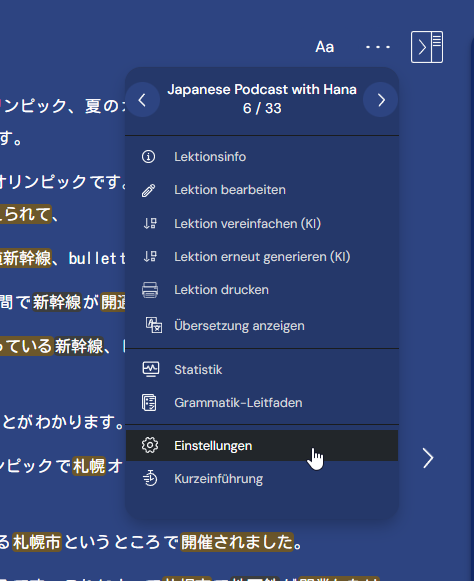
You can already disable them under settings.
2 Likes

Thanks!

But, I can’t see where that is; if you have time, would you mind telling me what it is called or where it is?

I would suppose it should be in the Reader (Lector) area somewhere?

I am guessing my settings are all default.

I have Show Contextual meanings (Mostrar significados contextuales) unchecked.

I just can’t find where AI (IA) is listed at all.

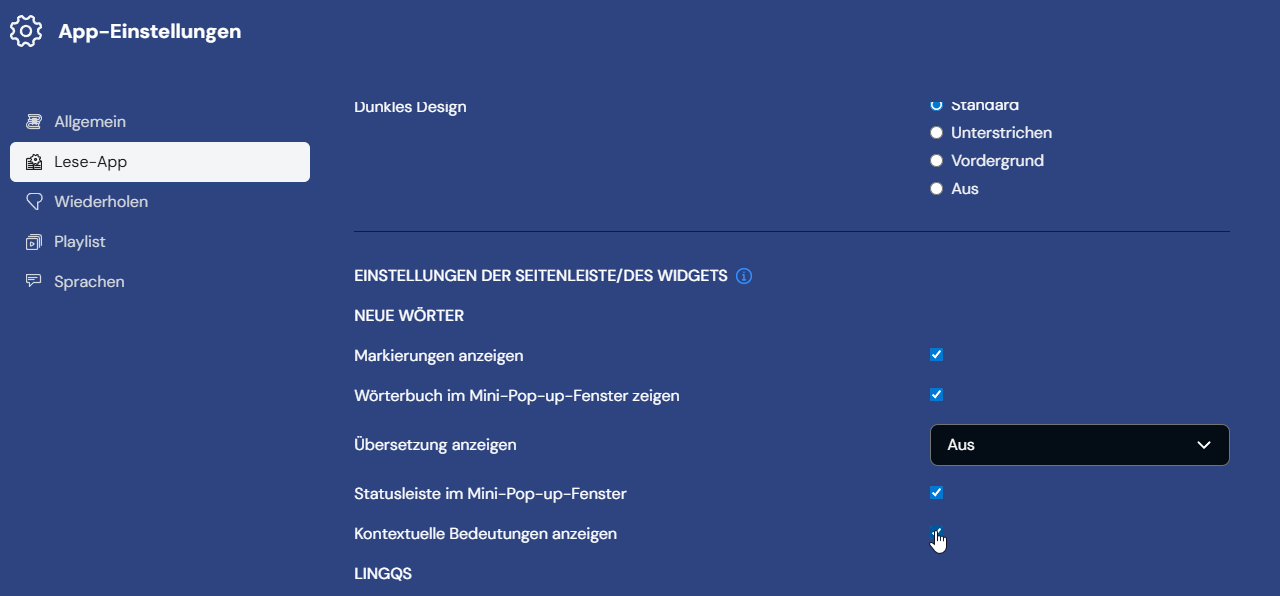
Sure thing. Check, where the mouse pointer is. My menu is in German, but you should be able to orientate nevertheless.


@zorbital You can disable them under Settings > Reader > Show contextual meanings

I have Show Contextual meanings (Mostrar significados contextuales) unchecked.

Thank you.

BUT, what about the fact that I have that unchecked (like I said above)–how do I disable that if I never checked it in the first place?

I’m a bit confused about how that works.

Do I need to check that to disable them?

@zorbital Can you please send a screenshot of what exactly you see on your end?

Do you want a screenshot of one of the bad AI definitions?
Can I just give you the url?

Or my settings–but, you can probably just double-check my settings yourself, right?

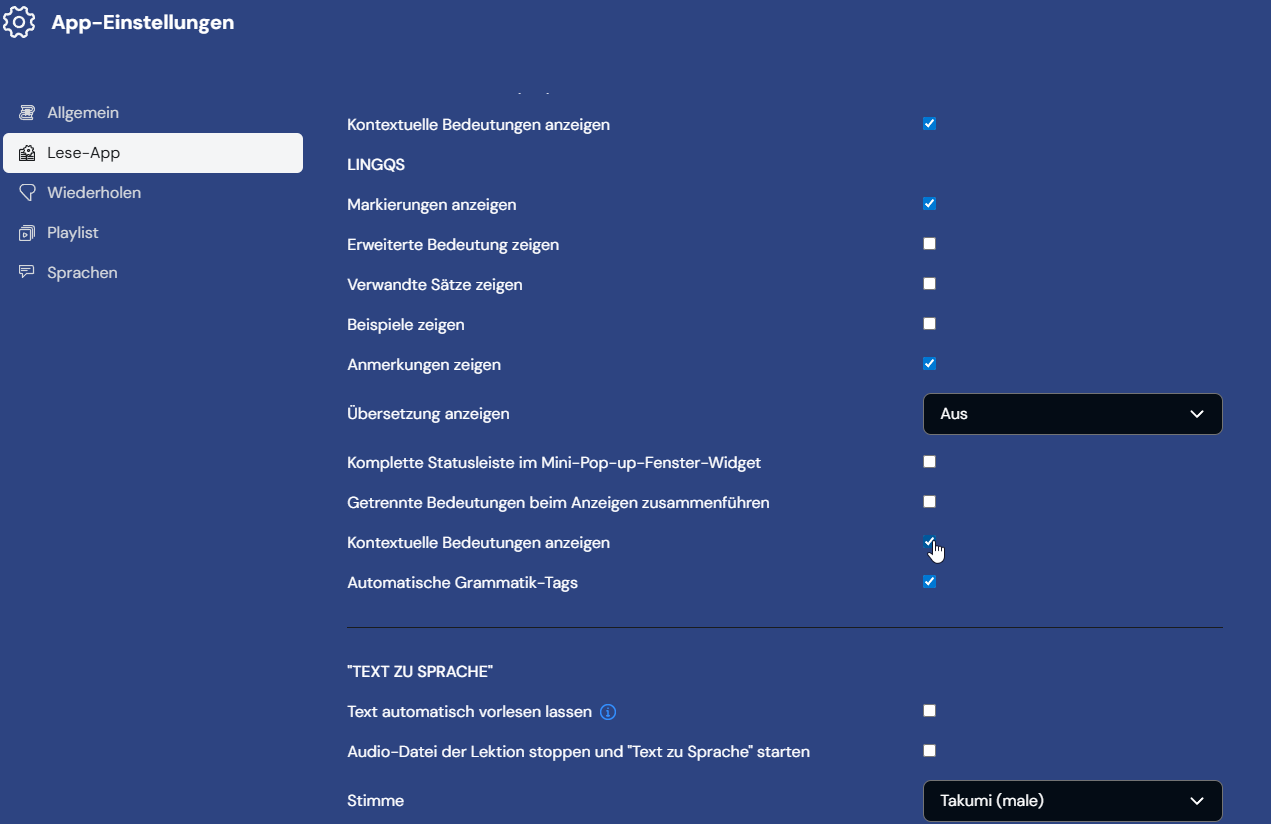
@zorbital Show Contextual Meanings appears twice in the settings, for New Words and LingQs.
Do you have it disabled on both places?

Thanks for asking. I disabled contextual meanings, and the dictionary popup now appears almost instantly. Previously it could be a real struggle to get the non AI meanings to populate if at all.