Hi,
Whenever I use Audio Transcribe, the text is splitted into chunks, instead of complete sentences. Is there any way to avoid the truncation of sentences from transcribed texts? Thanks!
Not currently. I’ll add a solution to my lesson editor program to 1 click fix broken formatting.
Whisper is trained on subtitles, so it learnt to break up sentences in such a way. A fix to this, while still using Whisper, would require something like running the text through another AI, such as ChatGPT, to add punctuation.
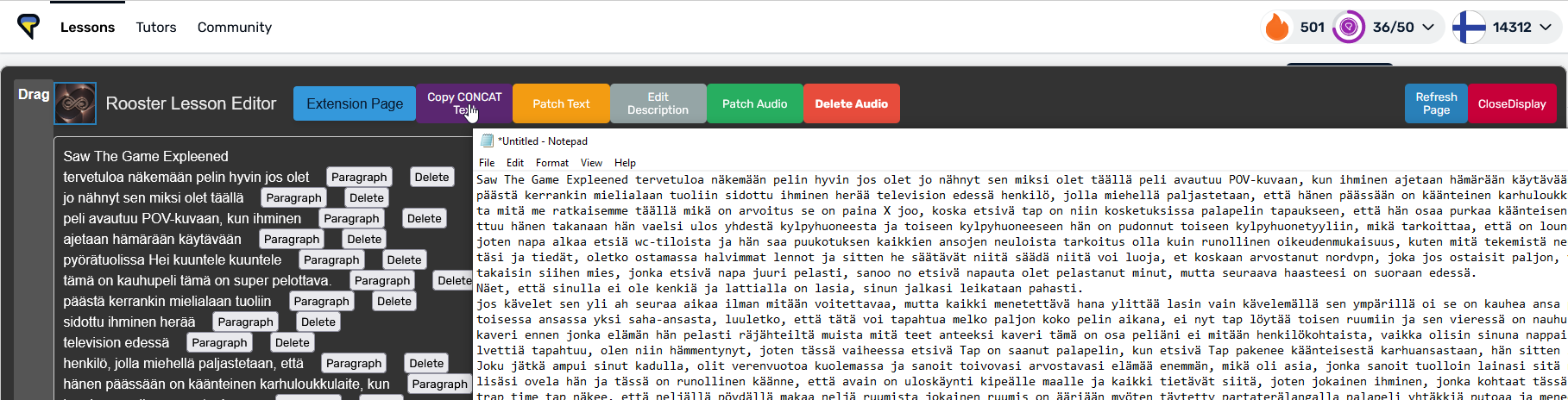
@roosterburton I can’t read the Finnish, but the issue I had with this solution in Italian is that there would be a very long time before a full stop or question mark was. We are talking hundreds of words or many more. It seems, in the AI model, it was trained on a lot of data, which didn’t use punctuation and so only sometimes produces punctuation .
For example, I just had a quick look and found a Whispered transcription of a 53 minute podcast, representing 1,370 LingQ ‘paragraphs’ (so probably 7k+ words). In the whole transcript, it has one full stop and ten question marks (and zero exclamation marks). So there are only 11 sentence-ending punctuations in 7k+ words. This means we are looking at paragraphs of 600+ words! I haven’t listened to the podcast, but if you are creating such one-sentence paragraphs, I wouldn’t be surprised if you are joining multiple speakers together. If this is the case, I’d prefer the original, subtitle-style paragraphs.
If the transcript actually has decent punctuation, this fix to paragraphing would work great.
So to counter the poor punctuation in many Whisper transcripts, perhaps you could add in a check like you want an average of more than one sentence-ending punctuation mark per 100 words on average (if the transcript has more than 1,000 words or something). Anything less than that, and you just show an error, saying “The sentence-ending punctuation density is too low to produce a quality transcript.” Note: sentence ending punctuation has different symbols in different languages. Another options is to have an undo button.
Interesting. I have only transcribed TV shows and the punctuation is added but it line breaks randomly.
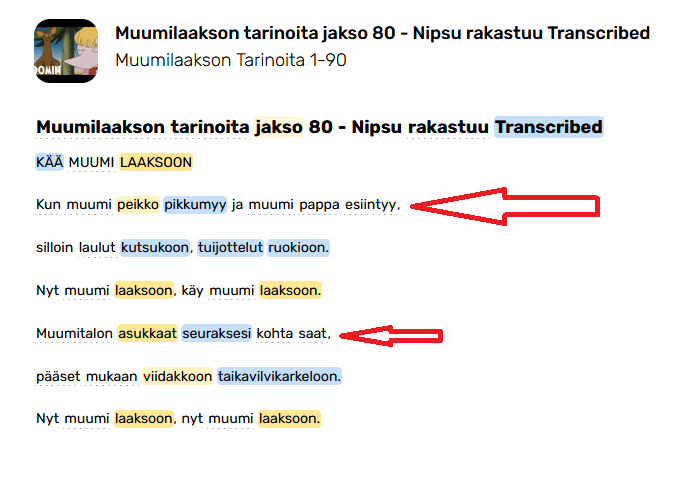
I have done some work on this problem with my premium playlist importer. For Korean, they don’t even use punctuation, just sentence ending words/phrases. Other languages as you point out use different punctuation than English.
We can expand what constitutes a sentence ending punctuation. For overkill add commas
//English, Western European, Chinese example
(?<=[.!?;:…»«”“。¿¡])
We can limit sentence length
(x amount of characters before line breaking)
We can break the merge if the next sentence timestamp is too far away
idk 10 second gap, don’t merge this line or something
At the moment the feature just copies the concat lesson text like (ctrl+c)
Interesting, I didn’t know about it. 
The only thing you could do is to considering the pauses in between dialogues. At least you would have some reference on where to start again a new lesson. Limiting in characters won’t be easy because all sentences would be messed up anyway following the first cut. Or you can use a combination of two (if there is more than “30 words” cut the sentence, but if there is a pause cut here and start again from 0).
I wouldn’t call it randomly. To me the line breaks resemble subtitles. More like making a line break after a certain number of words.
One of the things that Whisper does do, is start a new line for a new speaker. This is highly valuable, I think. It’s one problem that’s very hard to deal with with your concat function. Something perhaps an AI can deal with though.
OpenAI aren’t very open about their training data, but it is assumed to consist mainly of YouTube videos. It probably depends on the language but at least in Chinese video content, punctuation is the absolute exception. So Whisper practically never uses any form or punctuation when transcribing Chinese.
As nfera points out, the line breaks are also an imitation of the training data, a subtitle needs to be pretty short and not be a wall of text that distracts from the video. When reading in LingQ we would naturally prefer the line breaks to take grammatical sentences into account, but Whisper is unlikely to do that. And indeed, a large language model could re-format and add punctuation (and possibly even correct errors), although this might be a bit overkill and one needs to take care that the machine is prompted correctly so that it doesn’t alter the content.
One can definitely come up with scripts to merge some lines if punctuation is present or even just fill the lines until a threshold of words is reached, but it only goes so far if one doesn’t take the audio into account.
One could try the “word_timestamps=True” option in Whisper (not great and slower), that way you have at least a shot at reordering words while keeping the audio synchronized. If you have such timestamps, you could also try other methods like: split the line if there is a gap in the transcript > 1 second, indicating a speaker change or speech pause.
Just some ideas, I haven’t actually done anything in that direction, the Whisper output is very similar to what I would get when importing from YouTube, so I’m used to it by now.
Is Whisper able to recognise the dynamic of a dialogue? Or has a sense of time and pauses?
Technically, on podcasts or Youtube video, movies etc., there are always pauses. It is true that they are not always perfect on every scenario, but they can make a big difference on many occasions.
It would be even better to pass the audio file into a machine that recognise pauses, and create timestamps, rather than filtering through chatGPT that could modify the content. IF Whisper understands or not those pauses or line breaks.
Or has a sense of time and pauses?
By default Whisper produces timestamps for every subtitle line (they become paragraphs in LingQ). That’s also how LingQ gets the ‘sentence’ audio for transcripts.
At one point OpenAi added the ability to ‘guesstimate’ word-level timestamps, i.e. start and end times for every word of the transcript. My thinking was that you could possibly infer pauses from this data. But someone would have to try, it may not work well.
If you’re curious how the word-level timestamps are produced, you can look into DTW Dynamic time warping - Wikipedia
Hi, Rooster,
I’ve tried the Copy CONCAT Text, but I’m not sure how I have to use it to change the truncations in the text already imported into LingQ through the transcription feature.
Also, I wonder if there is any way to even delete the line breaks at the end of each complete sentence to see the text in compact paragraphs. When the text is transcribed from an audio file, each page in LingQ contains around 10 separate sentences, forcing me to turn the page too often for reading to be a smooth process. I would prefer to read/listen to a book as a single block of text, even without any line breaks, rather than getting it split in separate sentences spreading over thousands of pages. Is this at all possible? Thanks!
Hey Antonio,
You need to paste the output of the concat button to a text file, save it and use the patch text button.
If you just want a single block of text you can use the Sentence Everything button. I think this button messes up the title, you can readd it in the LINGQ editor.
I’m going to make more guides for the software and point out the more obscure features, your feedback is valuable. Thanks
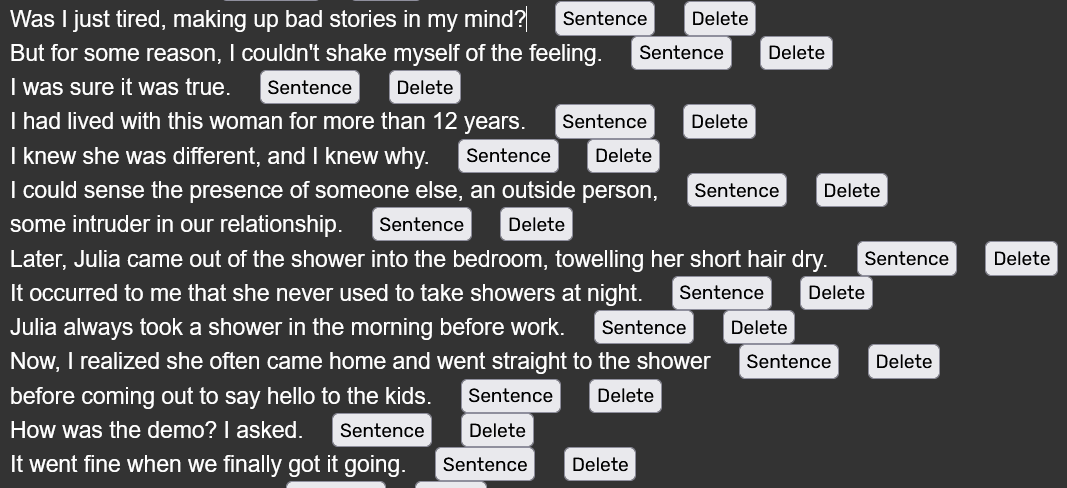
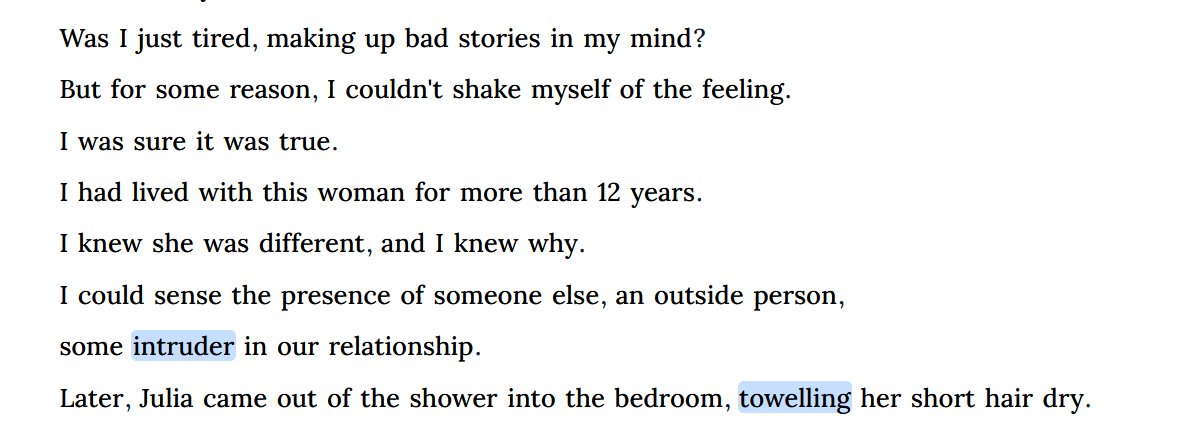
Try make the first line (not title) a paragraph instead of sentence. That should fix it
 I don’t understand why, but it does! Thanks!