LingQ obviously does a lot very well, but the thing that frustrates me this days is the word panel. When you click on a new word you get a simple AI definition and then the crowd sourced definitions. But I find the AI definition is not always correct. On many words I have to click to load an external dictionary and do some checking to see what the correct definition is. This one issue has caused me to do almost all my reading in readlang these days even though LingQ is much more advanced and polished.
In readlang I click the word and the dictionary panel pulls a very accurate definition and some basic etymology of the word. And then it explains the word in context using the context of the sentence it is in. The definition is prefilled but you can edit it if you want to refine it. The information is consistently excellent so I never need to consult an external dictionary so it ends up saving me a lot of time and clicks over using LingQ to select words.
I know this would mean overhauling the interface a bit, but this is one area where LingQ is quite behind. Even apps like Language Reactor which has been around a while and needs updates, has a very good dictionary that is quick and almost instant. It saves a lot of time over using LingQ. And it seems all the next gen apps are using AI dictionaries that populate quickly with a lot of information and save a lot of time from consulting external dictionaries. When I’m reading the text I want the minimal friction when looking up words so that I stay focused on the text. And this alone is causing me to use other tools more than LingQ though I love LingQ and have over 55,000 words in my target language (I realize this may be a big dependent on the target language.)
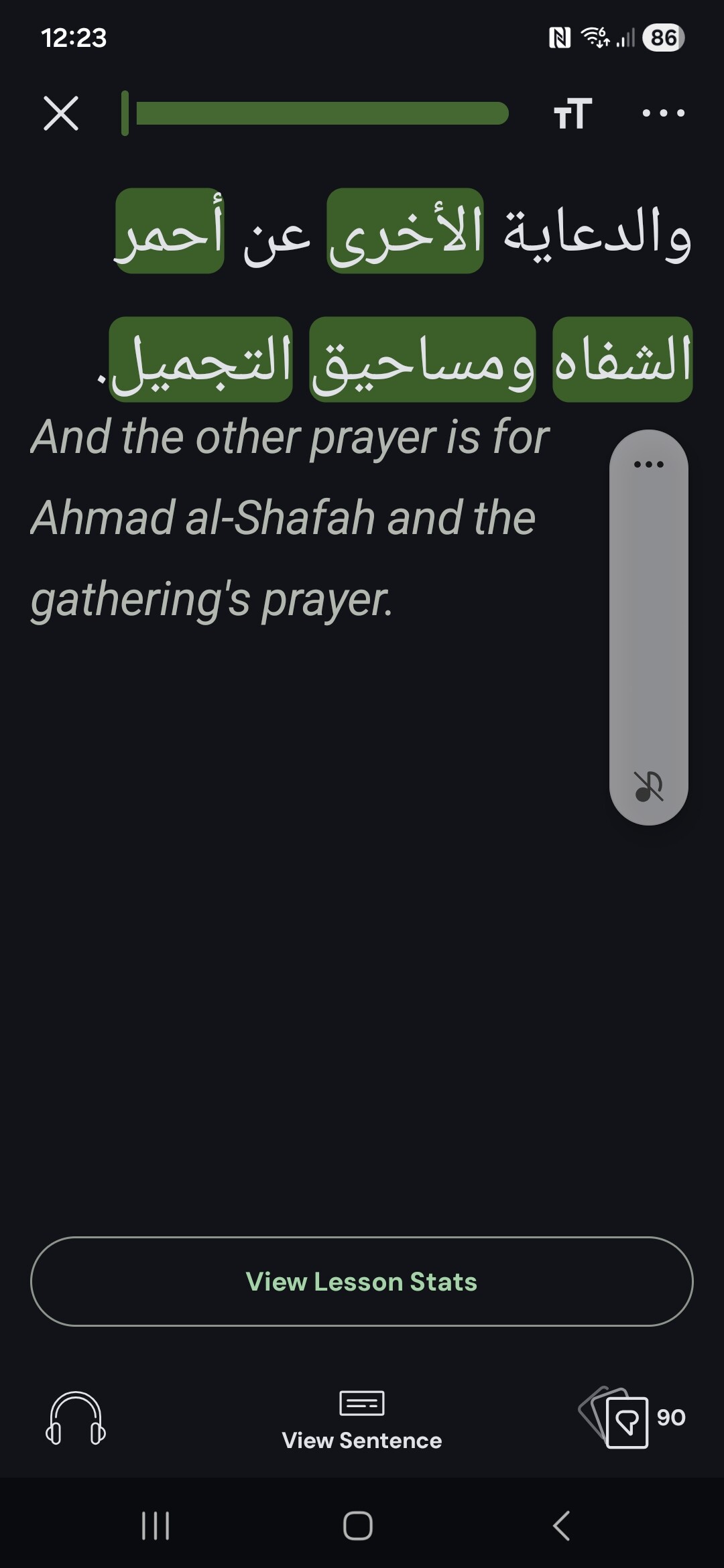
Im getting a similar issue but for the sentence translation mode for arabic making it unusable
However when i click each word to bring up the word panel i get correct definitions and when i select the whole sentence the word panel shows the correct translation of the sentence
Example this sentence about an advert fot womens lipstick/cosmetics has a nonsense transltion!!
@cws If you have the time to share any particular patterns you’ve noticed when it comes to bad contextual translations from the language you’re learning, please let us know. We’ve put a lot of effort into fine tuning our models and we’re always willing to make it better.
If your frustration rather stems from the fact that you need extra clicks to load an external dictionary, that’s some good feedback for us as we’ve been thinking about what options to show and where in the reader.
@HussyD786 You can regenerate these lessons to get proper text translations. It looks like you imported these lessons during the time when our AI provider was having some issues encoding non-latin text. The translations are working well again, so if you import any new lessons or you refresh the translations for those lessons imported in early March you should be good to go.
I have had some issues with bad contextual translations, but that was not my main point. My main point was the extra clicks necessary to identify a word’s definition.
In LingQ the AI generated definition is probably correctly 80% of the time in Hebrew but it’s just one word. And the community definitions are usually right but can be way off. Or definitions that are based on the word before or after the actual word and are not the word itself. Which means for any word I have to click to load an external dictionary, read through what I find, and then type the correct definition. It’s a lot of steps and it really slows down reading because it gets my brain into another space. I’m sure it was an amazing workflow when it was created, but things have really moved on in this area.
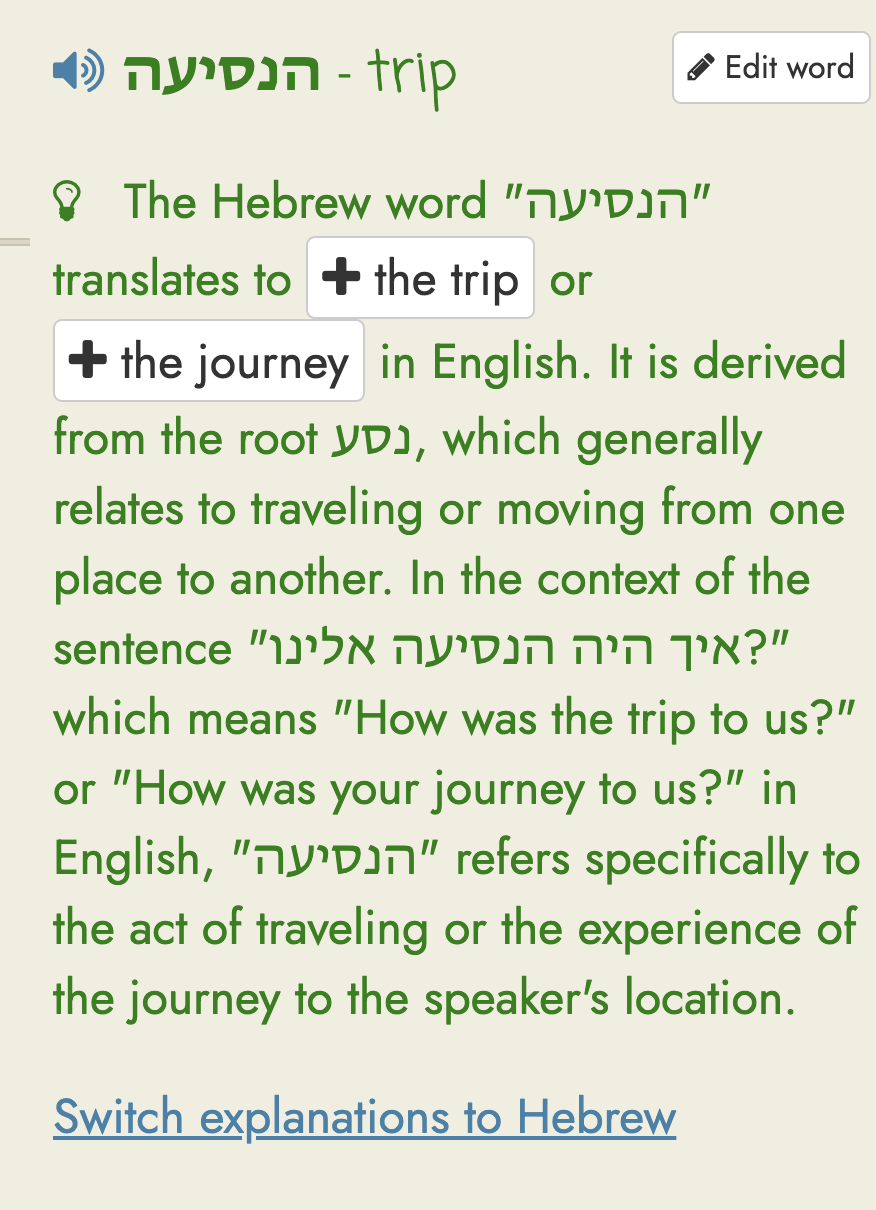
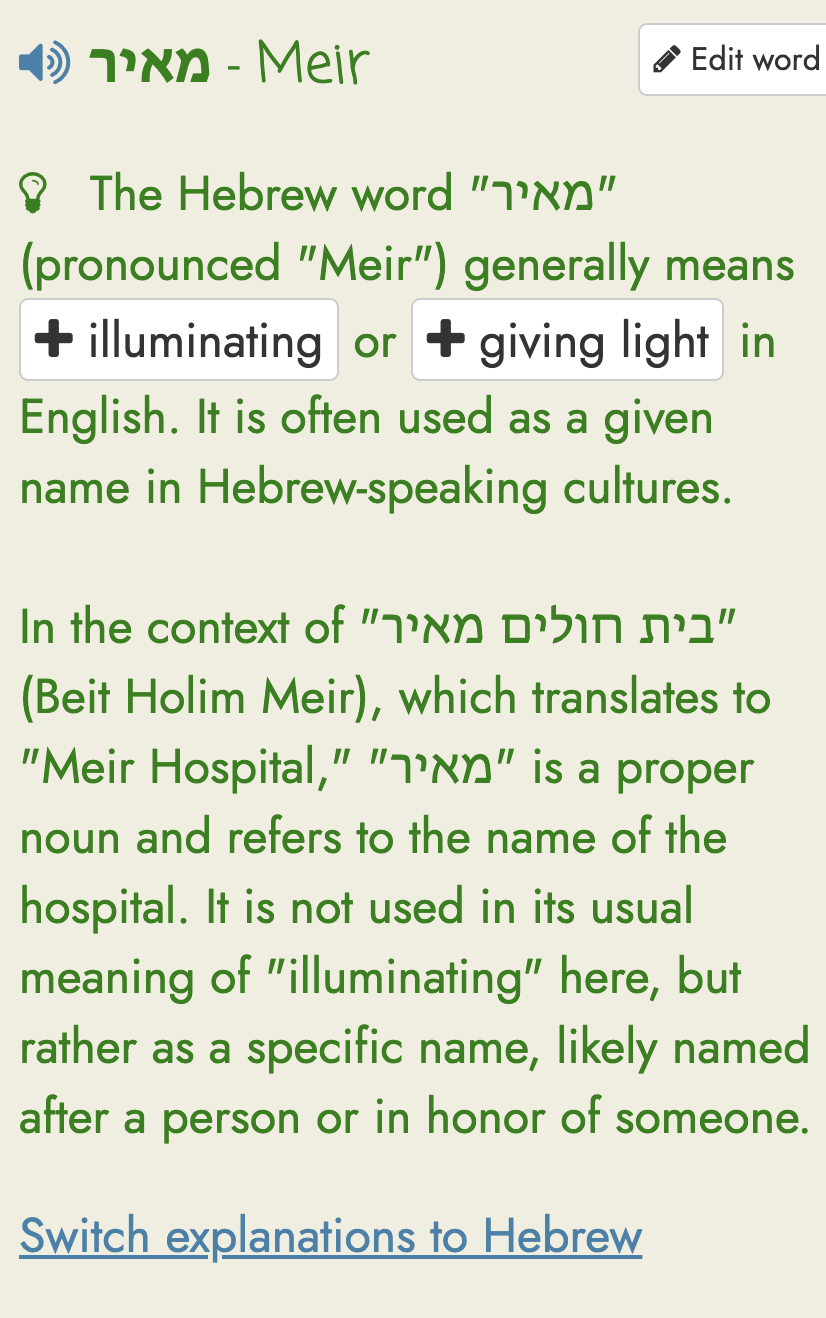
As I mentioned, several other tools provide a much better workflow. As an example, I’ll include some screenshots from Readland. In my case, I’m now doing all my daily reading in Readlang primarily because of this one issue. Even though LingQ does so many things better, Readlang keeps my attention focused by quick giving me information. You’ll in these screenshots that all I have to do is click the word and I get:
Definition that so far is always right. But also an edit button so I can modify the english if I want to.
Alternate definitions that I can click on to add to the stored word.
Other information about the word and the context of the word.
Information pulled from the context of the sentence.
An option to get all this information in my target language rather than English.
I get all this from just clicking a word or phrase. In LingQ I have to click and often start evaluating the information and then click to load an external dictionary and frequently adjust the saved meaning. And then come back to what I’m reading and try to refocus. The Readlang workflow is just so much faster for quickly looking up a word and continuing to read. And it’s even smart enough to identify if a word is not a real Hebrew word and is a word borrowed from English or misspelled.
I do not mean to criticize because there is much LingQ does well and it’s obvious there has been a lot of work and thought put into it. It’s truly an amazing tool. I’m only bringing this up because, in my case, this is what’s led me to use other tools on a daily basis and only use LingQ occasionally after having a streak of over 1,000 days in LingQ. LingQ does much, much more than Readlang, but the dictionary feature alone has really helped me focus better when reading. And, as I mentioned, some other competitors also have similar AI powered dictionary features that save a lot of time when reading. And this is the biggest thing that has led to me spending little time with LingQ these days after making it the main tool I’ve used for 4-5 years.