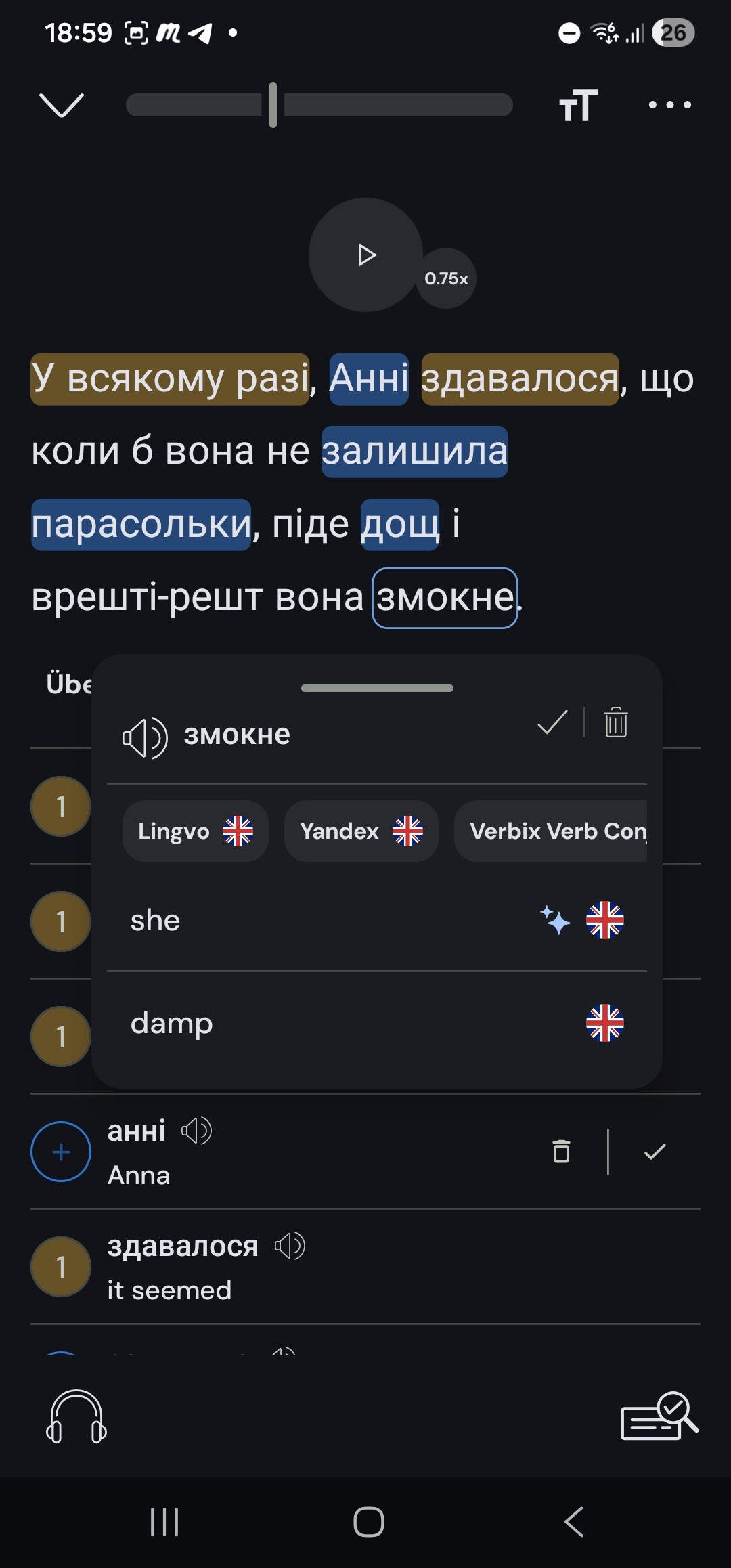
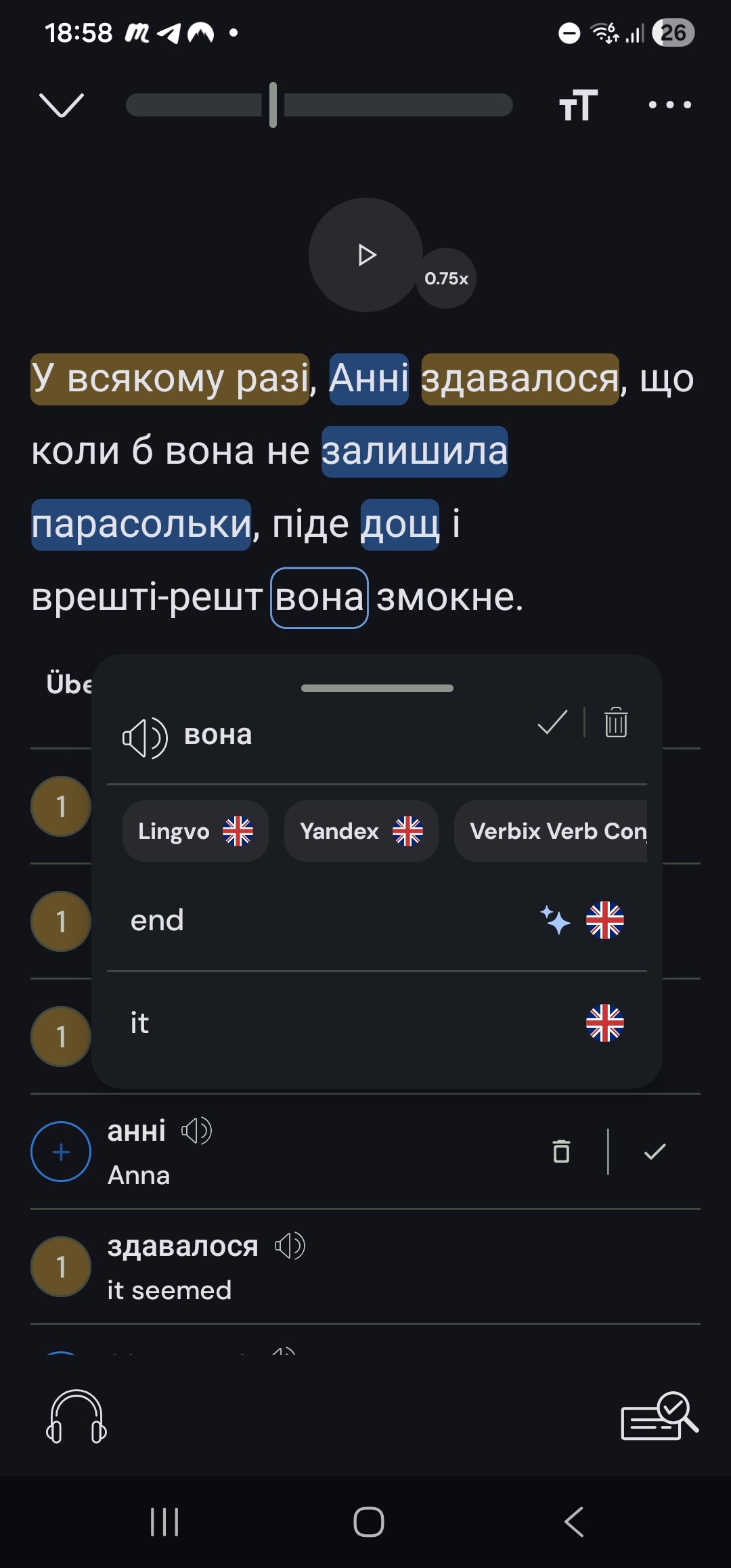
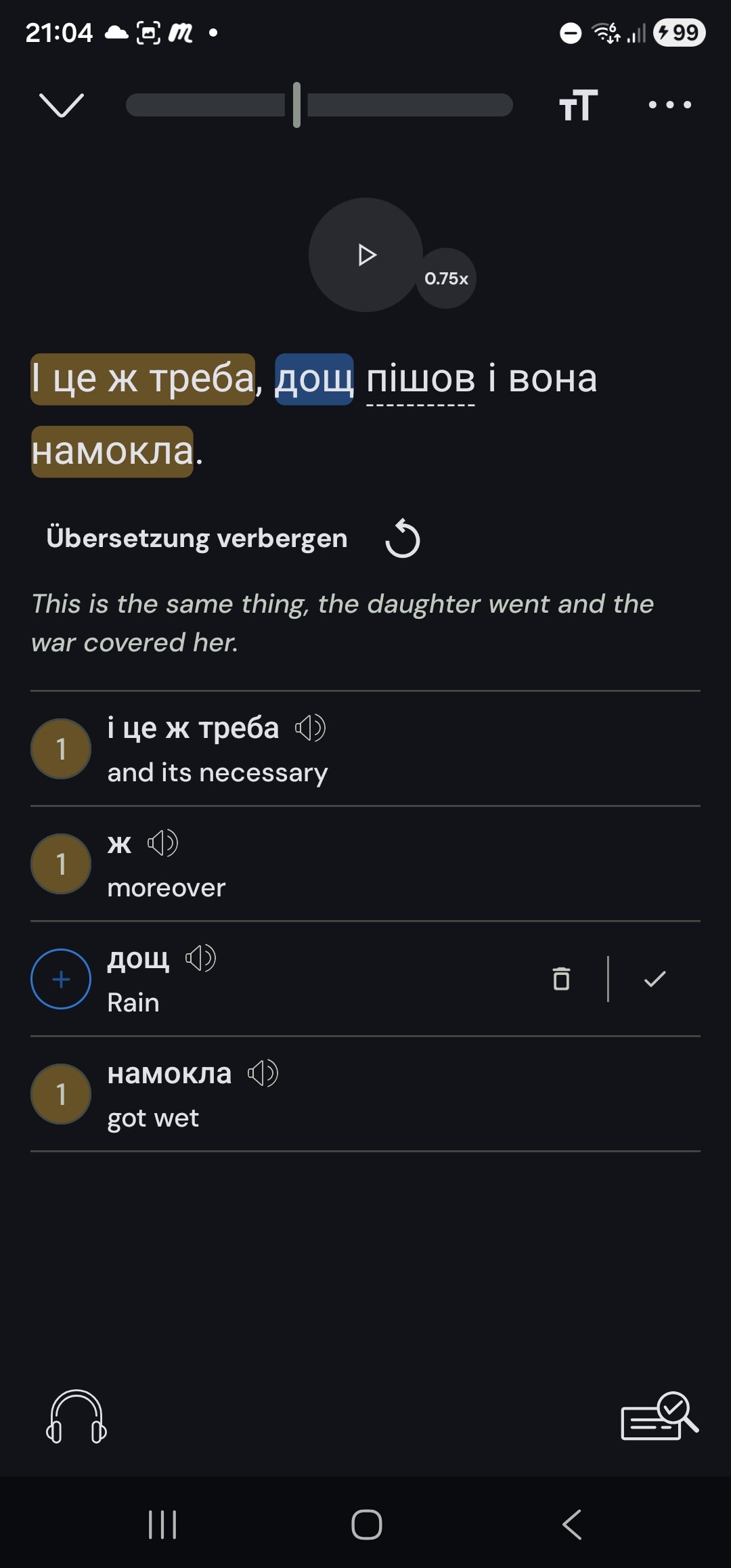
I was genuinely thinking of coming back to a paid membership, but then I was using Ukrainian and ran into some serious issues with the dictionaries. If I know a bit about the language I might overlook this and give the correct translation. But and it’s a big but: lingq is a tool for learners. And its not just the AI generated translation. I know вона is female, and the second option says “it”.
Well, “вона“ is going to come out as “it” in English for all objects, right?
For example:
Сумка тут. Вона відкрита. => The bag is here. It is open.
So I would say the “it” translation is fine as a standalone single word translation for “вона“.
But the AI one is terrible and probably because their engine is breaking when it hits a hyphenated word, and then the AI mixes up all the words after the hyphenated word.
They broke something a week or two ago (?) that means their engine cannot handle hyphenated words, and the AI mixes up all the words after a hyphenated word. That part is terrible.
If you go into the reader settings you can turn off “show contextual meanings” for “New words” and for “Lingqs” to get rid of these terrible AI translations.
Some additional thoughts: Several of the sentences are affected, more than I posted here. Reloading doesnt help. I am worried this will affect my learning if it is a language that Im starting from scratch or a text I know nothing about. These are not minor mistakes but gravely different from what the text says. Short: this should not be happening in a tool dedicated to learners. How are we supposed to know if it is right or wrong?