Today I copied some Russian into Lingq to create a lesson. The Russian had accent marks — or letters that were accented. I notice that Lingq did not reproduce the accent marks. Instead it (sometimes — not always) split the words into particles. I’m fine with the fact that the accent marks do not display.
In the future, what’s the best way to deal with this situation so that I don’t end up with a lot of small meaningless strings of letters that are not words at all?
Hello @vernmartin I tried to import your text and words were not split. Could you please provide example of content or lesson where it happened to you?
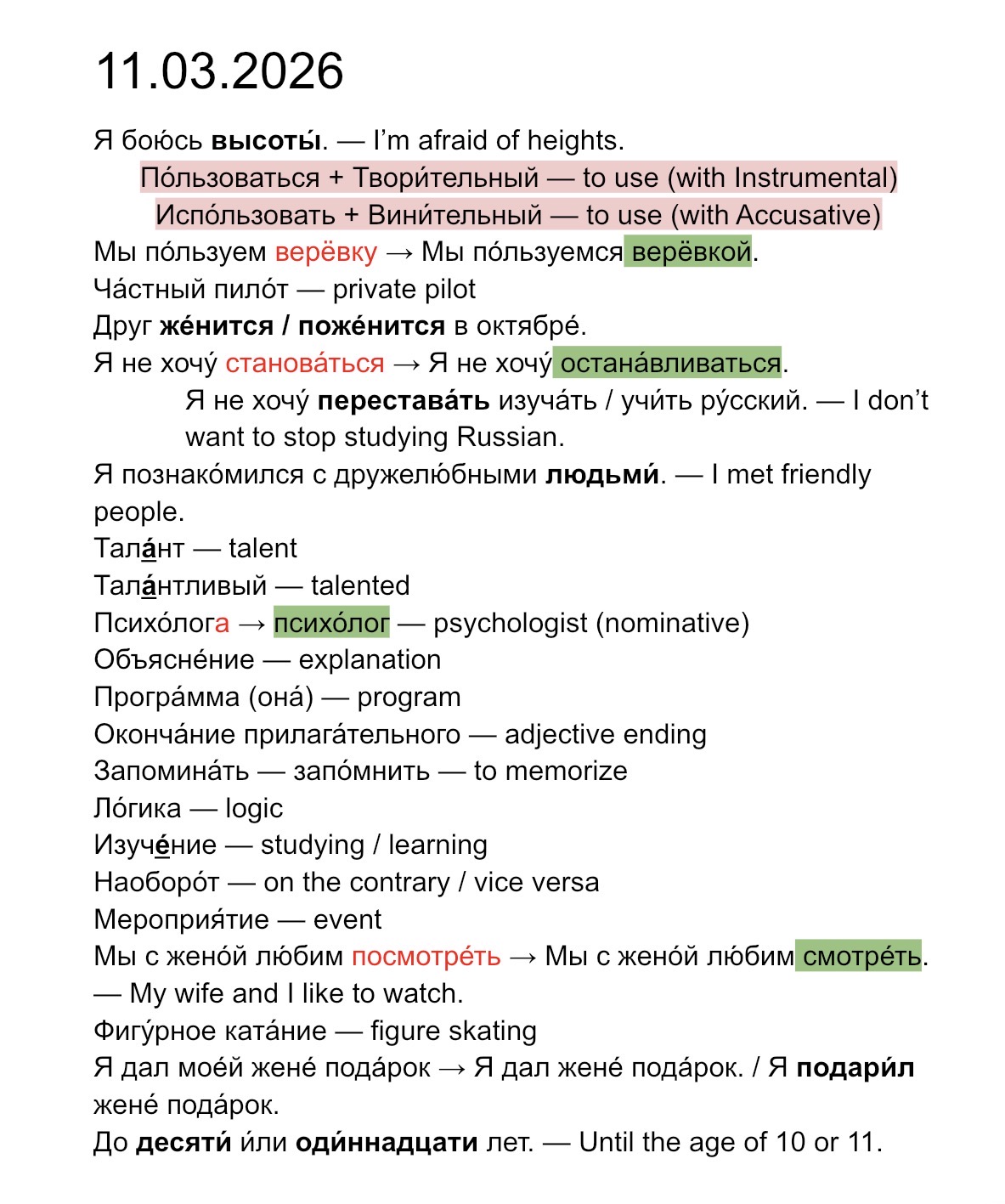
Google Docs
Here is a sample document you can look at. It’s in Google Docs. I simply copied all text and pasted it into a new lesson using my MacBook with the latest MacOS (Tahoe 26.2). Link – тест два в Docs
Sample Lesson
The sample lesson I created to illustrate this issue is: тест два в Lingq. I have shared this lesson, but the message I see is that approval is pending.
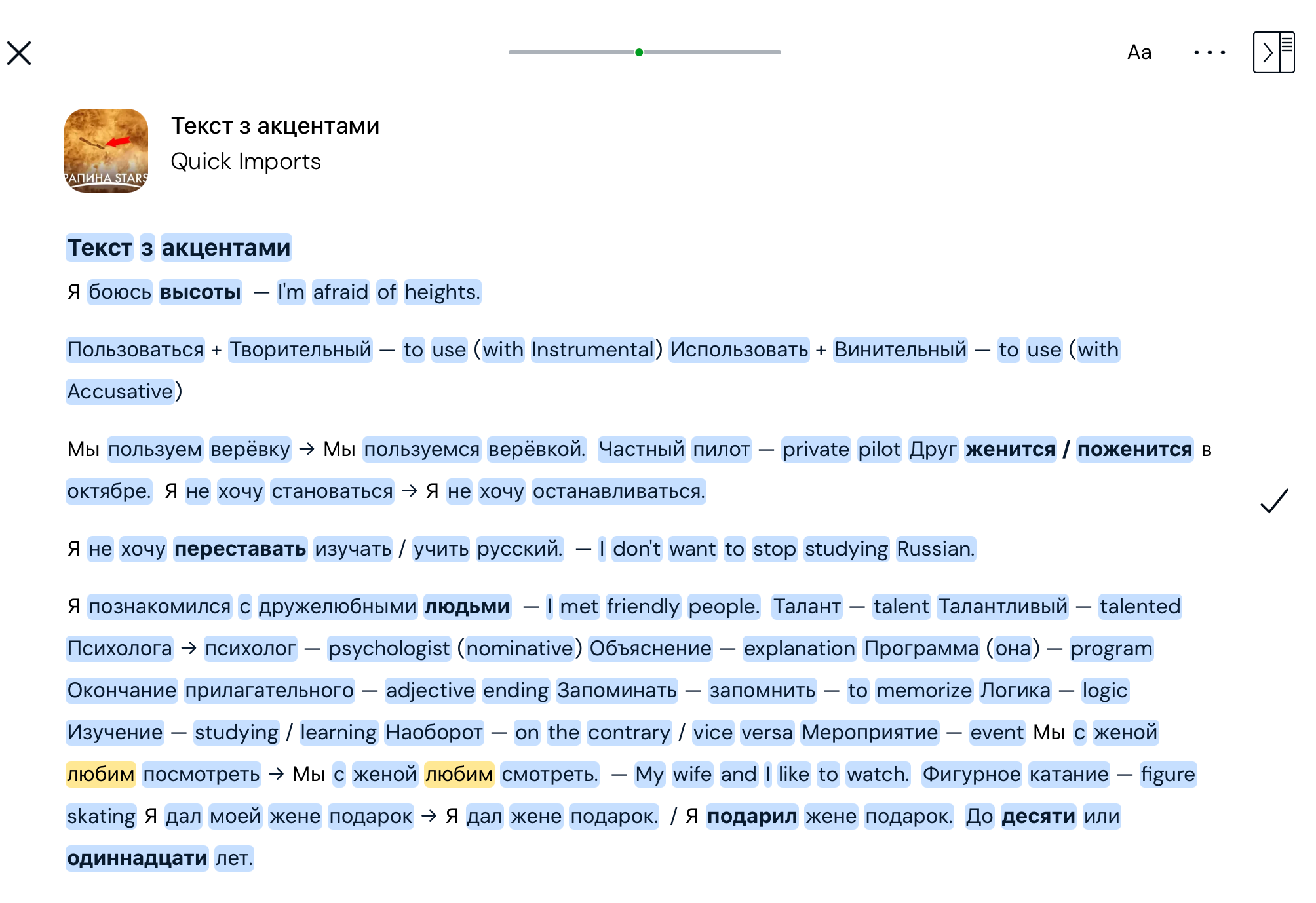
Screenshot of Errors
Two issues I can immediately see are highlighted here.
thank you @vernmartin As I can see, it is not about the accent marks. It is about the different styling for letters in the word (bold, italian etc). I’ll check what we can do.