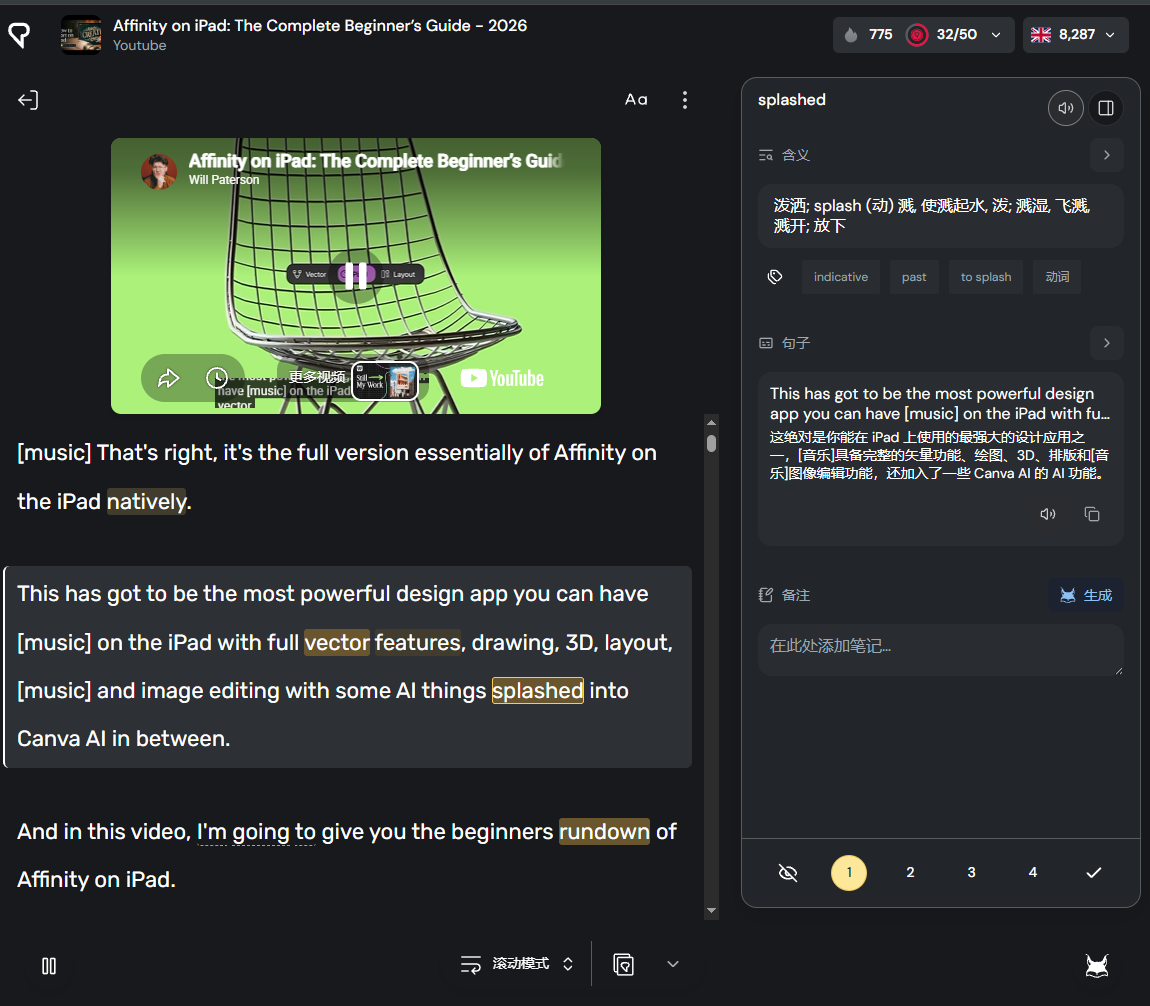
Hi @len1984 thanks for the positive feedback! Is it the scroll mode for video lessons that you love in particular?
I like the scrol mode (too), there is a drawback to it though, normally when I select a lot of text for translation, there is the option to translate it with an external program, but it does not seem to work in scroll mode.
I remember in the older version, in some lessons there was scroll mode too, at the right side there were options to show/hide the translation for a particular block of text.
Sorry, but is this in the app or in the desktop version? I tried both, but mine is not showing up like this. How do I access this mode?
You are using the iOS app on iPad?
@marcos.rm the new reader is only available to beta users currently. You can learn how to join here:
Web: First Look at the new Reader on Web
iOS: iOS Beta Feedback
Android: Android Beta v7.0 New Library/Reader, complete app rework (current v7.0.19-beta)
The new Android version 7.0 should be released this week. So if you are an Android user, you’ll have access to the new version very soon even if you don’t join the beta. Web & iOS will be a few weeks, so join the beta to access soon.
Ah, no, on Android, 7.0.19,-beta thought it is the same thing.
Yes, the new version fixes many issues from the old one, especially in the video lessons mode.